

Backbuild Virtual Workers
A Backbuild Virtual Worker is a named AI employee your organization hires to do real operational work. It is not a chat widget that answers questions. It triages an inbox, drafts and posts support replies, runs the skills you assign it, and does project and code work inside a container, and it does all of that under your organization's roles, your budget, and a complete audit trail. It keeps human-style working hours, reports to a manager you name, and, by default, drafts its work for a person to approve before anything reaches a customer. After this page you will understand what a worker is, how to hire your first one, and which guide answers the job in front of you.
Virtual Workers are available on every plan, including Free, and run on universal usage credits while they work. Only active work is metered; idle time is not. There is no separate per-worker subscription and no per-task surcharge. See the pricing page for the credit model.
A Worker, Not a Chatbot
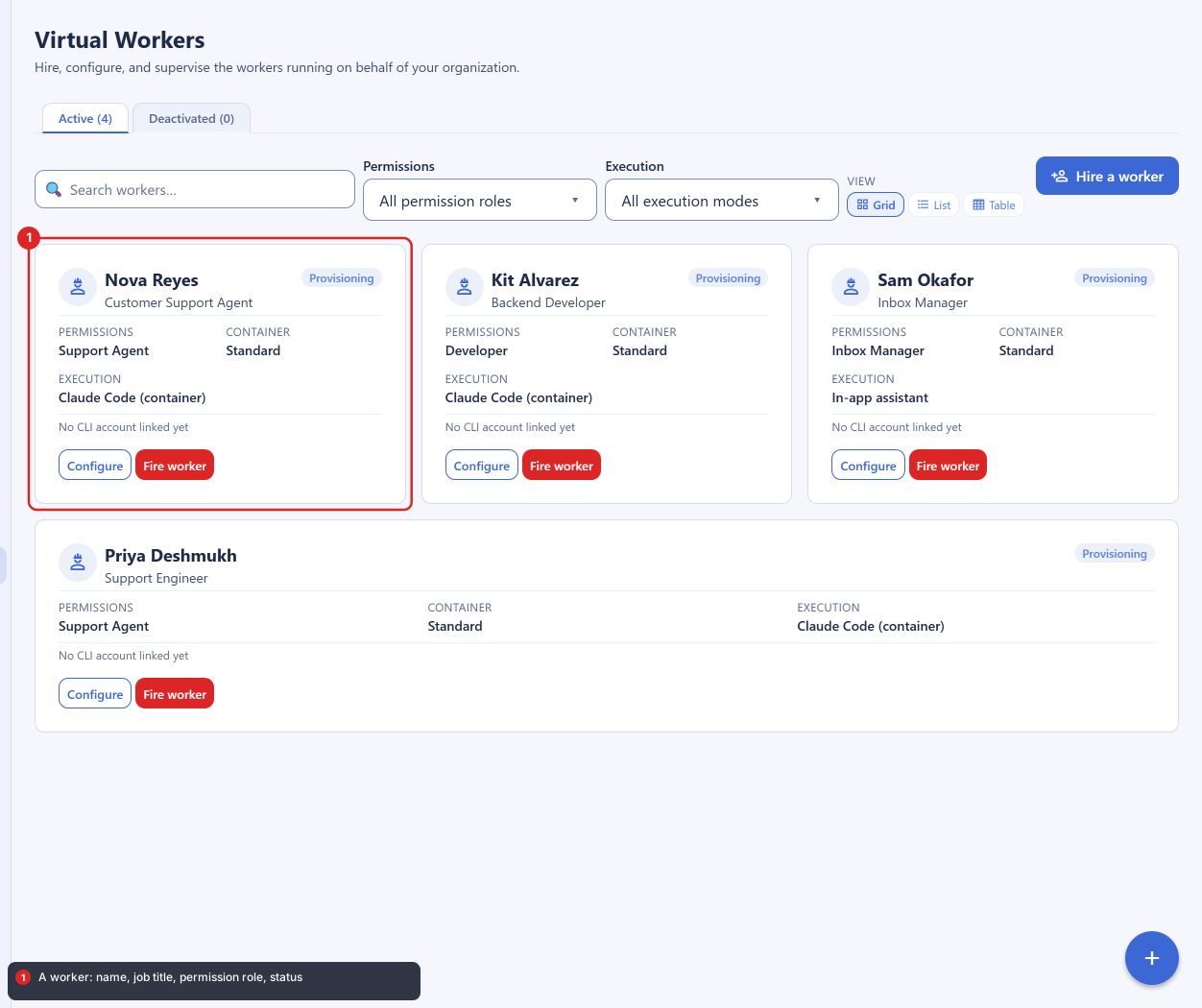
After this section you will be able to tell what a Virtual Worker does that a chatbot cannot. A question-and-answer bot reads a knowledge base and types an answer. A Virtual Worker takes actions: it picks up a support ticket, reads its full conversation, and writes a reply; it works through an inbox and triages what arrives; it runs a skill you built; and, given a container, it edits code and opens a change for review. Each worker is a distinct, named identity in your organization, with a job title, a permission role, a manager, and a shift, so the work it does is attributable to it the way a teammate's work is attributable to them.
- It has a name and a role. You hire a worker, give it a job title, and assign it one of three permission roles: Support Agent, Developer, or Inbox Manager. The role decides what it is allowed to touch.
- It reports to a manager. Every worker reports to a person or to another worker you name, so there is always someone accountable for its output.
- It works a shift. A worker has working days, hours, and holidays. Off shift, it does nothing unless you scheduled it, so a worker never acts at 3 a.m. unless you meant it to.
- It starts supervised. Out of the box a worker drafts its work for a human to review rather than acting on the outside world. You loosen that dial per capability as trust grows.
- Every run is recorded. A worker's prompts and its own responses are written to your organization's history under a Virtual Workers view, so a supervisor can read the full transcript of anything it did.
Where You Find Workers
After this section you will know how to reach the roster and where a worker shows up in your work. Virtual Workers live in your organization settings, under Administration, then Virtual Workers. That is the roster: hire, configure, supervise, pause, and fire your workers there. Two other surfaces put workers where the work is:
- From a project. A project's Virtual Worker action starts an on-demand container session for that project, so a worker can do hands-on project or code work in place.
- From your help desk. Under Help Desk, then Stage Workers, you assign a worker and a skill to a specific ticket workflow stage, so tickets that reach that stage are picked up automatically. See Support Workers.
Your First Worker, Supervised, in Minutes
After this section you will have hired a worker and know it cannot embarrass you. The fastest safe path is to hire a Support Agent that runs on usage credits and drafts replies for you to review. You are not signing up for a multi-week configuration project; a first worker is a few fields and a couple of choices.
- Open Virtual Workers and choose Hire a worker.
- Name it and give it a job. A name, a job title, and a permission role. Start with Support Agent.
- Choose how it thinks. Leave the AI connection source on Universal Usage Credits so it runs on your plan's credits with nothing else to set up. See AI Connection and Budgets.
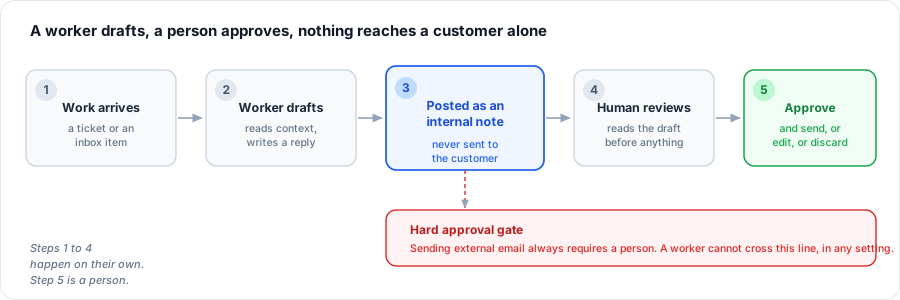
- Leave autonomy on supervised. Every action stays a draft a human reviews. Sending external email can never be made automatic, so a worker cannot message a customer on its own. See Autonomy and Approvals.
- Set a shift and hire. Pick working days and hours, then hire the worker. It appears on your roster, ready to be given work.
That is the whole trust story in one path: a worker drafts, a person approves, and nothing reaches a customer without a human. You loosen supervision later, per capability, only on the queues where the worker has proven itself.
What It Costs
After this section you will know how work is metered and how to cap it. A worker draws on the same universal usage credits that cover the AI assistant, containers, and audio, not a separate bill. Model work and any container it runs draw credits while the worker is actually working; idle time and the gaps between messages do not. You can set a weekly token budget per worker with a stop-at threshold, so a worker throttles itself before it can run away with your spend, and you watch its burn against that budget in real time. If you would rather use your own AI provider, a worker can run on a provider account you link instead of credits. Both are covered in AI Connection and Budgets.
Will this actually do the work, or is it another chatbot? It takes actions. A worker reads a ticket's real conversation and writes a reply, triages an inbox, runs your skills, and, with a container, edits code and opens a change. What it can do is bounded by its role and its autonomy settings, not by a fixed script.
How long until it is useful, and will I babysit it? A first supervised worker is running in minutes, not weeks. Supervision is a dial, not a chore: it starts drafting-for-review, and you loosen it per capability only where the worker earns it.
Can a runaway worker burn my budget? No. Set a weekly token budget with a stop-at threshold and the worker throttles itself as it approaches the cap. Burn is visible in real time on the worker.
Choose Your Guide
Each guide teaches one job end to end. Start with the one that matches what you need to do.
- Hiring and Configuring a Worker: the hire wizard and the per-worker editor, its persona and permission role, its runtime and execution mode, its mailbox and manager, its shift and holidays, and its operating instructions.
- AI Connection and Budgets: running on usage credits or a provider account you link, connecting a worker's own coding-agent account, the weekly token budget, and watching burn.
- Autonomy and Approvals: the supervised-first default, the per-capability autonomy dial, the actions that always require approval, the approval queue, and the pause and fire controls.
- Support Workers: for support operations, assigning a worker and a skill to a ticket workflow stage, drafts posted as internal notes, resolve versus reply, shift and holiday coverage, and grounding in your own knowledge.
- Developer Workers: for engineering, the Developer role in a container, running on a linked coding-agent account, the no-push approval floor, opening a change for review, and least-privilege repository access.
- Security and Governance: for reviewers, the worker as a managed non-human identity, deny-by-default least privilege, the audit trail and transcript, credential handling, isolation, and resistance to prompt injection.
Related Surfaces
- Backbuild Containers: the on-demand cloud computer a worker operates when it does hands-on project or code work.
- MCP and Agent Integration: the tool protocol a worker is driven through, and why a worker can never exceed the access of the identity behind it.
- Password and Secrets Vault: the zero-knowledge vault a worker's linked credentials live in, which the model never reads in plaintext.
- Connect a Local AI Agent: dispatching work to a machine you control instead of a managed container.
- Universal Usage Credits: the single pool that meters model and container work.
What a Virtual Worker Is Not
Choosing well means matching the tool to the requirement. A Virtual Worker is a governed AI employee for operational work: support, inbox, and delegable project or code tasks, always under a role, a budget, and an audit trail. It is not a no-code flow builder with a large gallery of one-click connectors, and it is not a turnkey phone or meeting-notetaker product. Inbound work today arrives from your inbox, your help desk, and project assignments; other inbound channels are being added over time. And a worker never operates unsupervised on the world by default: sending external email and pushing code always require a person, and that boundary cannot be switched off.