

Owning Your Product, Customers, and Data
The single question every serious builder asks before committing to a platform is: if this goes wrong, am I trapped? This page answers it directly. On Backbuild you build on your own terms: your customers pay into your payment account, your tenants are your organizations, your product configuration is versioned and retrievable, and the platform takes one clearly stated fee, never a cut it will not name. After reading this you will know exactly what belongs to you, where it lives, and what happens to it if you ever decide to walk away.
Pro The SaaS Builder is part of Backbuild Pro. See pricing.
What belongs to you
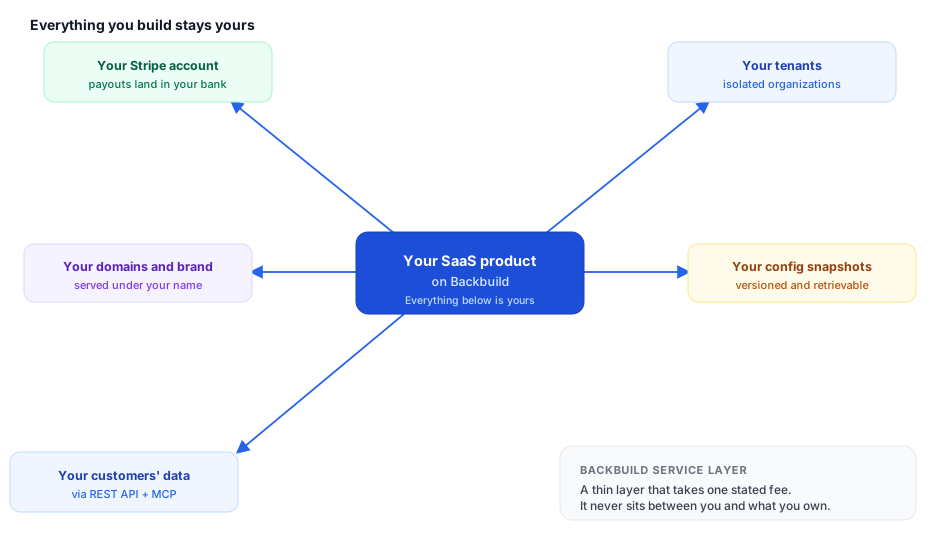
Nothing about the SaaS Builder puts Backbuild between you and the things that make your business yours. Concretely, each of the following is yours, held in a place you control:
| What | Where it lives | What that means for you |
|---|---|---|
| Your revenue and customer billing | Your own Stripe account | Charges are created against your connected Stripe account and settle to your bank on your own payout schedule. Your customer list, charges, invoices, and payouts appear in your Stripe Dashboard, not behind a Backbuild wall. |
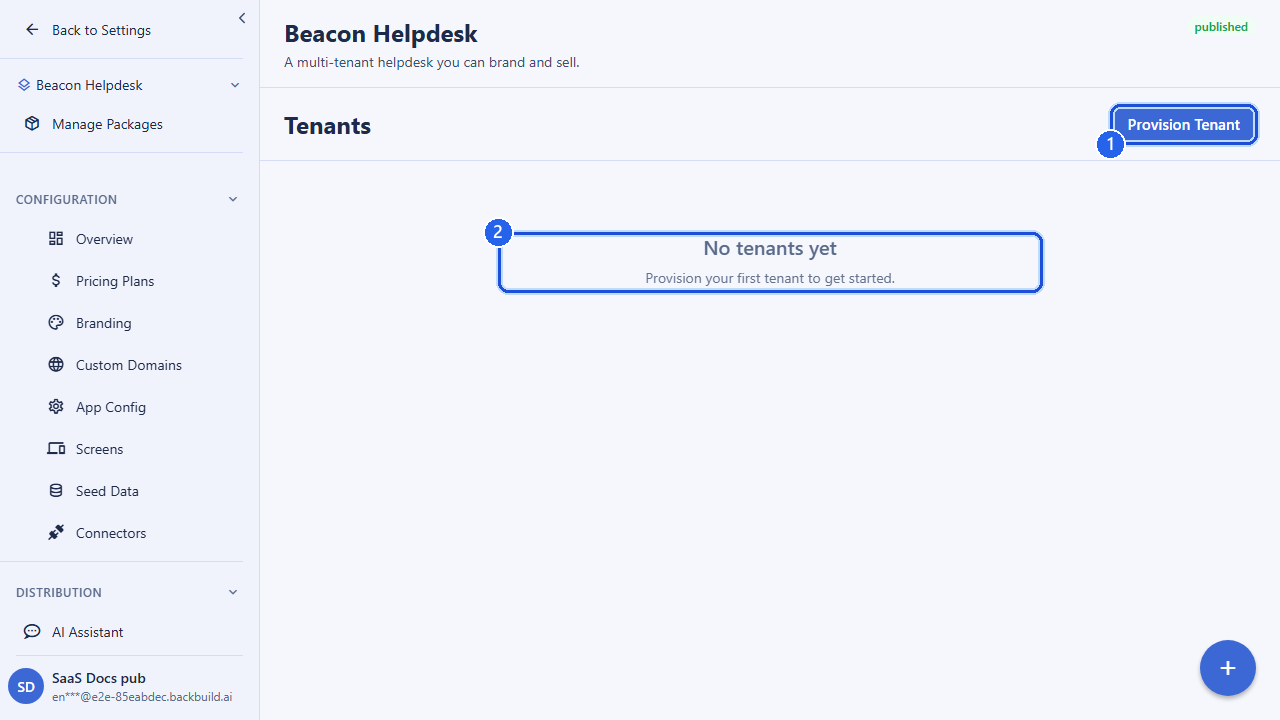
| Your tenants | Isolated organizations you own | Each customer runs in their own isolated organization under your package. You hold the roster of every tenant and can list, inspect, and manage them at any time through the API. |
| Your product definition | Versioned package snapshots | Your pricing, feature mapping, branding, screens, and seed data are captured as versioned data bundles and release snapshots you can retrieve whenever you want. |
| Your customers’ data | Standard records, reachable by API | Everything your product stores (projects, records, documents, files) is reachable through the same REST API and MCP tools your app uses, so nothing is locked in a proprietary black box. |
| Your brand and domain | Domains you own | Your product runs on domains you register and control. The Backbuild brand does not appear to your customers. |
Who gets paid, and what Backbuild takes
When a customer subscribes to your product, the money is yours. Backbuild does not collect your customers’ payments into a Backbuild account and remit them to you later. Instead, the charge is created directly against your own connected Stripe account, and the funds land in your Stripe balance and pay out to your bank. Backbuild’s only take is a single application fee, deducted transparently off the top of each transaction, that you can see itemized on every charge in your Stripe Dashboard.
That fee is one number, stated up front: a platform fee (10% by default), plus any surcharge you choose to add in your own favor. There is no per-seat platform tax that grows as you succeed, and no separate metered add-on fees hidden inside the platform fee. What is metered (for example, usage credits and storage) is published openly on the pricing page, so you can price it into your own plans with confidence. The full mechanics, including how you set your own markup, are on Payments & Stripe Connect.
Portability: getting your data out
Portability on Backbuild is not a promise you have to trust; it is a consequence of how the product is built. Your data does not sit in a closed format that only Backbuild can read:
- Customer and billing records are already in your Stripe account. Because customers, subscriptions, invoices, and payment methods are created on your own Stripe account, your entire billing relationship is portable by definition. It is in a Stripe account you own and can export from Stripe directly at any time.
- Product data is reachable through the API. Projects, records, documents, and files that your product stores are readable and writable through the same REST API and MCP tools your application uses, so you (or a script you write) can pull the full contents at any time in a standard JSON form.
- Your configuration is versioned and retrievable. The definition of your product, its plans, feature mapping, branding, screens, and seed data, is captured as versioned data bundles and release snapshots. You can read the current snapshot or any prior version, so the shape of your product travels with you.
The point is that no single Backbuild-proprietary lock stands between you and a full copy of your business. The money is in your Stripe account, the data is behind a standard API, and the configuration is a retrievable snapshot.
What happens to your subscribers if you stop
Deciding to pause, retire, or move a product should never strand the customers who trusted you. Backbuild is built so that pulling a product back is a controlled action, not a cliff:
- Unpublishing does not touch existing tenants. When you unpublish a package, it is removed from public discovery so no new customers can sign up, but every existing tenant keeps running exactly as before. Their data, logins, and subscriptions are unaffected.
- You cannot accidentally cut off live customers. A package that still has active subscriber tenants is protected: the platform blocks an unpublish that would abandon live tenants, so retiring a product is a deliberate, staged decision rather than a single destructive click.
- Your Stripe relationships persist independently. Because subscriptions live on your own Stripe account, your billing relationship with each customer continues to exist in your control even as you wind a product down.
In short: you choose the pace at which a product leaves the market, and your customers are never dropped as a side effect. See SaaS Packages for the full publish, unpublish, and archive lifecycle.
Frequently asked questions
- Is the Stripe account mine or the platform’s?
- Yours. You connect your own Stripe account, charges are created against it, and payouts land in your bank. Your customers, charges, and payouts appear in your own Stripe Dashboard. See Payments & Stripe Connect.
- What exactly does Backbuild take?
- A single application fee per transaction: a platform fee (10% by default) plus any surcharge you add for yourself. It is deducted transparently off the top and itemized on each Stripe charge. There is no separate per-seat platform tax and no hidden metered add-on inside that fee.
- Can I export everything and leave?
- Yes. Your billing lives in your own Stripe account (exportable from Stripe directly), your product data is readable through the REST API and MCP tools in standard JSON, and your configuration is a versioned, retrievable snapshot. Nothing is trapped in a proprietary format only Backbuild can read.
- Do I own my subscriber and customer list?
- Yes. Your tenants are your own organizations and your subscribers are customers on your own Stripe account. Both are yours to manage and export.
- If I stop selling a product, what happens to the customers who already bought it?
- They keep running. Unpublishing only removes a product from public discovery; existing tenants and their subscriptions are unaffected, and the platform actively prevents an unpublish that would abandon live tenants.
- Will the Backbuild brand ever show up to my customers?
- No. Your product runs on your own domain under your own branding across every customer-facing surface. See Branding & Themes.
Related
- Payments & Stripe Connect: who gets paid and how the fee works
- Tenants & Subscriptions: the customers you own and manage
- Data Bundles: versioned snapshots of your product
- SaaS Builder overview