

The Backbuild Docs Editor
Backbuild Docs is a WYSIWYG document editor whose native, source-of-truth format is LaTeX. You write in a formatted editor, and every author on the document works on the same live copy at the same time. This page is the complete reference for what the editor does today, written so you can decide whether it fits your work before you open it.
The Docs editor is part of the free Backbuild workspace, on every plan including Free. Real-time co-authoring, comments, tracked changes, and version history are included; there is no per-collaborator seat gate and no per-compile paywall.
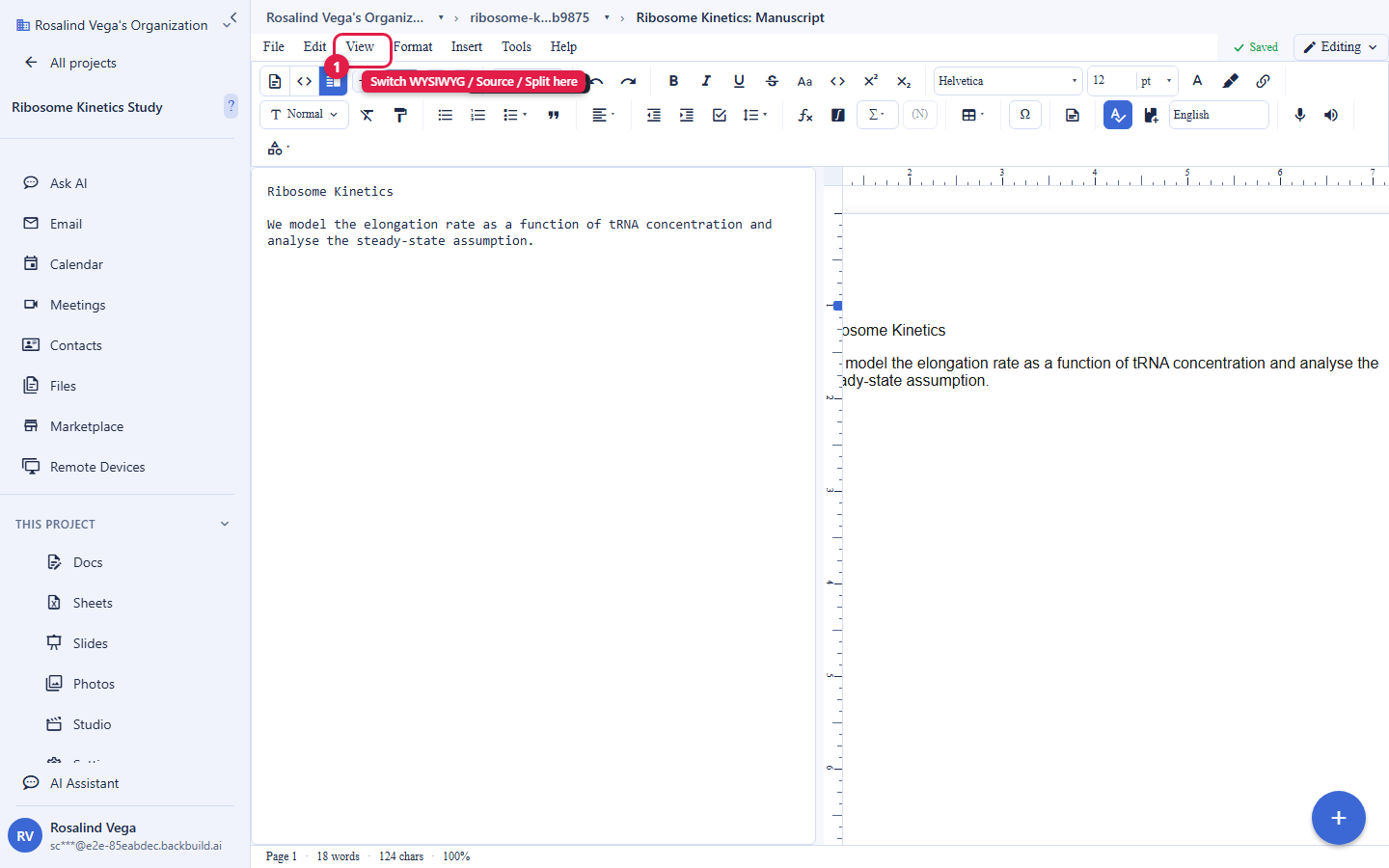
Writing: WYSIWYG, LaTeX source, or split view
You author in a formatted WYSIWYG surface, and the document is stored as LaTeX underneath. At any point you can switch to an editable LaTeX source view, including the full document preamble, or a side-by-side split that shows the formatted document and its LaTeX together. This means you get the approachability of a word processor and the precision of LaTeX in one editor, without choosing one at the cost of the other.
- Live math: inline and display equations render as you type, with a symbol and structure palette and a visual equation builder for building expressions without memorizing commands.
- Structure: headings, lists, sections, section breaks, columns, headers and footers, footnotes, endnotes, a table of contents, a table of authorities, and a back-of-book index.
- Tables and objects: rich tables with cell borders and sizing, figures with captions, charts, shapes, and drawing objects.
- Styles: paragraph and character styles, including linked styles, so a heading and its run-in variant stay in step.
Real-time co-authoring
Multiple authors edit the same document at the same time. Edits merge automatically using a conflict-free replicated data type (CRDT), so two people typing in the same paragraph never overwrite each other. You see collaborators' live cursors and presence, leave and resolve inline comments, and turn on tracked changes to suggest edits that an author can accept or reject. A full version history records the document over time, lets you name a version, and lets you restore an earlier one.
Editing also continues when your connection does not. The editor keeps a local copy of the document in your browser, so you can keep writing offline; when the connection returns, your changes and everyone else's merge through the same conflict-free mechanism, with nothing overwritten and nothing to reconcile by hand.
Citations and references
Insert inline citations and build a bibliography in the common scholarly styles: APA, MLA, and Chicago author-year. Cross-references link to figures, tables, sections, and equations and update as the document changes.
A shared reference library backs the citation surface. Import a BibTeX or biblatex .bib file, look up an entry by DOI, and the library stores each reference as structured CSL-JSON that you cite from directly in the editor. A read-only Zotero connector pulls your Zotero library into the reference library on a schedule, authenticated by your own Zotero API key held in the organization vault. The reference library is rolling out and is enabled per organization; a Mendeley connector is planned but not built yet.
Page layout
Set page size and orientation, margins, and a paged or pageless surface from Page Setup, and drag margins and indents on a live ruler whose units follow the page. Add and remove columns with a column gap. A mailing-label and badge grid model with Avery presets is available from the Insert menu. Per-cell label rendering and the in-labels ruler row and column handles are specified and are the remaining part of the label-grid build; the rest of page layout listed here is shipped.
Import and export
Bring existing work in, and take finished work out, without copy-paste:
- Import: Microsoft Word (DOCX), OpenDocument Text (ODT), RTF, HTML, and Markdown.
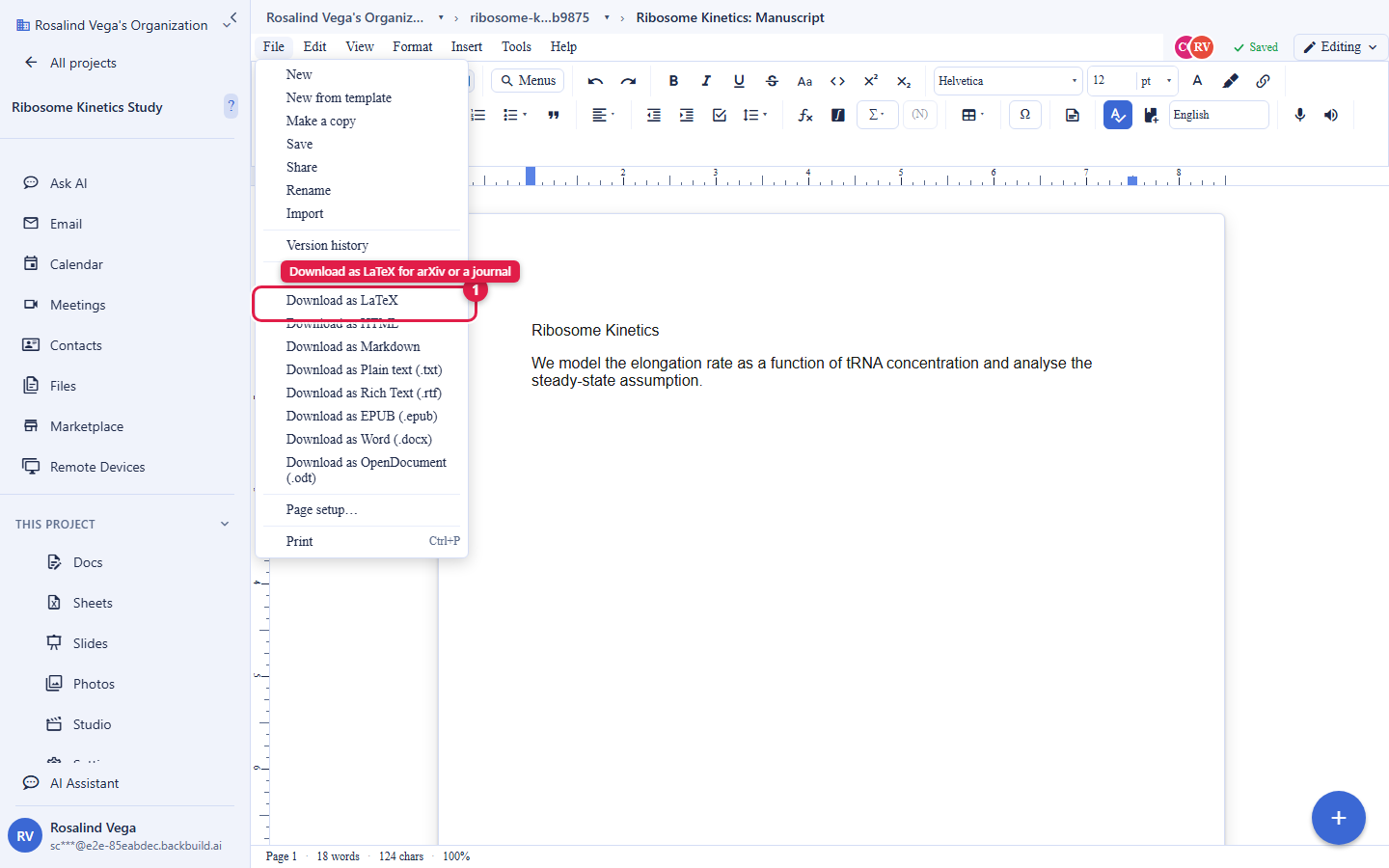
- Export: LaTeX (the native format), Microsoft Word (DOCX), OpenDocument Text (ODT), HTML, Markdown, RTF, EPUB, and plain text.
LaTeX export is submission-ready: use it for journal submissions, preprints, and conference camera-ready builds. In-app typeset PDF compilation is on the roadmap; today the editor renders your document live and exports the LaTeX source that your journal or build pipeline compiles to PDF. Because rendering is live rather than a queued compile, there is no per-compile time limit and no compile-minute meter.
Inline AI assistance
An AI assistant works inside the document: it can edit, rewrite, translate, and answer questions grounded in the text you are working on. AI usage is not bundled into the plan price; bring your own AI provider keys, or purchase universal usage credits to cover it, on every tier including Free.
Productivity extras
- Mail merge: insert merge fields and generate documents from a data source.
- Macros: record a sequence of editing commands and replay it.
- Dictation and voice commands: dictate text and drive common editing commands by voice using the browser's speech recognition.
- Read aloud: have the document read back to you with text-to-speech.
- Accessibility checker: scan the document for accessibility issues such as images missing alternative text, skipped heading levels, and links whose visible text is a bare URL, and review them in a report.
What Backbuild Docs does not do yet. It does not run an in-app TeX compiler, so it does not produce a typeset PDF in the editor or use arbitrary CTAN packages; it renders live and exports LaTeX. It does not offer a large journal and conference template gallery, host a per-project two-way GitHub or Dropbox sync, or connect to Mendeley. A document in a local Git repository can be opened and edited through the paired Backbuild desktop app, which reads the file from your repository and writes edits back to it; see Projects for repository links and pairing. The remaining gaps are tracked as requested features, and this page is kept current as they ship.