

Payroll and Contractors
Payroll is the one area where overstating what a system does causes real harm, so this guide is precise about both what Backbuild Finances does and what it does not. It runs and records payroll: it calculates a pay run, including withholding and employer tax, and posts a balanced entry to your ledger so payroll shows up correctly in your books. It does not file or pay your payroll taxes for you. After this page you will be able to set up your team, run and record a pay run, pay contractors, and know exactly where the boundary is.
Payroll and contractor payments are part of the back office, free for teams up to 50 seats. Backbuild Finances records payroll; it is not a managed payroll-tax filing service. See pricing and the boundary section below.
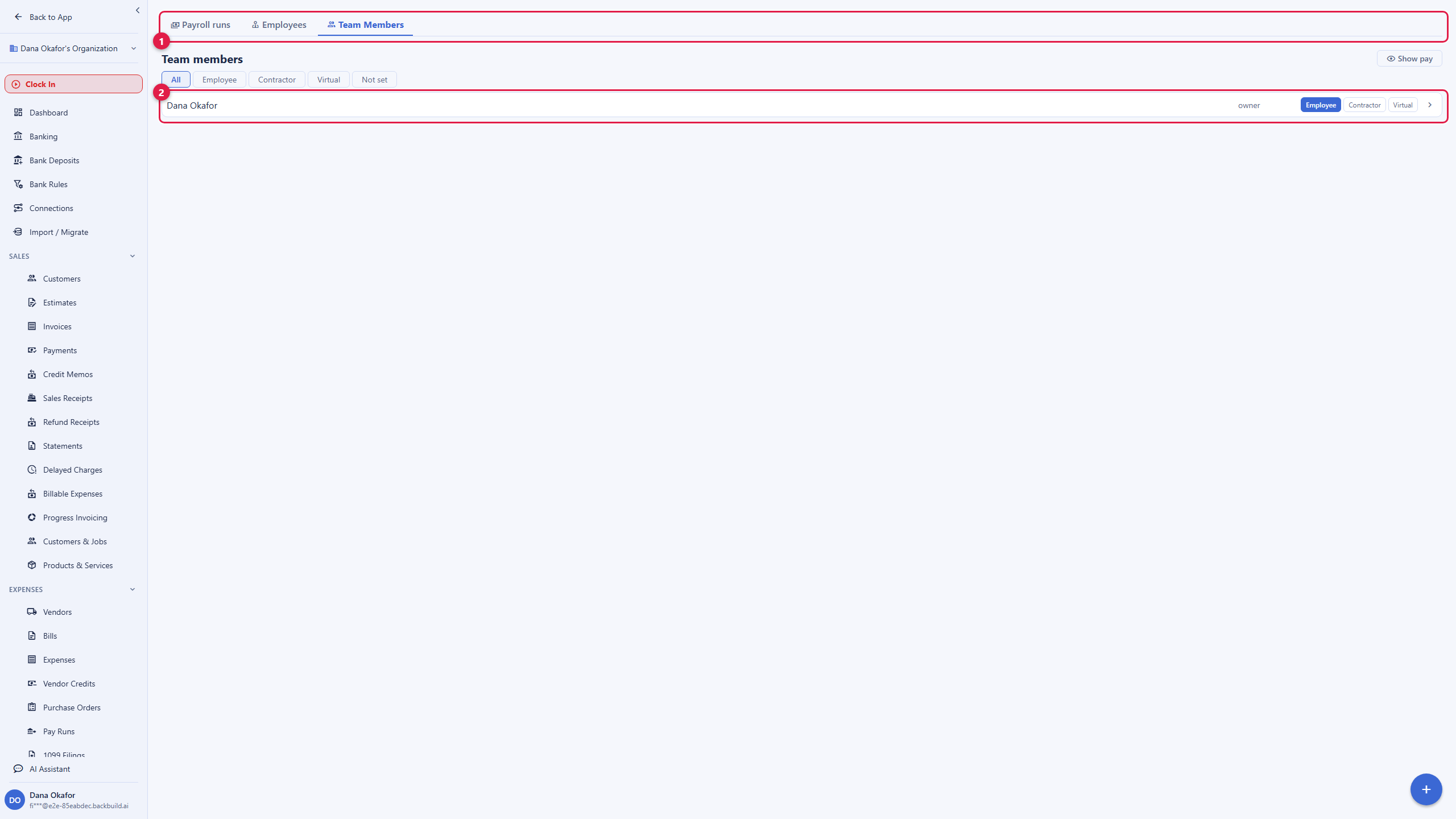
Your Team Is Already Here
After this section your roster will be set up. There is no import step: every active member of your organization is already listed on the Team Members tab of Payroll. Your job is to disposition them.
- Set each person inline as an Employee, a Contractor, or a Virtual worker, and filter the roster by bucket.
- Toggle a person Salaried or Hourly.
- Pay is hidden by default; a Show pay toggle reveals it in a basis you choose, so sensitive numbers are not on screen unless you ask for them.
The Employees tab then holds the people you have put on payroll. You can add someone who is not an organization member by hand, with their name, annual or hourly pay, withholding percentage, and employer-tax percentage, and open a dedicated detail page for each.
Run and Record a Pay Run
After this section you will have posted payroll to your books. A pay run calculates pay for a pay date and records it. Open Payroll, then Payroll runs.
- Start a run for a pay date and enter the gross for each active employee.
- Choose the accounts the run uses: the bank it pays from, the wage-expense account, the payroll-liability account, and, optionally, the employer-tax-expense account.
- The run computes withholding and employer tax from each employee's rates, so net pay is gross minus withholding minus deductions.
- Post the run. It writes a balanced entry to your ledger, and the pay-run history records the run number, date, gross, and net.
Because payroll posts to the same ledger as everything else, your wage expense and payroll liabilities are correct in your profit-and-loss and balance sheet without a separate reconciliation against an outside payroll app.
The Honest Boundary: Recorded, Not Filed
After this section you will know precisely what to arrange elsewhere. Backbuild Finances calculates and records payroll and posts it to your books. It does not:
- File your federal or state payroll tax returns.
- Remit (pay) the withheld and employer taxes to the tax authorities.
- Produce and file year-end payroll tax forms on your behalf, or carry a tax-penalty guarantee.
If you need a service that files and pays payroll taxes for you, use a dedicated payroll provider for the filing and remittance, and record the results in Backbuild Finances so your books stay complete. Weigh that difference honestly when you choose: a managed-filing payroll service and an accurate payroll recorder are different tools, and this is the second one. Stating that plainly is the point, because getting payroll taxes wrong is expensive.
Contractors and 1099s
After this section paying contractors will be simple. Contractor payments run through the payables side: you pay a contractor like any vendor, and you flag that vendor for 1099 so their payments are tracked. At year-end the 1099 report totals what each flagged contractor was paid. See Expenses, Bills and Mileage for the vendor and 1099 workflow in full. As with payroll, this tracks and totals the payments; issuing and filing the 1099 forms is done by you or your accountant.
Sensitive Identifiers Stay Vaulted
After this section you will know your team's private data is protected. An employee's Social Security number and other sensitive identifiers are never entered on the payroll screen and never stored in the finance records in the clear. They are held in the zero-knowledge Secrets vault, entered once and revealed only through an explicit action by someone you authorize. Backbuild stores only ciphertext it cannot read. That means running payroll does not spread your team's most sensitive data across your books.
Does payroll file and pay my taxes? No. Backbuild Finances calculates and records payroll and posts it to your ledger. It does not file your returns or remit the tax. Use a dedicated payroll provider for filing and record the results here.
Do I have to import my team? No. Every active organization member is already on the roster; you disposition each as employee, contractor, or virtual worker.
What does a pay run actually do? It calculates withholding and employer tax from each employee's rates, computes net pay, and posts a balanced entry to your ledger, with the run recorded in your pay-run history.
Where are Social Security numbers stored? In the zero-knowledge vault, not in the finance tables. They are entered once and revealed only by explicit action, and Backbuild cannot read them.
How do I pay a contractor? Pay them like a vendor and flag them 1099; the year-end 1099 report totals their payments.
Where to Next
- Expenses, Bills and Mileage: the vendor and 1099 workflow contractors run through.
- The Accounting Ledger: the accounts a pay run posts to.
- Reports and Sales Tax: see wage expense and liabilities in your statements.
- Password and Secrets Vault: how sensitive identifiers are held zero-knowledge.