

Getting Started
This page takes you from a new account to a working research project. When you finish, you will have verified your academic status, created a project, written in LaTeX, and know exactly how your work exports for submission. It takes a few minutes.
1. Confirm your plan
Backbuild Science is free for current students and faculty. Verify a valid student or faculty ID and your research workspace unlocks at no cost. It stays free while your ID is valid and for 6 months after it expires, after which a graduate discount ladder eases you toward the standard Individual rate over time. Labs, departments, and institutions use the Team, Business, and Enterprise plans. The exact numbers, and the graduate ladder, live on the pricing page, which is the single source of truth for price.
Free for students is genuinely free, not a trial. There is no clock counting down and no card required for the Academic tier. Your access simply follows your verified status: valid ID means free, and you keep a discount for years after you graduate. See Academic status & verification for what happens at each stage.
2. Verify your academic status
Verification is a quick identity check that confirms you are a real student or faculty member. You can start it in two places:
- During sign-up: when you choose the Academic option while creating your account, the verification step appears in onboarding.
- From Settings later: if you already have an account, open Settings, go to the security area, and start ID verification there. This is also where you re-verify when your status changes.
Keep your institutional ID handy. The full flow, what to do if the first attempt does not go through, and how re-verification works are covered in Academic status & verification.
3. Create a research project
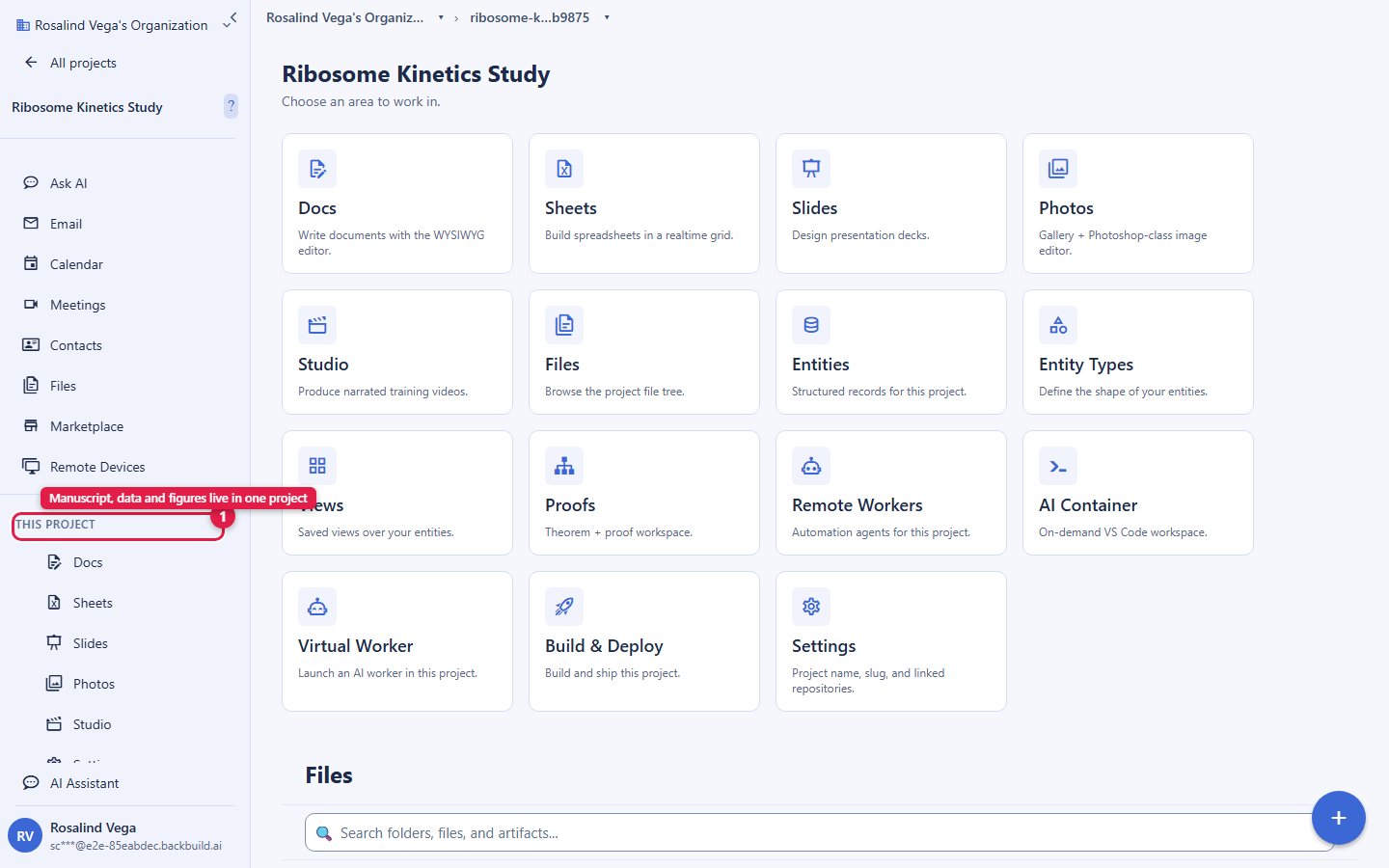
Research lives in projects, the same way everything else in Backbuild does. Create one project per paper, thesis, or study. A project keeps your manuscripts, data, proofs, figures, and references together, and it is where you invite co-authors and control sharing. Because everything for a paper sits in one project, your manuscript never drifts out of sync with the data and proofs behind it.
4. Author your work
Use the workspace editors for everything you write. Each has a full reference page; the short version:
- Backbuild Docs: write your manuscript in a WYSIWYG editor whose native format is LaTeX, with live math, citations, figures, real-time co-authoring, and submission-ready LaTeX export. See the Docs editor.
- Backbuild Sheets: organize datasets and analysis with a deep formula engine, and export a portable SQLite database for reproducibility (Parquet export is coming soon). See the Sheets editor.
- Backbuild Slides: build talks and posters from the same project, with live LaTeX math on slides. See the Slides editor.
An AI research assistant can help you draft, rewrite, translate, and check references, grounded in your own text so it does not invent citations. AI usage is not bundled into the plan: bring your own AI provider keys, stored in the encrypted Secrets vault, or use universal usage credits. See Research authoring & export for the full workflow.
5. Verify your mathematics
Capture the theorems and derivations behind your results as proof entries and machine-check them against the higher-order-logic kernel. A verified result can be referenced directly from your manuscript, so reviewers do not have to take your derivations on faith. See The proof system.
6. Export for submission
When your manuscript is ready, export it as LaTeX straight from Docs. The export is the source your journal or arXiv compiles, so there is no copy-paste and no last-minute reformatting. Export your Sheets data as a portable SQLite database and reference it from your data-availability statement so a reviewer can reproduce your analysis from the same files you used. Backbuild Docs renders your document live rather than running a queued compiler, so there is no per-compile time limit and no compile-minute meter; an in-app typeset PDF compiler is on the roadmap. See Research authoring & export for the exact export steps and the arXiv hand-off.
What is free versus paid
| Capability | Availability |
|---|---|
| Backbuild Docs, Sheets, and Slides editors | Included in the free Backbuild workspace on every plan |
| WYSIWYG LaTeX authoring, LaTeX export, SQLite data export, the proof system, and the HOL kernel | Backbuild Science (free for verified students and faculty; paid plans otherwise) |
| AI research assistant usage | Your own AI provider keys, or universal usage credits; not bundled into the plan |
Frequently asked questions
- Is "free for students" actually free forever, or a trial?
- It is free while your student or faculty ID is valid, with no time-limited trial and no card on the Academic tier. It stays free for 6 months after your ID expires, then a graduate discount applies for a few years. See Academic status & verification.
- What happens to my documents and access after I graduate?
- Your projects and documents are yours and stay put. Access stays free for 6 months after your ID expires, then moves onto the graduate discount ladder, and you can export everything in open formats at any time. See Collaborating & sharing research on exporting and ownership.
- Do I need to know LaTeX to start?
- No. You write in a formatted WYSIWYG editor with a symbol palette and a visual equation builder, and the LaTeX is generated for you. You can switch to the source view whenever you want it. See the Docs editor.
- Can I export clean LaTeX I can submit to arXiv or a journal?
- Yes. Export LaTeX directly from your manuscript for arXiv, journals, and camera-ready builds. See Research authoring & export.