

The Backbuild Sheets Editor
Backbuild Sheets is the spreadsheet in the Backbuild workspace. It is built for real computation and real-time teamwork: a deep formula engine, dynamic arrays, charts, data validation, conditional formatting, and rich cells, with several people editing the same grid at once. It is included in the free workspace on every plan.
Backbuild Sheets is a spreadsheet, not a relational database. It is designed to compute over tabular data the way a spreadsheet does. If you need linked records across tables or database field types, use the Backbuild platform’s custom entity types and views, which are part of the free workspace on every plan, and keep Backbuild Sheets for calculation, analysis, and shared data. Packaging that model into a no-code, multi-tenant product to sell is the SaaS builder, which is on the Pro plan.
The formula engine
Backbuild Sheets carries a full formula engine with more than 500 functions covering the math, statistics, finance, text, logical, lookup, and date families that a working spreadsheet needs. Formulas recalculate through a dependency graph, so editing one cell updates everything that depends on it.
- A1-style references: reference cells and ranges with the familiar
A1and$A$1absolute and relative notation. References adjust automatically when you insert or delete rows and columns. - Modern array functions:
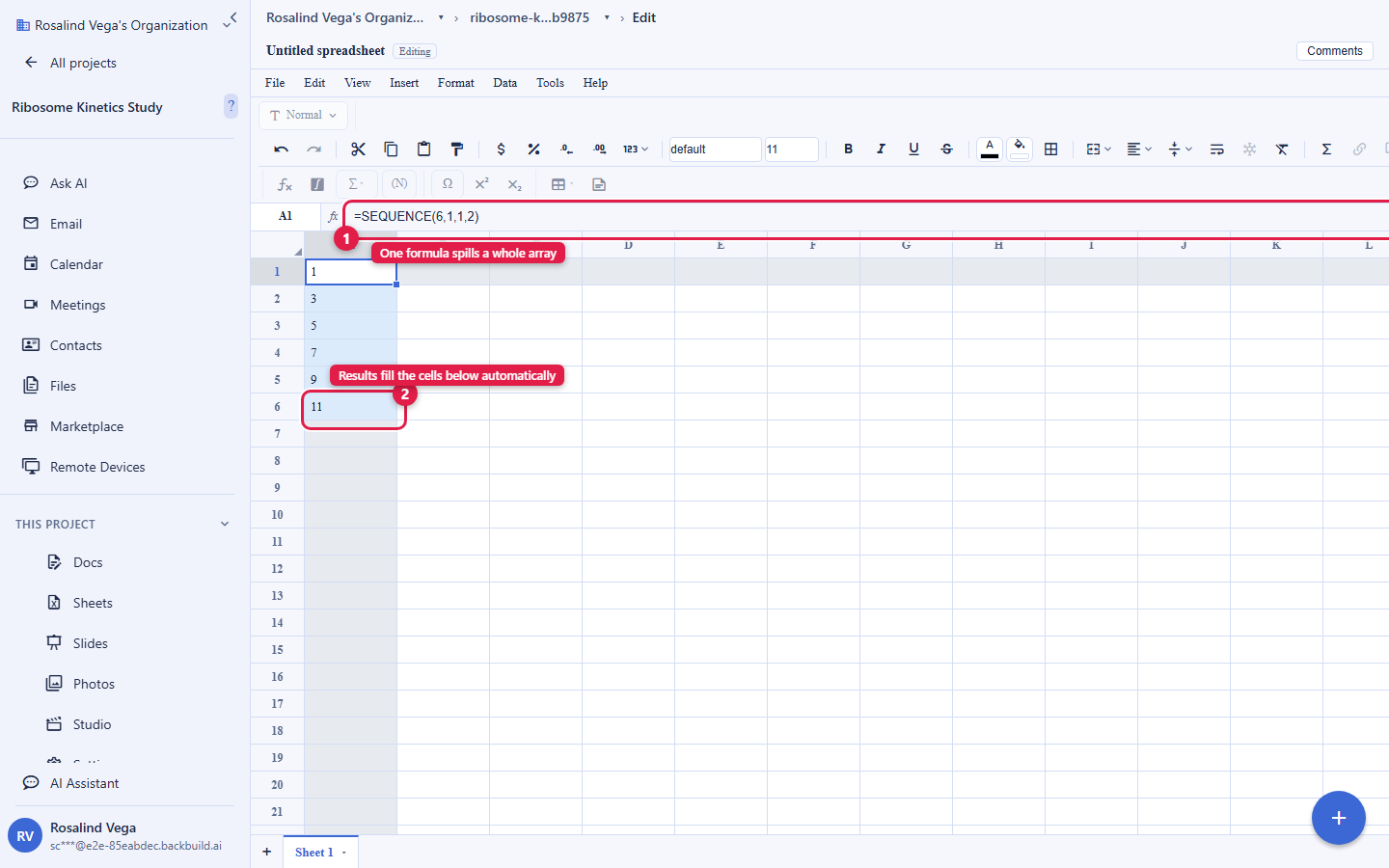
LAMBDA,LET,MAP,REDUCE,SCAN,BYROW, andBYCOLlet you write reusable, composable logic without scripting. - Dynamic spill arrays: a single formula can return a range of results that spills into the neighboring cells and recomputes as its inputs change.
- Query language: the
QUERYfunction runs a SQL-likeSELECT,WHERE,GROUP BY, andPIVOTover a range, so you can summarize a dataset from a single formula.
Formula references are single-sheet today. Evaluating a reference to another sheet in the same workbook is on the roadmap.
Cells, formats, and validation
A cell holds text, a number, a boolean, a formula, or richer content, and you control exactly how each value reads:
- Number formats: currency and accounting, percentages, dates, and thousands grouping, so financial and scientific tables render correctly.
- Rich-text and LaTeX cells: a cell can hold formatted text and live LaTeX math, using the same editor as Backbuild Docs, which is useful for research tables and annotated data.
- Hyperlinks and inline images: attach links and place images directly in the grid.
- Data validation: constrain a range to a list (a dropdown), a number or date range, or a checkbox, so shared sheets stay clean.
- Conditional formatting: color and style cells by rule as their values change.
- Frozen panes and merged cells keep large sheets readable.
Filtering, sorting, and charts
Sort a sheet ascending or descending, or with a multi-key sort dialog, and the reordered data is what every collaborator sees. Filter a range with per-column condition operators to narrow your own view of the data. Build charts that bind to a data range and repaint automatically as the underlying cells change, and place them as overlays on the grid.
Real-time collaboration
Several people edit the same sheet at once. Backbuild Sheets streams changes as compact range deltas over a live connection, applies each write in order, and broadcasts it to everyone viewing that sheet, so the grid stays consistent for the whole team. Comments let collaborators discuss specific cells in place. Access is enforced on every connection: a viewer without write access cannot write, and access changes take effect within seconds.
History and autosave
Every edit is captured for undo and redo. Your work is saved continuously and checkpointed to durable storage, and every write is recorded for audit. A browsable named version history is on the roadmap.
Import and export
Bring existing data in and take it back out in open formats:
- Import: CSV, XLSX (Excel), and ODS (OpenDocument) workbooks, with formulas translated on the way in.
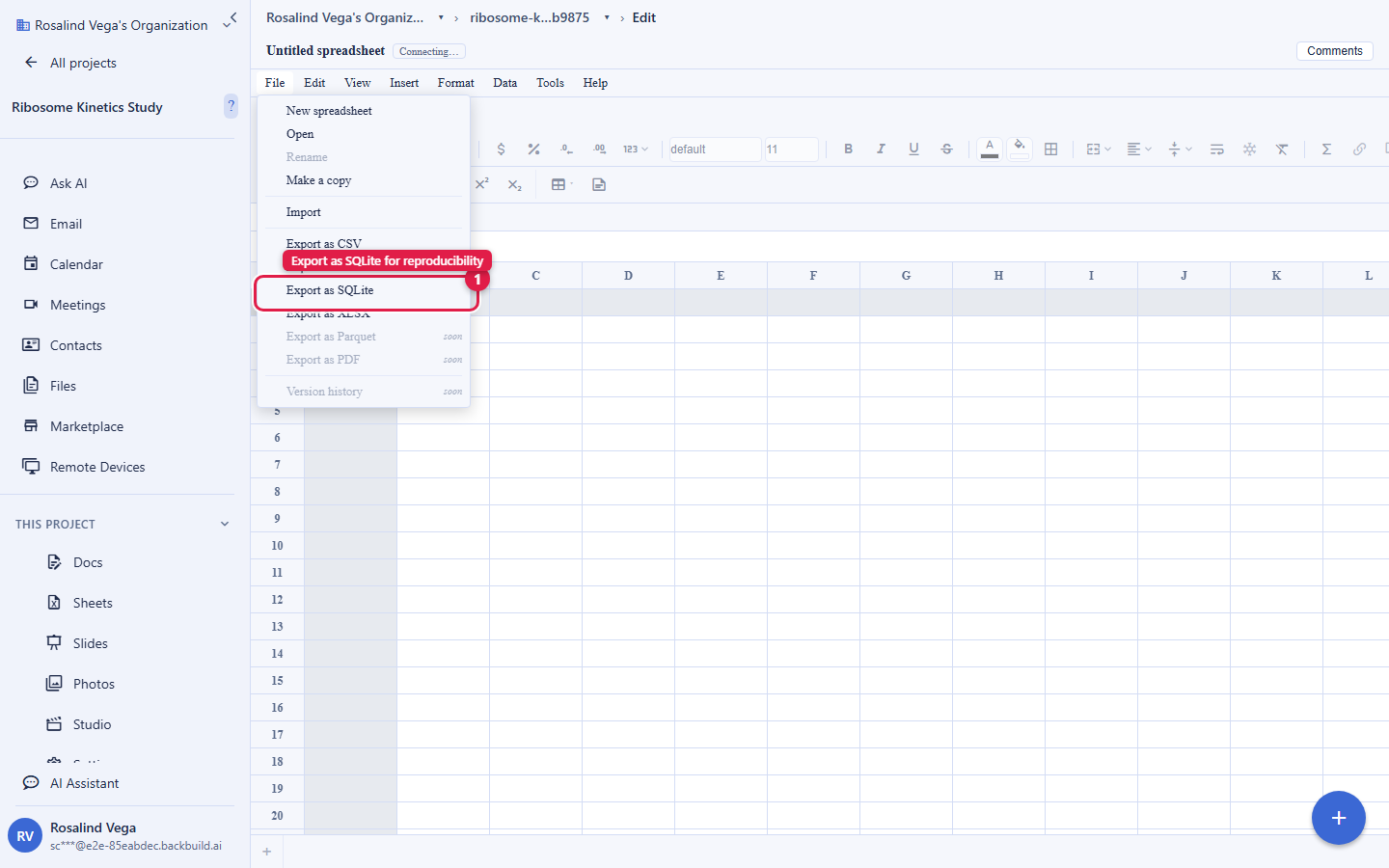
- Export: CSV and TSV, XLSX, and a portable SQLite database file that opens in
sqlite3, DB Browser, DuckDB, and pandas. CSV, TSV, and XLSX export are open to every plan; SQLite export is a Backbuild Science capability (free for verified students and faculty) and is also included on the paid Lite, Pro, and Enterprise plans. Parquet import and export are coming soon.
AI control
Backbuild Sheets is fully controllable by an AI agent through the Model Context Protocol. An assistant can create a sheet, read and write ranges, set formulas, apply styles, insert and delete rows and columns, manage tabs, and export, all through the same access checks that apply to a person. Every AI action is authorized per call and recorded, so the agent is simply another collaborator with the permissions you grant it.
Capacity
Backbuild Sheets is engineered for large datasets, with a storage-backed grid and paged reads so the sheet stays responsive as it grows. There is no per-plan record-count cap that hard-stops a sheet at a fixed number of rows. Instead, your data draws on the plan’s database-storage allowance (25 MB on Free, then 500 MB per seat on Lite, 2 GB per seat on Pro, and 5 GB per seat on Enterprise), which grows with your plan and is metered by usage credits rather than a hard record ceiling.
Included free. Backbuild Sheets is part of the free Backbuild workspace on every plan, for teams of up to 50. See pricing for what each plan adds around it.