

API Reference
The Backbuild API gives your applications, scripts, and AI agents programmatic access to everything the platform does. This page is the starting point: it teaches the contract every endpoint shares, walks you through your first successful call, and points you to the guide for each capability.
After reading this page you will be able to: reach the API, authenticate, make a first call in a few minutes, read the uniform response envelope, handle any error by its machine-readable code, back off correctly on a rate limit, and page through a list. Everything below applies to every endpoint unless a specific guide says otherwise.
Base URL
https://api.backbuild.ai/v1
Every path in these guides is relative to that base. All request and
response bodies are JSON. Send Content-Type: application/json on
any request that carries a body.
Authentication
Almost every request carries a Bearer token in the
Authorization header. There is no cookie-based or ambient
authentication for the API: if the header is absent the request is
unauthenticated, full stop.
Authorization: Bearer YOUR_TOKENThere are two kinds of token, and you choose by how the caller runs:
| Credential | Use it for | How you get it |
|---|---|---|
Access token (eyJ...) | A signed-in user or a session-bound app. Short-lived; rotate with a refresh token. | Authentication (register, login, refresh) |
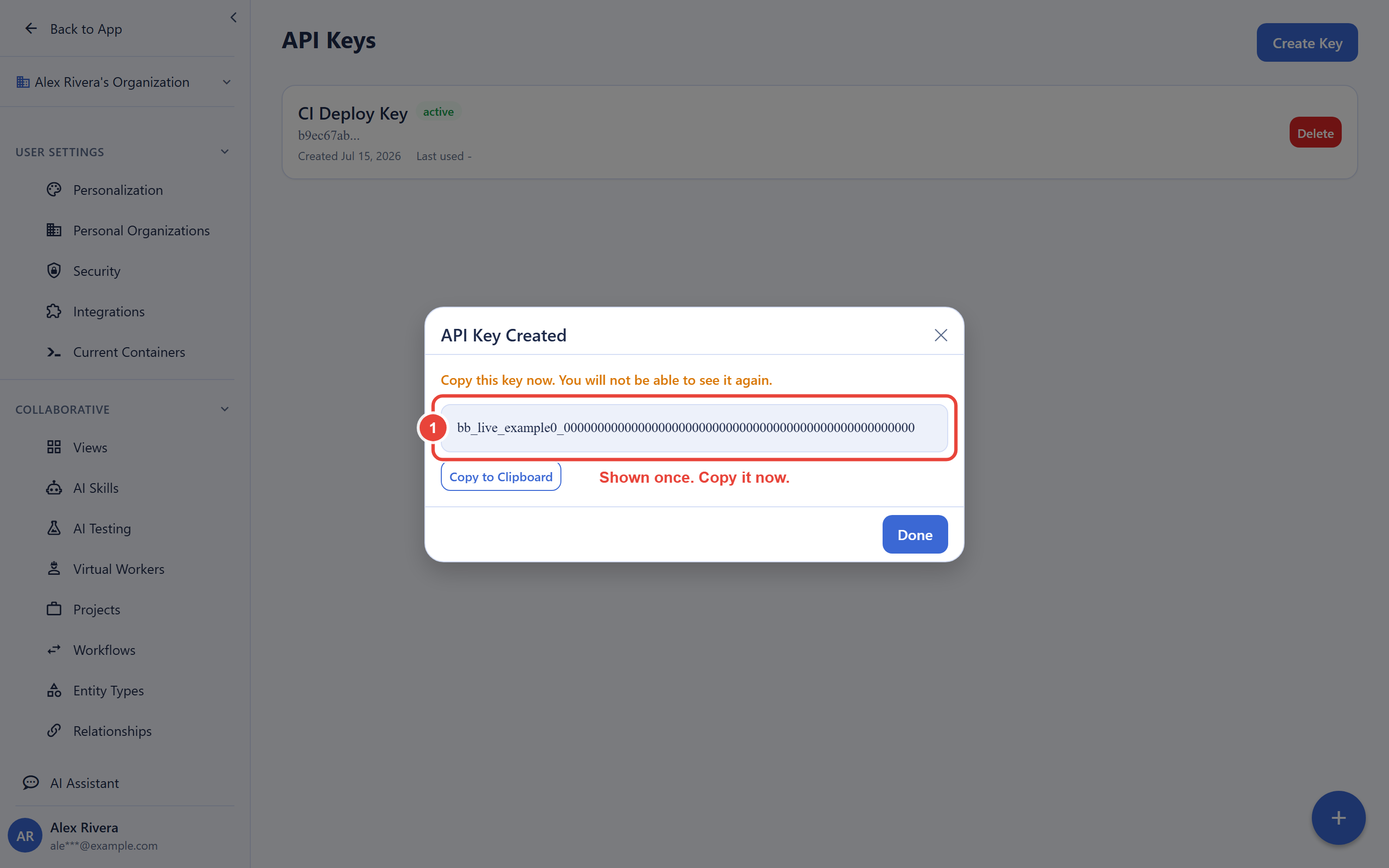
API key (bb_live_...) | A server, a CI job, or an AI agent that runs unattended. Long-lived, scoped, revocable. | API Keys |
Both go in the same Authorization: Bearer header. The
organization every request acts on is resolved from the credential itself: it
is never passed in the body or the query string, and a credential can never
reach an organization it is not bound to.
Endpoints That Need No Auth
Only two endpoints are public. Everything else requires a token. Use these to verify connectivity before you have a credential in hand:
| Endpoint | Returns |
|---|---|
GET /v1/health | Service liveness |
GET /v1/pricing | Public pricing information |
Your First Call
Start with the no-auth health check to confirm you can reach the API, then make an authenticated call. This is the fastest path from zero to a working request.
# 1. Reach the API (no auth needed)
curl https://api.backbuild.ai/v1/health

# 2. Make an authenticated call with an API key
curl https://api.backbuild.ai/v1/projects \
  -H "Authorization: Bearer bb_live_abc123_yourSecret"
A successful call returns the standard envelope described next. If you get a
401, the token is missing, malformed, or expired; if you get a
403, the token is valid but lacks the scope or role for that
action. See API Keys to create a scoped key, or
Authentication for the user token
flow.
Response Envelope
Every endpoint returns the same envelope, so you write one parser,
not one per call. On success, success is true and
the payload is under data. A single-record action returns the
same shape as a list action; only the contents of data differ.
{
  "success": true,
  "data": { /* the requested resource, or an array of them */ }
}
On failure, success is false and the details live
under error as a stable machine-readable code and a
human-readable message. Branch your handling on
error.code, never on the message text (messages may change; the
code is the contract).
{
  "success": false,
  "error": {
    "code": "VALIDATION_ERROR",
    "message": "Invalid input"
  }
}
Error Codes
All errors use the envelope above. The HTTP status tells you the class of
problem; the code tells you exactly what to do.
| Code | HTTP | Meaning | What to do |
|---|---|---|---|
VALIDATION_ERROR | 400 | The request body or parameters are malformed or fail a rule | Fix the input; the message names the offending field |
AUTH_REQUIRED | 401 | The token is missing, malformed, or expired | Attach a valid token, or refresh it |
FORBIDDEN | 403 | The token is valid but lacks the scope, role, or permission | Grant the scope or role; do not retry unchanged |
NOT_FOUND | 404 | No such resource, or it is outside your organization | Check the id; a cross-org id reads as not found |
FEATURE_DISABLED | 403 | The feature is not enabled for this plan | Upgrade the plan or enable the feature |
RATE_LIMIT_EXCEEDED | 429 | Too many requests in the current window | Back off and retry; honor Retry-After |
INTERNAL_ERROR | 500 | An unexpected server error | Retry with backoff; if it persists, contact support |
Some endpoints return a more specific code inside the same shape (for
example, the authentication endpoints return codes such as
AUTH_INVALID_CREDENTIALS). Treat any code you do not recognize
by its HTTP status class: 4xx means fix the request,
5xx means retry with backoff.
Rate Limiting
Requests are rate limited per credential and per endpoint; authentication endpoints are stricter. Every response carries your current budget so you can throttle proactively rather than wait to be rejected.
| Header | Meaning |
|---|---|
X-RateLimit-Limit | Maximum requests allowed per window |
X-RateLimit-Remaining | Requests left in the current window |
X-RateLimit-Reset | Unix timestamp when the window resets |
Retry-After | On a 429, seconds to wait before retrying |
When you receive a 429, wait the number of seconds in
Retry-After before retrying. Build clients to back off
exponentially with jitter rather than to loop immediately, and slow down as
X-RateLimit-Remaining approaches zero. Published request
ceilings for your plan are on the pricing page.
Pagination
List endpoints page with limit and offset query
parameters and return a pagination block alongside the data.
Request the first page by omitting offset (or sending
offset=0); fetch the next page by increasing
offset by your limit, not by the number of rows the
last page happened to return.
# First page
GET /v1/projects?limit=20

# Next page (offset advances by the limit, not by rows returned)
GET /v1/projects?limit=20&offset=20
{
"success": true,
"data": [ /* ...up to `limit` items... */ ],
"pagination": {
"total": 42,
"limit": 20,
"offset": 0,
"has_more": true
}
}
Stop when has_more is false. The default and
maximum limit are stated on each list endpoint (commonly a
maximum of 100).
Cross-Origin Requests (CORS)
Browser calls are governed by a CORS allowlist: only approved web origins
receive an Access-Control-Allow-Origin grant, so a script on
another site cannot read your API responses. If a browser integration is
blocked by CORS, it is calling from an origin that is not on the allowlist;
move the call server-side. Server-to-server clients such as curl or a backend
do not send an Origin header and are never subject to CORS.
Authentication is always Bearer-token based, never cookies, so the safe
pattern for a browser app is to keep the credential on your own server and
proxy the call.
Endpoint Categories
Select a category for detailed, teaching-grade documentation:
Full Endpoint Reference
For the machine-generated, per-operation reference (request and response schemas for every endpoint), see the Endpoint Reference (OpenAPI). It is generated from the published OpenAPI specification and stays in lock-step with the live API.
Frequently Asked Questions
Which header carries the token, and is it a cookie?
Always Authorization: Bearer <token>. There is no cookie
or ambient auth. Use an access token for a signed-in user or an API key for
a server or agent.
Does every endpoint return a different shape?
No. Every endpoint returns the same envelope: success plus
data on success, or success: false plus
error.code and error.message on failure. Single
records and lists share the shape.
How do I get the next page?
Increase offset by your limit, not by the number
of rows the last page returned, and stop when
pagination.has_more is false.
Why am I getting a CORS error from the browser?
You are calling from an origin that is not on the allowlist. Move the call
to your server; server-to-server requests are never subject to CORS.
Which endpoints work without a token?
Only GET /v1/health and GET /v1/pricing.
Everything else requires a Bearer token.
How should I handle a 429?
Wait the seconds in the Retry-After header, then retry with
exponential backoff and jitter. Watch X-RateLimit-Remaining to
throttle before you are rejected.