

Backbuild Finances: Your Back Office
Backbuild Finances is the accounting and back-office app built into your workspace. You bill customers and track what they owe you, log expenses, bills, and mileage, keep a real double-entry ledger, reconcile your bank, run and record payroll, and read the statements that tell you how the business is doing, all in the same place as your email, documents, and files. The books are free for teams up to 50 seats, and the double-entry machinery runs invisibly underneath until you actually want to see it. After this page you will understand what Backbuild Finances does today, be able to bill your first customer, and know which guide answers the job in front of you.
The back office is free for teams up to 50 seats: full double-entry accounting, bills and expenses, payroll and contractor payments, time and mileage tracking, bank reconciliation, and financial statements, plus up to 5 invoices a month. Unlimited invoicing, sales-tax tracking, connecting Stripe to sync your online payments into the books, and marketing analytics come with the paid workspace tiers. Current figures are on the pricing page.
Why One Back Office Instead of Five Tools
After this section you will understand what Backbuild Finances replaces. Most small businesses stitch together a spreadsheet, a separate invoice app, a receipt shoebox, and a payroll service, and then re-key numbers between them so nothing quite reconciles. Backbuild Finances is one system where the invoice you send, the expense you log, the payroll you run, and the profit-and-loss you read are the same set of books. A time entry can flow to an invoice; an invoice and the payment against it post to the ledger; the ledger produces the statements. There is no copy-paste seam between apps to lose money in.
- Get paid. Invoices, customers, and the record of what you are owed. See Invoicing and Getting Paid.
- Spend and track. Expenses, bills, vendors, contractors, and mileage. See Expenses, Bills and Mileage.
- Keep the books. A real chart of accounts and double-entry ledger, with journal entries you can write and reverse. See The Accounting Ledger.
- Reconcile. Match your bank to your books so the two agree. See Banking and Reconciliation.
- Run payroll. Calculate a pay run and post it to your ledger. See Payroll and Contractors.
- See the picture. Profit and loss, balance sheet, trial balance, aging, and cash flow. See Reports and Sales Tax.
Bill Your First Customer
After this section you will have billed a customer. You do not need to understand accounting to do this, and you never touch a chart of accounts to raise an invoice.
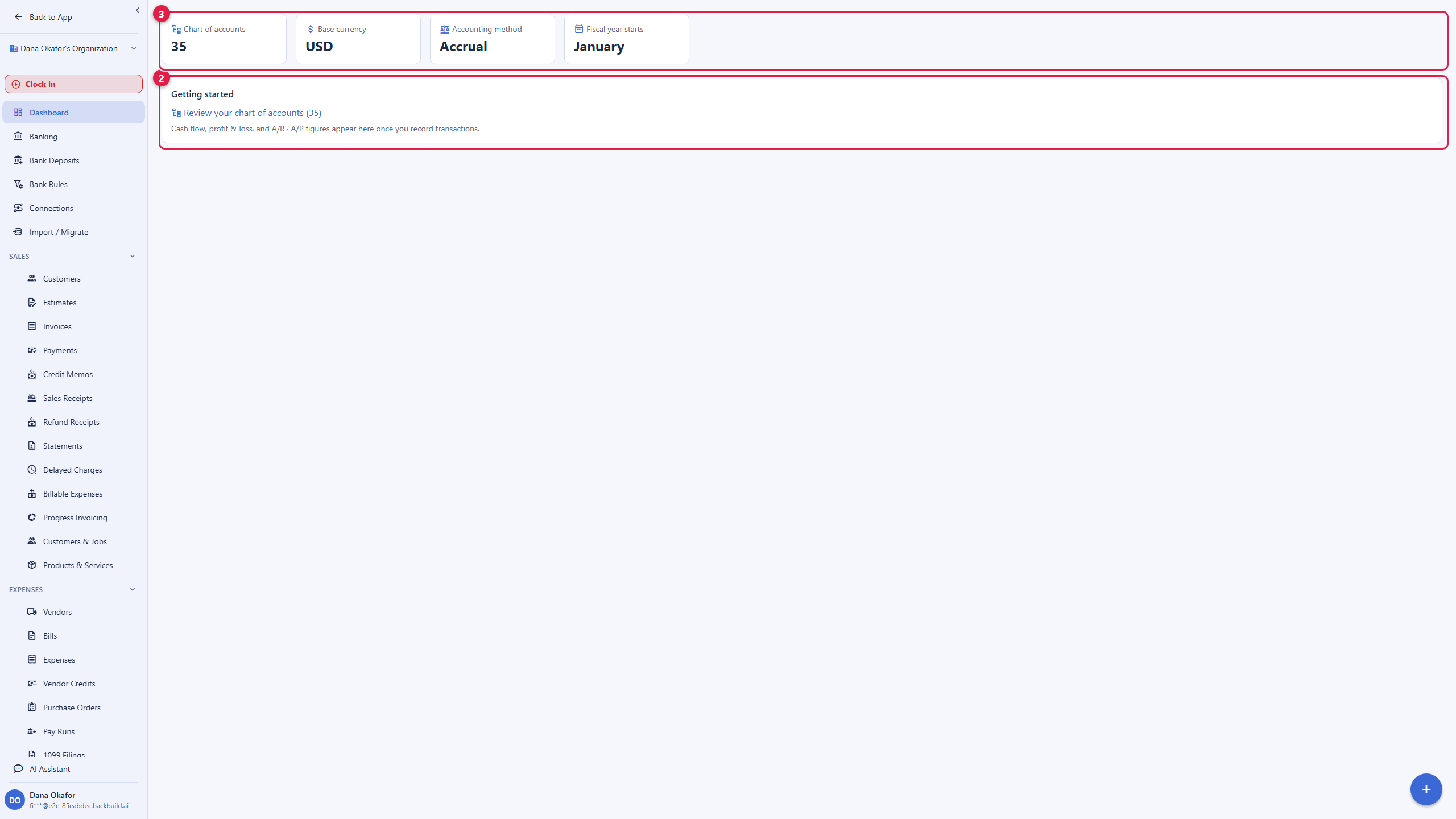
- Open Finances from the sidebar. If you are an owner or admin opening it for the first time, your books are set up automatically with a base currency, accounting method, and fiscal-year start.
- Go to Sales, then Invoices, and choose New invoice.
- Pick or add a customer, add line items with a description, quantity, and price, and set the payment terms that drive the due date.
- Save and post. The invoice records what the customer owes, and it appears in your accounts-receivable aging so you can see who is overdue and by how long.
The Free plan includes up to five invoices a month; unlimited invoicing is part of every paid tier. See Invoicing and Getting Paid for payment terms, recurring invoices, recording payments, and the full receivables workflow.
The Books Are Real, Even When You Do Not See Them
After this section you will trust the numbers. Backbuild Finances is genuine double-entry accounting, not a single-column expense list. Every invoice, bill, and payment posts a balanced entry behind the scenes, so your debits and credits always agree and your statements reconcile to the ledger. A freelancer never has to look at that machinery; a bookkeeper or accountant can open the chart of accounts, the journal, and the trial balance and find exactly the discipline they expect. The same books serve both, which is the point: you start simple and the accounting is already correct underneath.
Is the invoicing actually free, or capped? The Free plan includes up to five invoices a month with no ads and no crippled invoice. Every paid tier is unlimited. See the pricing page for current figures.
Do I need to understand accounting to use this? No. You send invoices, log expenses, and read what you are owed in plain terms. The double-entry ledger runs invisibly; you only open it if you want to.
What does it cost as my team grows? The back office is free for teams up to 50 seats, so the accounting, payroll, banking, bills, reports, time, and mileage do not scale in price the way a per-seat incumbent does. See the pricing page.
Does payroll file and pay my taxes? No. Backbuild Finances calculates and records payroll and posts it to your ledger, but it does not file or remit payroll taxes. See Payroll and Contractors for exactly what it does and does not do.
Choose Your Guide
Each guide teaches one job end to end.
- Invoicing and Getting Paid: for anyone who bills. Invoices, customers, payment terms, recurring invoices, receiving payments, syncing Stripe payments into the books, and accounts-receivable aging.
- Expenses, Bills and Mileage: log a cost, enter and pay a bill, track vendors and 1099 contractors, capture receipts, and record mileage.
- The Accounting Ledger: for bookkeepers and accountants. The chart of accounts, double-entry, journal entries and reversals, classes and custom fields, and accounting method.
- Banking and Reconciliation: bank and asset accounts, the register, transfers, bank rules, deposits and undeposited funds, and reconciling to a statement.
- Payroll and Contractors: the team roster, employees, running and recording a pay run, contractor payments, 1099s, and the honest boundary on tax filing.
- Reports and Sales Tax: profit and loss, balance sheet, trial balance, aging, cash flow, budgets, saved and scheduled reports, and sales-tax tracking.
- Importing and Migrating: bring in a chart of accounts, customers, vendors, and transactions from a spreadsheet or from QuickBooks, and validate the landing.
- Access, Security and the API: for reviewers and accountants. Finance roles, the audit trail, encryption, giving your accountant scoped access, exporting everything, and driving the books over the REST API.
Related Surfaces
- Backbuild Finances platform summary: the one-page overview of the app and where it fits.
- Roles and Permissions: the organization roles that decide who can reach the books.
- Password and Secrets Vault: where tax IDs and connection credentials are held zero-knowledge.
- Backbuild Finances versus QuickBooks: an honest, sourced, feature-by-feature comparison.