

Make alternative: Backbuild automation and Virtual Workers
On the Backbuild side of automation, rules fire on workspace events and timers and dispatch an autonomous AI worker that operates a real computer: a full Linux desktop, a browser, and a terminal it drives to do work, using credentials from an encrypted vault the model never sees in plaintext, on isolated containers metered by usage credits. Make, formerly Integromat, is a mature visual automation platform that connects more than three thousand pre-built app integrations and builds multi-step scenarios on a drag-and-drop node-graph canvas with routers, iterators, aggregators, and deep data transformation, and it leads today on its visual builder, its connector catalog, its maturity and independent compliance attestations, and its competitive per-credit pricing.
The short answer
Make, formerly Integromat, is a mature visual automation platform that connects more than three thousand pre-built app integrations and builds multi-step scenarios on a drag-and-drop node-graph canvas with routers, iterators, aggregators, and deep data transformation; on the Backbuild side that job is done by automation rules that fire on workspace events and timers and dispatch an autonomous AI worker which operates a real Linux desktop, a browser, and a terminal on an isolated container under an encrypted vault the model never reads in plaintext, plus outbound webhooks and bounded scripts, on usage credits inside the all-in-one Backbuild workspace with the public REST API and native Model Context Protocol tools. They are different mechanisms for different jobs: a deterministic visual data flow across a very large connector catalog, or an AI worker operating real systems under governed credentials.
Choose Make if your automations are visual multi-step scenarios across mainstream SaaS apps and you want the drag-and-drop builder with routers, iterators, and data mapping, the catalog of more than three thousand connectors, an approachable path to a first automation with no AI, competitive per-credit pricing, and a long track record with independent compliance attestations including SOC 2 Type II and ISO 27001. Choose Backbuild if the work has to run in apps that have no API, under credentials your organization governs, with an AI worker that operates a real computer, the AI model of your choice, and roles and audit on every plan, free to start. The two biggest differences in Make favor are its visual scenario builder and its connector catalog, which Backbuild does not match; the biggest difference in Backbuild favor is operating real systems and no-API apps under a zero-knowledge vault.
Backbuild automation and Virtual Workers vs Make: feature by feature
Make prices, plans, and capabilities below are from Make pages, observed 2026-07-20 and subject to change. The highlighted column is Backbuild.
| Backbuild automation and Virtual Workers Rules that fire on workspace events and dispatch an AI worker operating a real desktop, browser, and terminal under a governed vault On every plan, including Free. No separate per-task subscription: worker work draws on one universal usage-credit pool as it runs, larger containers draw more, and idle time is not metered. Get Started Free | Make The mature visual automation platform: drag-and-drop scenarios across more than three thousand pre-built app connectors Free plan is 1,000 credits a month and two active scenarios. Core from $12/mo (10,000 credits), Pro from $21/mo, Teams from $38/mo, Enterprise custom, billed on credits where most actions consume one credit and AI modules can draw more. | |
|---|---|---|
| Price and cost model | ||
| Free plan with the automation surface | 1,000 credits, two scenarios | |
| Metering model | One usage-credit pool, idle free | Per credit, per action |
| Bring your own AI provider account and billing | Powers everything on your account | Own key in AI app modules |
| Automation triggers | ||
| Pre-built triggers on external SaaS app events | Fires on workspace events | 3,000+ apps |
| Native triggers on your own workspace data (mail, calendar, records, tickets, alerts) | Via app connectors | |
| Scheduled and cron triggers | 1-min interval, Core and up | |
| Inbound webhook trigger | Workspace-event driven | Webhooks module |
| Building the automation | ||
| Visual node-graph scenario builder (drag and drop modules on a canvas) | Logic in the AI skill | Visual builder |
| Routers, filters, and conditional paths | In the AI skill | Flow control |
| Iterators and aggregators over arrays | In the AI skill | Flow control |
| Data transformation and mapping with functions | In the AI skill and Sheets | Data manipulation |
| Error handlers on a scenario | Retry and audit on the run | Error handling |
| Built-in lightweight data storage | Entity types and Sheets | Data stores |
| Template and recipe gallery for a fast start | Skills and prompts | Large template library |
| Automation actions and execution | ||
| Deterministic action steps across a connector catalog | Webhook, script, worker, notify | 3,000+ apps |
| Dispatch an autonomous AI worker as an action | AI Agents | |
| Outbound webhook or HTTP action to any endpoint | HTTP module | |
| Bounded script or code step | Custom apps and functions | |
| In-app notification action | ||
| Containerized, real-computer execution | ||
| Runs the automation on a real Linux desktop, browser, and terminal | Serverless module steps | |
| Operates apps and sites that have no API, like a person | API-connected apps | |
| Full Linux tool suite available to the run | Not offered | |
| In-browser terminal and remote-desktop surface | Not offered | |
| Fully unattended orchestrated background runtime Soon | Rolling out per organization | Cloud scenario runs |
| AI agents and building | ||
| Autonomous AI agent that reasons and acts on a goal | AI Agents | |
| Governed finite-state-machine skills (deterministic, auditable execution) | Free-form agent planning | |
| Natural-language automation copilot | Over the AI surface and MCP | Maia by Make |
| Bring your own model to power the agent | Your provider and billing | Model choice, metered as credits |
| Connectors and integrations | ||
| Pre-built app-connector catalog | Webhooks, Tool Builder, SaaS packages | 3,000+ apps |
| Generative-AI app modules | On your own provider or credits | 300+ AI apps |
| MCP surface exposed to any AI client | Workspace and worker over MCP | MCP server |
| Custom tools wired to automations | Tool Builder | Custom apps |
| Installable, publishable extension packages | SaaS packages, paid add-on | App library |
| Security and governance | ||
| Credentials in an encrypted, zero-knowledge vault the model cannot read | Connections store the grant | |
| Grant-based, single-use credential injection, never plaintext to the model | Stored connection tokens | |
| Session acts under a scoped, revocable delegated token | Not documented | |
| Non-overridable approval floor on irreversible actions | Manual scenario controls | |
| Per-organization roles on every plan | Every plan | Team roles on Teams and up |
| Tamper-evident audit log on every plan | Every plan | Audit logs on Teams and up |
| Single sign-on | Every plan | Company SSO on Enterprise |
| SCIM 2.0 provisioning | Every plan | Not documented |
| Post-quantum encrypted operation stream | AES-256 and TLS 1.2/1.3 | |
| SOC 2 Type II, ISO 27001, and independent attestations | Built to standard, not yet audited | |
| Platform, API, and track record | ||
| Public REST API over the whole platform on every plan | Every plan | Make API on Core and up |
| Native Model Context Protocol tools | MCP server | |
| Transparent single-pool usage credits, idle not metered | Per-credit meter | |
| Established track record and large user base | Newer, not yet audited | |
| Ease of building a simple automation with no AI | AI-worker centric | Visual builder |
| Workspace apps the automation operates within | ||
| Connects to mail apps | ||
| Chat Soon | Backbuild Chat rolling out | Not a workspace |
| Meetings Soon | Backbuild Meetings rolling out | Not a workspace |
| Calendar | Connects to calendars | |
| Contacts | Not a workspace | |
| Docs | Connects to doc apps | |
| Sheets | Connects to spreadsheet apps | |
| Slides | Not a workspace | |
| Diagrams Soon (Make offers Make Grid, an automation-landscape view) | Backbuild Diagrams rolling out | Make Grid |
| Photos and the photo editor | Not a workspace | |
| Training video editor | Not a workspace | |
| Video, audio, and music editors Soon | Authoring preview | Not a workspace |
| Files | Connects to storage | |
| Finances | Connects to accounting apps | |
| Help desk | Connects to help desks | |
| Secrets vault | Stored connections | |
A cross means the tool does not offer the feature today. Make prices, plans, and capabilities are quoted from the Make pricing, product, integrations, and security pages, observed 2026-07-20. Backbuild capabilities are cited to the workflows and automations documentation, the Virtual Workers docs, the Secrets vault, SSO and SCIM, MCP, and API reference pages, and the pricing page. The Chat, Meetings, Diagrams, video, audio, and music editor rows and the unattended orchestrated runtime are marked at the status Backbuild ships them at today, not asserted as complete.
A visual scenario across connected apps, or an AI worker on a real computer
Make is a strong, mature automation platform. Its strength is building multi-step scenarios on a drag-and-drop node-graph canvas that connects more than three thousand pre-built app integrations and routes, filters, iterates, and transforms data between them, quickly and predictably, often with no code and no AI at all. For a visual data flow between popular SaaS apps, that is exactly the right tool, and its builder, its connector catalog, and its data-mapping depth are genuine advantages. Backbuild automates a different way. A Backbuild automation rule fires on a workspace event or a timer and dispatches an action, and its most distinctive action hands the task to an autonomous AI Virtual Worker that operates a full Linux desktop, a browser, and a terminal, so it can reason through a multi-step task and drive an application the way a person would, including an application that has no API. It acts under credentials your organization governs in an encrypted vault the model never reads in plaintext, inside per-organization roles and a tamper-evident audit trail on every plan, on the AI model of your choice. Where the work is a deterministic visual flow across mainstream APIs, Make is the faster fit. Where it needs to operate real systems, reach no-API apps, and run under governed credentials, Backbuild is built for it.
Two mechanisms for automating work
The clearest way to see the difference is to follow one automation through each product. In Make a trigger fires in a connected app, and Make routes the data through the scenario modules, calling the APIs of the other connected apps to filter, transform, and act, step by step, across its catalog. In Backbuild a rule fires on a workspace event or a timer and dispatches an AI worker onto an isolated container, where the worker operates a real desktop, a browser, and a terminal to do the task, pulling any credential it needs from the vault without the plaintext ever entering the model. One reaches apps through their APIs on a visual canvas; the other operates the systems directly.
How an automation signs in without the model seeing the password
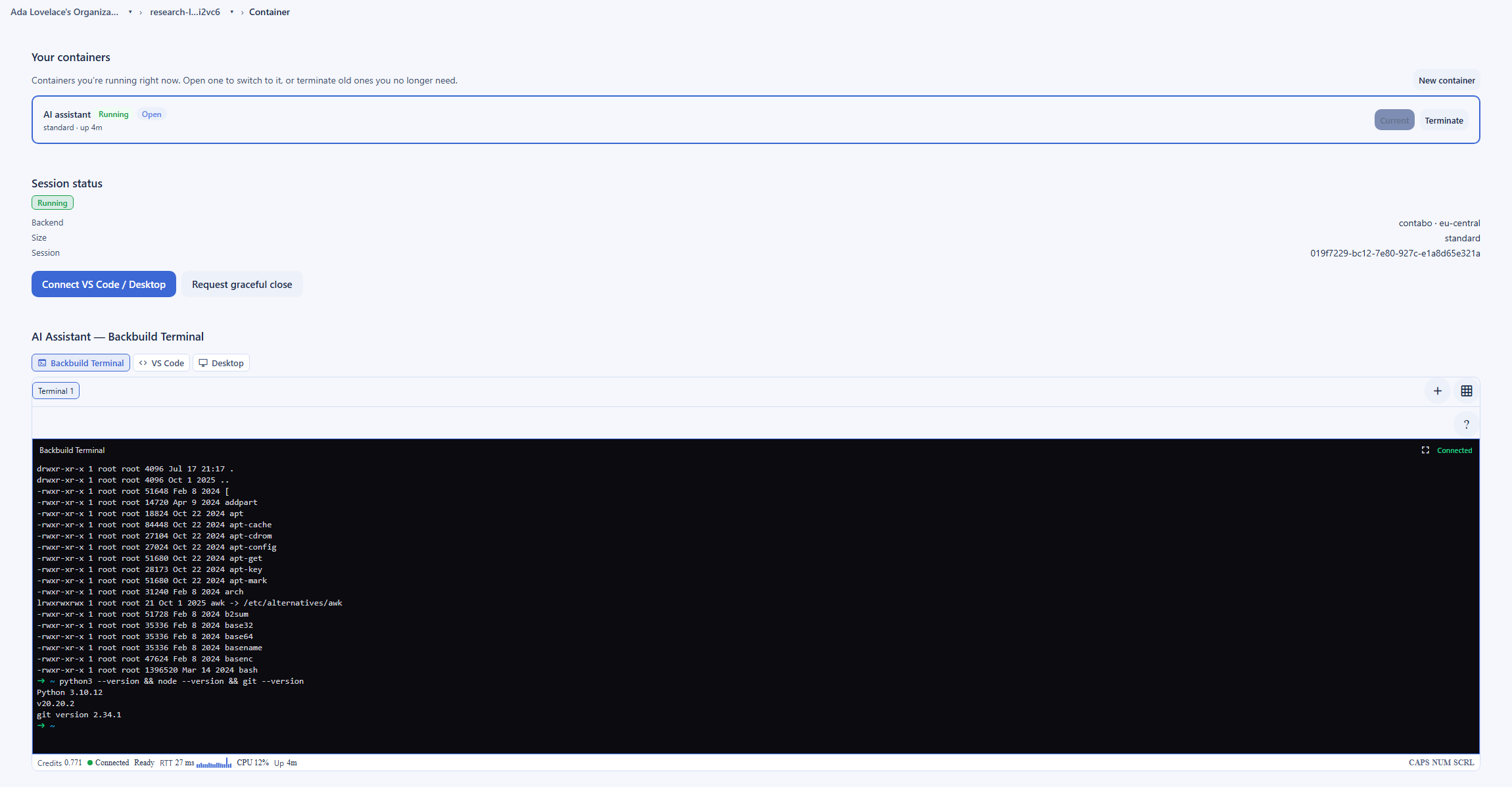
Make authenticates through connections: when you connect an app, Make stores an authenticated OAuth grant or an API key in the connection configuration and uses it to call that app on your behalf. That is convenient and it works across the whole connector catalog, and the stored connection is what a scenario acts through. Backbuild handles credentials so that no human has to type them and the model still never sees them. Secrets live in your organization vault, an encrypted, zero-knowledge, post-quantum vault, and the model that drives a worker never receives a plaintext value, because no tool returns one. When a worker needs to sign in, the vault hands back an opaque, single-use reference, not the secret. A trusted path substitutes the real value at the moment of use, on a loopback the model cannot read, so the credential reaches the target app while staying out of the model context, its results, and the logs. That is the difference a security reviewer cares about: the automation acts with the login, unattended, without the plaintext ever being present in the automation or the model.
How every automation action stays governed
Autonomy is only safe when it is bounded, so a Backbuild Virtual Worker runs each action through the same set of controls. The run executes as a governed finite-state-machine skill with deterministic, reviewable states rather than a free-form plan. Before an action takes effect it passes an autonomy dial and a non-overridable approval floor, so sending external email and pushing code always require a person no matter how autonomous the run is set to be. The worker holds a scoped, revocable delegated token behind a default-deny capability gate that excludes secrets, roles, billing, and administration. And every action is attributed and written to a tamper-evident audit trail on every plan. Make answers with manual scenario controls and places its audit logs and team roles on Teams and up, where Backbuild provides roles and audit on every plan.
Where Make wins today
Make is a market leader for good reasons, and several of its strengths are things Backbuild does not match today. An honest evaluation names them plainly.
The visual scenario builder
Make builds automations on a drag-and-drop node-graph canvas with routers, filters, iterators, aggregators, error handlers, and deep data transformation, and that visual builder is powerful and widely loved for complex multi-step scenarios. Backbuild does not ship a visual scenario canvas; its automation logic lives in a governed AI skill and the reasoning of the worker. For a builder who wants to see and shape every branch of a data flow, Make is the stronger tool.
The pre-built connector catalog
Make connects more than three thousand pre-built app integrations, plus more than three hundred generative-AI apps, one of the larger catalogs in the category. Backbuild does not ship a connector catalog at that scale, and for a workflow that is a straight API-to-API sync between two popular SaaS apps, that library is a strong reason to choose Make. This is a real gap.
Maturity, compliance, and pricing
Make has a long track record and carries independent compliance attestations including SOC 2 Type II, SOC 3, ISO 27001, and GDPR adherence, and its per-credit pricing is competitive. Backbuild is newer, and while its security posture is built to meet the standards auditors check, it does not yet carry those independent attestations.
AI agents, Maia, and the AI app catalog
Make ships AI Agents, a build-and-troubleshoot copilot called Maia, more than three hundred generative-AI apps, and an MCP server, so it is a genuine AI automation platform. The difference from Backbuild is mechanism, an agent acting through connectors versus a worker operating a real computer, not the presence of AI.
Common Make frustrations and how Backbuild addresses them
Credit consumption that is hard to forecast
Make bills on credits, where most actions consume one credit and AI modules can draw more, so a busy multi-step scenario and its AI steps can make the monthly meter hard to forecast. Backbuild folds automation work into one universal usage-credit pool with idle time free, and lets a team bring its own AI provider so inference runs at the provider rate rather than a bundled markup.
Automations that need an app with no API
A Make scenario can only reach an app that Make connects to through an API. When a workflow depends on a tool with no API, an internal system, or a site that has to be driven like a person, that is outside the model. A Backbuild Virtual Worker operates a full desktop, a browser, and a terminal, so it can drive that application directly, the way a person would.
Where the credentials live
Make stores an authenticated connection, an OAuth grant or an API key, in the connection configuration and acts through it. Backbuild keeps a worker credentials in an encrypted, zero-knowledge vault the model never reads in plaintext, injects them through single-use references, and runs each session under a revocable token behind a default-deny gate.
Governance gated to a higher tier
On Make, team roles and audit logs arrive on Teams, and company SSO on Enterprise, so a growing team upgrades to govern who can automate. Backbuild provides per-organization roles, single sign-on, SCIM 2.0 provisioning, and a tamper-evident audit trail on every plan, including Free.
Which tool wins, by use case
Automation builders and operations teams connecting apps
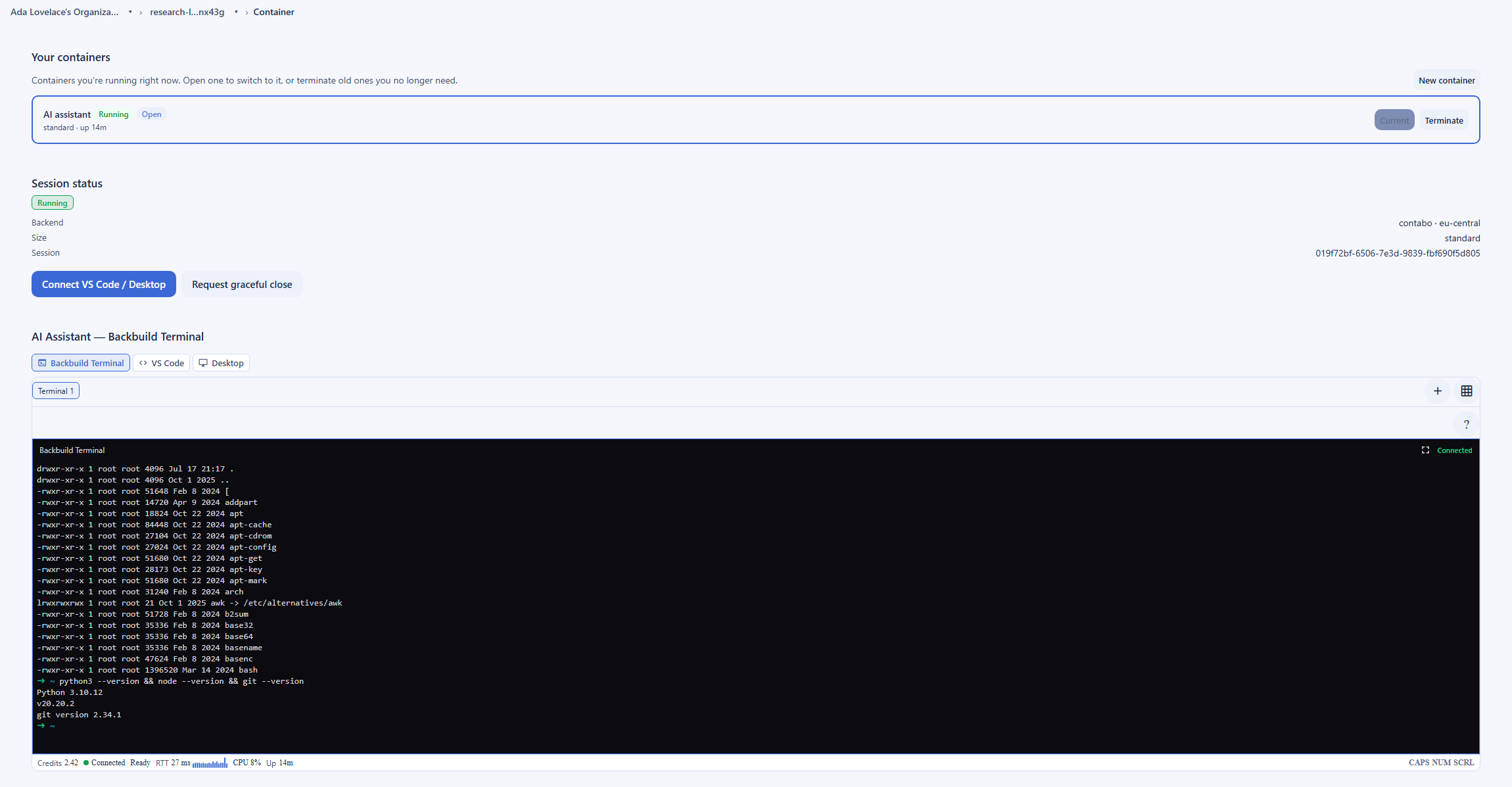
This is the largest audience and the work Make is built for. If the job is routing leads, syncing a CRM, enriching records, or moving data between mainstream SaaS apps with branching, iteration, and transformation, Make visual builder and catalog of pre-built connectors let a builder wire it up on a canvas with no AI, and that is genuinely hard to beat. Backbuild fits the parts of this work that fall outside a clean API path: a step that has to operate a tool with no connector, log in to an internal system, or run under credentials your organization governs, where a Virtual Worker operates the real application and an automation rule fires on your own workspace data. For the classic visual API-to-API flow, Make is the faster fit.
Automating work in apps that have no API
This is the use case that separates the two products most clearly. A Make scenario reaches an app only through an API, so a legacy internal tool, a vendor portal with no integration, or a site that has to be operated like a person is out of scope. A Backbuild automation hands the task to a Virtual Worker that drives a full Linux desktop, a browser, and a terminal, so it can open the application, navigate it, fill its forms, and read its results the way a person would, using credentials from the vault the model never reads. The trade is that operating a system is slower and less deterministic than a direct API call, so for an app Make already connects to, the scenario is usually the better tool. For an app nothing connects to, only the worker approach applies.
Developers automating multi-tool work with governed credentials
For a developer, the design difference is the point. A Backbuild automation is driven through native Model Context Protocol tools and the public REST API on every plan, dispatches a worker onto a real computer with a terminal, a browser, and a full desktop under vault-governed secrets and governed skills, and runs on the model of your choice. Make answers with a strong building set for API-centric automation: a developer API, a custom apps framework and an HTTP module, and an MCP server over its scenarios. The split is a deterministic visual data flow at connector scale, against an AI worker operating real systems under governance and your own model.
Founders and small businesses automating back-office work
A founder automating scheduling, invoicing, and follow-ups is weighing cost and consolidation. Make free plan and low entry price and its templates make a first scenario quick, and for visual app-to-app tasks that is a strong, low-friction start. Backbuild pitch to the same buyer is consolidation and cost structure: the automation lives next to the data it acts on in an all-in-one workspace that includes Backbuild Finances for the invoicing and books, runs on one usage-credit pool with idle time free rather than a per-credit meter, and an AI worker can operate the tools a small business actually uses even when they have no API. The honest counterpoint is that a governed AI worker asks more of the person setting it up than a template-driven scenario does.
Security and compliance evaluation
Because an automation platform logs in and acts on real systems, a sharp evaluation of this category is a security one, and it turns on a short list of criteria: where credentials live and who can read them, how tightly a run is scoped and how fast it can be stopped, whether governance and audit are present or gated to a higher tier, and the vendor own posture and attestations. Both products should be measured against those, not against a feature count.
On credentials, the two take different designs. Make stores an authenticated connection, an OAuth grant or an API key, in the connection configuration and uses it to act on the connected app. That is standard for an integration platform and it works across the whole catalog, and the stored grant is what a scenario acts through. Backbuild keeps credentials in an encrypted, zero-knowledge vault the model never reads in plaintext: no tool returns a plaintext value, and a trusted path substitutes the real credential at the point of use, so a worker signs in unattended without the secret ever being present in the automation or the model. For a reviewer who treats every automation as a privileged non-human identity, that difference is the center of the evaluation.
On blast radius and control, Backbuild runs each worker session in an isolated, disposable container under a scoped, signed delegated token that is least-privilege, time-limited, and checked against a server-side revocation list on every use, so tearing down a session is a real kill switch, and the code a worker runs is held to a default-deny allowlist that excludes secrets, roles, billing, and administration. A non-overridable approval floor keeps two actions, sending external email and pushing code, always requiring a person. The operation stream itself is post-quantum encrypted. Backbuild also provides per-organization roles, single sign-on, SCIM 2.0 provisioning, and tamper-evident audit on every plan, where Make places team roles and audit logs on Teams, and company SSO on Enterprise.
On vendor posture the honest picture runs both ways. Make carries independent compliance attestations including SOC 2 Type II, SOC 3, ISO 27001, and GDPR adherence, with AES-256 encryption at rest and TLS 1.2 and 1.3 in transit, and a long operating history, which Backbuild does not yet match, and that is a genuine advantage for a buyer who requires an attested, established vendor now. At the same time, Backbuild offers a stronger structural posture for credentialed automation: a governed vault, per-session isolation, a revocable token, a default-deny gate, and governance on every plan rather than only on the top tiers. The bottom line for a security evaluation is that Make leads on independent attestations and operating maturity, while Backbuild leads on the credential design and the control set for autonomous work under organization governance.
The economics for a finance buyer
A finance evaluation of an automation platform is about total, predictable cost rather than a sticker price. The criteria are the entry cost, how the meter behaves as usage grows, and whether the spend can be forecast month to month across a team.
On entry cost, both have a free tier, and Make free plan is a well-known on-ramp: 1,000 credits a month and two active scenarios, with Core from about 12 US dollars a month for 10,000 credits, Pro from about 21, Teams from about 38, and Enterprise custom, and roughly fifteen percent off on annual billing. The dynamic a finance buyer should model is the credit meter: most actions consume one credit, but AI modules can draw a variable number of credits depending on the tokens, files, or pages they process, so cost scales with automation and AI volume and can be harder to forecast for a busy, AI-heavy workload. Make per-credit pricing is competitive and a genuine strength for straightforward scenarios. Backbuild folds automation work into one universal usage-credit pool with idle time free, includes automation rules and Virtual Workers on a free plan, and lets a team bring its own AI provider and model so inference runs at the provider rate rather than a bundled markup.
The tradeoff a finance buyer should weigh is that Backbuild is usage-metered too: heavy worker work and larger container sizes draw more credits, so an always-busy workload is not free, and a team should size its credit budget against real usage rather than the free entry point. Against that, Make pricing is a familiar per-credit line item that many teams already understand, and its entry tiers are inexpensive. The bottom line: Backbuild is the single-pool, model-portable cost structure with governance included and idle time free, while Make is a mature, competitively priced plan whose credit meter rewards simple scenarios and grows with multi-step and AI volume.
Rolling it out across a team
For the person putting an automation platform into a real team process, the evaluation is about time-to-first-result, how the tool behaves when a run goes wrong, and whether governance scales with the team without forcing a top-tier upgrade. These are operational criteria, and the two products lead on different ones.
On time-to-first-result, Make is usually ahead for a self-contained app-to-app task: a template and a couple of connected apps stand up a working scenario quickly on the canvas, and that speed is real and worth crediting. Backbuild trades some of that immediacy for surface and governance, because you direct an AI worker with prompts and governed skills on a real computer, but it makes a multi-step job states deterministic and reviewable and every action attributed and audited from the first run rather than only on a paid plan.
On governance at scale, the difference is where the controls live. Make gates team roles and audit logs to Teams, and company SSO to Enterprise, so a growing team reaches for a paid upgrade to get them. Backbuild provides single sign-on and SCIM 2.0 provisioning and per-organization roles, data isolation, and a tamper-evident audit trail on every plan, including Free, and each worker session runs under a revocable token that makes a run that goes wrong visible and stoppable. The honest counterpoint is that a governed AI-worker approach on a real computer asks more of the person setting it up than a turnkey visual scenario does. The bottom line for a rollout: Make is the faster first win on a simple app-to-app automation, and Backbuild is the more governable and auditable foundation as the automations touch no-API systems and the team grows.
Strategic fit and vendor risk
An executive sponsor is evaluating fit and risk more than features: what the tool consolidates or fragments, how much it locks the organization in, and whether the vendor is a safe multi-year bet. Each product presents a different strategic shape.
Make strategic case is a mature builder, breadth, and attestations. It is an established platform with a large connector catalog, a loved visual builder, a long track record, and independent compliance attestations including SOC 2 Type II and ISO 27001, so it is a low-risk way to give teams broad, visual automation across the apps they already run, and its ownership by Celonis places it inside a larger process-automation company. The risks an executive should weigh are that its credit meter can make cost harder to forecast as AI and automation volume grow, that it automates across whatever apps the team runs rather than consolidating them, and that its reach ends at an app API.
Backbuild strategic case is consolidation, real-system reach, and model choice. The automation lives inside an all-in-one workspace spanning Mail, Chat, Meetings, Calendar, Contacts, Docs, Sheets, Slides, Diagrams, and Photos, with dedicated photo, video, training video, audio, and music editors, Files, Backbuild Finances, a built-in help desk, and the Secrets vault, it operates real systems including no-API apps under governed credentials with full audit on every plan, and it runs on the AI model of your choice. That reduces the number of vendors, extends reach past the API boundary, and puts the automation next to the data it acts on. The risk an executive should weigh in the other direction is that Backbuild is newer and pre-launch in parts, and does not ship Make visual builder or connector catalog, trading that breadth and those attestations for real-system reach, governed credentials, model choice, and workspace consolidation. The bottom line: choose Make for a mature visual builder and the broadest pre-built automation across mainstream apps from an established, attested vendor, and Backbuild for a consolidated workspace whose AI worker operates real systems under organization governance with the model you choose.
Frequently asked questions
What is the best Make alternative?
It depends on the shape of the automation. Make, formerly Integromat, is a mature visual automation platform, and for building multi-step scenarios that connect mainstream SaaS apps through their APIs, its drag-and-drop node-graph builder, its routers, iterators, and aggregators, its catalog of more than three thousand pre-built connectors, and its competitive per-credit pricing make it hard to beat. Backbuild is the closer fit when the work has to run in apps that have no API, under credentials your organization governs, with an AI worker that operates a real computer rather than a chain of API calls. On the Backbuild side, automation rules fire on workspace events and timers and dispatch a Virtual Worker that drives a full Linux desktop, a browser, and a terminal on an isolated container, uses secrets from an encrypted vault the model never reads in plaintext, runs as governed finite-state-machine skills, and is attributed and audited on every plan. Backbuild also lets you bring your own AI model and puts the automation inside an all-in-one workspace exposed over a public REST API and native Model Context Protocol tools. The two are different mechanisms for different jobs.
Does Backbuild have a visual scenario builder like Make?
No, and this is one of the two clearest places Make leads. Make builds automations on a drag-and-drop node-graph canvas with routers, filters, iterators, aggregators, error handlers, and deep data transformation, and that visual builder is genuinely powerful and widely loved for complex multi-step scenarios. Backbuild does not ship a visual node-graph scenario canvas. On the Backbuild side, the logic of an automation lives in a governed finite-state-machine AI skill and in the reasoning of the Virtual Worker that carries the task out, rather than in a node graph you wire by hand. So the two express automation logic in different ways: Make in an explicit visual flow, Backbuild in a governed AI skill that directs a worker operating real systems. For a builder who wants to see and shape every branch of a data flow on a canvas, Make is the stronger tool today.
Does Backbuild have as many pre-built connectors as Make?
No, and this is the other clear place Make leads. Make connects more than three thousand pre-built app integrations, plus a set of more than three hundred generative-AI apps, which is one of the larger catalogs in the category, and Backbuild does not ship a connector catalog of that scale. Backbuild automations reach outside the workspace through outbound webhooks to any HTTPS endpoint, custom tools built in Tool Builder and wired to automations, and publishable SaaS packages, and they can drive apps that have no API at all by operating them on a real computer. So the two close the gap differently: Make through a very large library of API connectors and a visual builder, Backbuild by operating systems directly and calling endpoints. For a workflow that is a straight API-to-API sync between two popular SaaS apps, Make is usually the faster path today.
How is Backbuild automation different from a Make scenario?
A Make scenario is a visual flow of modules: a trigger fires, and Make calls the APIs of the connected apps, routing, filtering, iterating, and transforming the data through the node graph you drew. It is powerful, deterministic, and works across thousands of apps. A Backbuild automation rule instead fires on a workspace event or a timer and dispatches an action, and its most distinctive action hands the task to an autonomous AI Virtual Worker that operates a real Linux desktop, a browser, and a terminal, so it can reason through a multi-step task and drive an application the way a person would, including an application with no API. Backbuild automations also run bounded scripts, call outbound webhooks, and send notifications. The trade is real: Make gives a deep visual builder and deterministic data mapping at large connector scale, and Backbuild gives an AI worker that operates real systems under governed credentials.
Is Backbuild cheaper than Make, and how does the pricing work?
The two meter differently, so the honest answer is that it depends on the workload. Make prices on credits, where most actions consume one credit, with a free plan of one thousand credits a month and two active scenarios, and paid plans from about twelve US dollars a month for ten thousand credits, and its AI modules can draw a variable number of credits depending on the work. Make per-credit pricing is competitive and a genuine strength. Backbuild folds automation work into one universal usage-credit pool: worker work draws credits as it runs, larger container sizes draw more, and idle time is not metered, and you can bring your own AI provider so inference runs at your provider rate rather than a bundled markup. Backbuild also includes automation rules and Virtual Workers on a free plan with governance included. The honest caveat is that both are usage-metered, so a heavy, always-busy workload is not free on either, and a team should size its credit budget against real usage.
Can a Backbuild automation log in to an app without exposing my password?
Yes. Credentials live in your organization vault, an encrypted, zero-knowledge, post-quantum vault, not in the automation module. The model that drives a worker never receives a plaintext secret, because no tool returns one: an assistant can confirm a vault is set up, list the names and target sites of items, and generate a new password into a named slot, but it cannot read a value back. When a secret is actually needed to sign in, a trusted path substitutes the real value at the moment of use and keeps it out of the model context, its results, and the logs, with no human required to type it. Make takes a different approach: a connection stores an authenticated OAuth grant or an API key in the connection configuration, which the platform uses to call that app on your behalf. Both let automations act as you, but Backbuild is built so the credential is never present in the automation or the model.
Does Make have AI agents, and does Backbuild match them?
Yes, Make has AI. Make ships AI Agents, reusable agents that act across scenarios, a build-and-troubleshoot copilot called Maia, more than three hundred generative-AI apps, and an MCP server that exposes scenarios to external AI clients, so it is not accurate to say Make lacks AI autonomy. The difference is mechanism. A Make AI Agent reasons and then acts through Make modules and connected-app APIs, so its reach is the API surface of those apps. A Backbuild Virtual Worker reasons and then operates a real computer, a desktop, a browser, and a terminal, under a governed vault, so it can act in apps that have no API and run arbitrary tools, and its runs execute as governed finite-state-machine skills that are deterministic and auditable. Both are genuine AI autonomy; they differ in what the agent can touch and how tightly the execution is governed.
What does Make do better than Backbuild?
Several things, and they are the reasons Make is a market leader. Make builds automations on a powerful drag-and-drop visual node-graph canvas with routers, iterators, aggregators, error handlers, and deep data transformation, which Backbuild does not match. It connects more than three thousand pre-built app integrations plus more than three hundred AI apps, by far the larger connector catalog. It is genuinely approachable for building a multi-step automation with no AI, which is exactly what many teams want, and its per-credit pricing is competitive. And it has a long track record with independent compliance attestations including SOC 2 Type II, SOC 3, ISO 27001, and GDPR adherence, where Backbuild is newer and not yet independently audited. Where a workflow is a deterministic visual data flow across popular SaaS apps, Make is the stronger fit; where it needs an AI worker operating real systems under governed credentials with your own model, Backbuild is built for it.
Try Backbuild automation free
Put an automation on a real computer: a rule that fires on a workspace event or a timer and dispatches an AI worker driving a full Linux desktop, a browser, and a terminal, using credentials from an encrypted vault the model never sees in plaintext, on an isolated container inside an all-in-one workspace, with the AI model of your choice, free to start with worker work on usage credits and governance on every plan. If your first requirement is a visual scenario builder and the largest pre-built connector catalog for deterministic app-to-app automation with independent compliance attestations today, Make is the stronger choice.
Get started free