

Bitwarden alternative: Backbuild Secrets vs Bitwarden
Bitwarden is an open-source, self-hostable, independently audited password manager with a generous free tier, mature native apps, and a developer Secrets Manager. Backbuild Secrets is the zero-knowledge, post-quantum vault inside the Backbuild workspace, with role-based access, single sign-on, SCIM, and audit free on every plan, a browser extension whose AI control is barred from credential fields, a public REST API, and a native Model Context Protocol surface. Bitwarden still leads on being open source and self-hostable, its annual independent audits, a generous free tier and very low prices, and its mature native mobile and Linux apps.
The short answer
Both are zero-knowledge password managers with strong free tiers; the split is post-quantum encryption, AI-native automation, free governance, and the all-in-one workspace on the Backbuild side, against open source, self-hosting, independent audits, low prices, and mature native apps on the Bitwarden side. Choose Backbuild Secrets if you want a manager that encrypts your vault data with post-quantum cryptography at rest, gives an AI agent full browser control while blocking it from ever touching a credential field, includes role-based sharing, single sign-on, SCIM, and an audit log at no extra cost, and lives inside a workspace spanning Mail, Chat, Meetings, Calendar, Contacts, Docs, Sheets, Slides, Diagrams, and Photos, with dedicated photo, video, training video, audio, and music editors, Files, Backbuild Finances, and a built-in help desk. Choose Bitwarden if you want an open-source codebase you can inspect and self-host, annual independent third-party audits, a generous free tier and very low paid prices, mature native mobile, desktop, and Linux apps with system autofill, passkeys you can sign in with, Bitwarden Send, and its established Secrets Manager.
Backbuild Secrets vs Bitwarden: feature by feature
Bitwarden has a genuinely generous free tier and among the lowest paid prices in the category. Prices below are quoted from Bitwarden's own pricing pages, observed 2026-07-20. The highlighted column is Backbuild Secrets.
| Backbuild Secrets A zero-knowledge, post-quantum manager in the free workspace Free on every plan, including sharing, roles, single sign-on, SCIM, and audit logging; part of the wider workspace Get Started Free | Bitwarden An open-source, self-hostable password and secrets manager Free; Premium $1.65/mo; Families $3.99/mo (6 people); Teams $4/user/mo; Enterprise $6/user/mo, paid plans billed annually | |
|---|---|---|
| Price and access | ||
| Free tier that syncs across all your devices | ||
| Starting price for one person on all devices | Free | Free ($1.65/mo Premium) |
| Team price with roles and audit | Included free | $4/user/mo (Teams) |
| Family plan for several people | Shared org, free | Families $3.99/mo, 6 people |
| Encryption and privacy | ||
| Zero-knowledge (the provider cannot read your vault) | ||
| Post-quantum encryption of vault data at rest | On the roadmap | |
| Memory-hard master-password hardening (Argon2id) | Optional (PBKDF2 default) | |
| AES-256 vault encryption | ||
| No server-side master-password reset | ||
| Items and fields | ||
| Logins, passwords, and secure notes | ||
| Full item set (cards, identities, SSH keys, and more) | 23 categories plus custom | Five item types |
| Custom sections and typed custom fields | ||
| Built-in TOTP for two-factor codes | In the vault | Premium |
| File attachments | Premium, 1 GB | |
| Version history you can restore | Last 50 versions | Password history |
| Generator and hygiene | ||
| Password and passphrase generator | ||
| Compromised-password (breach) check | Premium | |
| Weak and reused password flags | Premium, vault health reports | |
| Email-alias service integration | ||
| Sharing and governance | ||
| Share a vault or collection with your team | ||
| Role-based access control | Every plan | Teams tier |
| Tamper-evident audit or event log | Every plan | Teams tier |
| Single sign-on to unlock (SAML, OIDC) | Every plan | Enterprise tier |
| SCIM user provisioning | Every plan, users | Teams tier, users and groups |
| Directory integration (Entra ID, Google, Okta) | Single sign-on | Teams tier, Directory Connector |
| Enterprise policy controls | Every plan | Enterprise tier |
| Per-organization data isolation | ||
| Automation, API, and AI agents | ||
| Public REST API for the vault | Whole vault | Organization and Secrets Manager API |
| Native Model Context Protocol tools for AI agents | ||
| AI browser control barred from credential fields, vault fills them | ||
| Machine access with owner-consented, env-pinned, exact-scope grants | Machine account tokens | |
| Developers and infrastructure | ||
| Command-line interface | ||
| Inject secrets into a process or CI at launch | bws run | |
| Dedicated developer secrets product (projects, machine accounts) | Same vault, grant-based | Bitwarden Secrets Manager |
| SSH agent and Git commit signing | Stores SSH keys, no agent | |
| Import from Bitwarden and other managers | Bitwarden, 1Password, Dashlane, KeePass, LastPass | |
| Open source and self-hosting | ||
| Open-source clients and server | ||
| Self-hosting on your own infrastructure | Hosted service | |
| Published independent third-party audits | Built to meet, not yet audited | Annual, Cure53 |
| Autofill, apps, and platforms | ||
| Browser extension autofill you can install now Soon | ||
| Native mobile apps (iOS, Android) Soon | ||
| System autofill and biometric unlock on mobile | ||
| Desktop apps | Windows, macOS | Windows, macOS, Linux |
| Web app | ||
| Passkeys as a working authenticator (save and sign in) | Reference record only | |
| Emergency access for a trusted contact | Premium | |
| Encrypted ephemeral send (Bitwarden Send) | ||
| Workspace apps | ||
| Email at your own domain (Backbuild Mail) | ||
| Team chat (Backbuild Chat) Soon | ||
| Meetings (Backbuild Meet) Soon | ||
| Calendar (Backbuild Calendar) | ||
| Contacts (Backbuild Contacts) | ||
| Documents (Backbuild Docs) | ||
| Spreadsheets (Backbuild Sheets) | ||
| Presentations (Backbuild Slides) | ||
| Diagrams (Backbuild Diagrams) Soon | ||
| Photos (Backbuild Photos) | ||
| Photo editor | ||
| Video editor Soon | ||
| Training video editor (Backbuild Studio) | ||
| Audio editor Soon | ||
| Music editor Soon | ||
| Files | ||
| Accounting and invoicing (Backbuild Finances) | ||
| Help desk and support tickets | ||
| Trust and maturity | ||
| Long track record and large installed base | ||
| Clean public security record | Newer, built to meet standards | |
A cross means the tool does not offer the feature today. "Soon" marks a capability on the Backbuild roadmap. Bitwarden prices, plans, and feature availability are quoted from Bitwarden pricing, its business pricing, and its features documentation, observed 2026-07-20.
Same guarantee, different bets
Bitwarden and Backbuild Secrets agree on the most important thing: both are zero-knowledge, so the provider stores only ciphertext and cannot read a vault, and both offer a real free tier. From there they make different bets. Bitwarden has built one of the most trusted products in the category: an open-source codebase anyone can inspect, self-hosting on your own hardware, annual third-party audits, mature native apps on every platform, and very low prices. Backbuild Secrets bets on post-quantum encryption at rest, an AI agent that can drive the browser but never touch a credential field, governance with roles, single sign-on, SCIM, and audit at no extra cost, and a vault that lives inside a whole workspace. The two suit different priorities.
Where Bitwarden leads
Bitwarden is one of the most respected managers in the category, and several of its strengths are things Backbuild Secrets does not match today.
Open source and self-hostable
Bitwarden publishes its clients and server as open source, and you can run the server on your own hardware, either the official container or the community Vaultwarden project. Backbuild Secrets is a hosted service and is not open source, so if inspecting the code or keeping the vault entirely on your own infrastructure is a requirement, Bitwarden leads.
Annual independent audits and a long record
Bitwarden commissions annual third-party security assessments from Cure53, alongside SOC 2, GDPR, and HIPAA compliance and a public bug bounty, and it carries years of that history. Backbuild Secrets is newer and built to meet SOC 2, ISO 27001, and PCI DSS, but it does not yet publish independent audits. For an externally validated track record, Bitwarden leads.
A generous free tier and very low prices
The Bitwarden free tier includes unlimited passwords across unlimited devices, the generator, and Bitwarden Send, and its paid plans are among the cheapest anywhere, with Premium at $1.65 a month and Families at $3.99 a month for six people. Backbuild Secrets is free, but Bitwarden's paid extras cost very little, and for many people its free tier is all they need.
Mature apps, passkeys, and Send
Bitwarden ships native iOS and Android apps with system autofill and biometric unlock, desktop apps for Windows, macOS, and Linux, passkeys you can save and sign in with, and emergency access, plus Bitwarden Send for encrypted one-time sharing. Backbuild's mobile app and browser extension are still rolling out, it stores a passkey only as a reference record, and it has no Send equivalent today. For these, Bitwarden leads.
Common Bitwarden frustrations and how Backbuild Secrets addresses them
Post-quantum protection of stored vault data
Bitwarden encrypts vaults with AES-256 and derives keys with PBKDF2 or, optionally, Argon2id, which is not post-quantum, and its quantum-resistant work is a roadmap discussion. Backbuild Secrets wraps your vault key with hybrid post-quantum cryptography (X25519 with ML-KEM-768) today, so harvested ciphertext stays closed to a quantum adversary.
Two-factor codes and breach checks behind Premium
On Bitwarden, the integrated authenticator for two-factor codes and the data-breach and vault-health reports sit on the paid Premium plan. Backbuild Secrets includes built-in TOTP and compromised, weak, and reused password checks on every plan, including Free.
The 2024 interface redesign
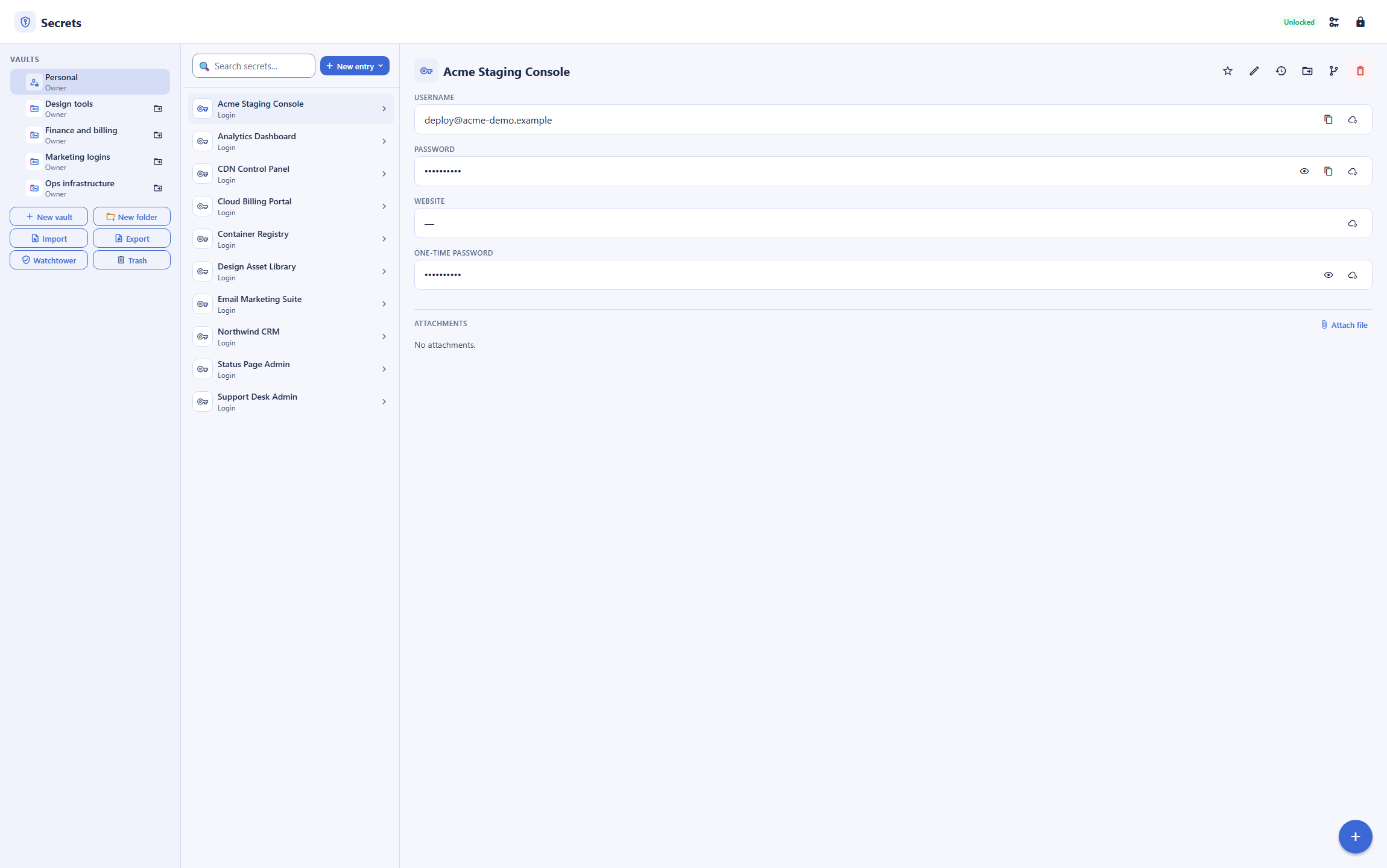
When Bitwarden shipped a redesigned interface in late 2024, a number of users reported that copying a password now took an extra click, that the layout felt slower, and that the combined item list was harder to scan. Backbuild Secrets presents a vault rail with per-vault items and an item detail pane that opens in place, so common actions stay one interaction away. This is a difference in interface design, and preferences vary.
Secrets sitting apart from everything else
A password manager is usually a separate app, and Bitwarden Secrets Manager is a separate product again. Backbuild Secrets is part of an all-in-one workspace, and the same vault holds infrastructure secrets you inject into apps from the CLI, so human passwords and service secrets live in one governed place.
Secrets for AI agents, automations, and containers
This is where the two products diverge the most, and the two mechanisms behind that divergence are distinct. Bitwarden is a password manager for people and a Secrets Manager for machines; it fills logins in a browser and on a phone, and its machine accounts hand a service an access token that decrypts a secret locally. It has no surface for an AI agent that operates the browser itself. Backbuild Secrets treats an automating agent as a first-class, and untrusted, caller. Its browser extension gives an AI agent full control of the page, but both the extension and the server refuse to let that agent focus or drive any password or one-time-code field. When a login needs a credential, the zero-knowledge vault fills the field directly, so the value reaches the page without ever passing through the model. That is the code-verified categorical difference: an agent can navigate, click, and type across a site and still never be a place a password can leak from.
For machine and service secrets, both products use the same underlying model: a machine holds a token and decrypts locally. Backbuild's difference is the governance around that token. A machine reaches a vault through an owner-consented grant that is bound to that machine, that specific vault, an exact scope such as read or write, and an environment, and broad or wildcard scopes are rejected. Beyond that, the whole vault is drivable over a public REST API and native Model Context Protocol tools, and any language can call the secrets command-line interface to inject secrets into a process at launch. Bitwarden answers the machine case with its established Secrets Manager, which adds projects and is self-hostable; Backbuild answers it inside the same vault the team already uses.
Which tool wins, by use case
An individual or family wanting a free password manager
Most people searching for a Bitwarden alternative are comparing two genuinely free managers. Bitwarden's free tier is strong, with unlimited passwords across unlimited devices, the generator, and Send, though it puts the integrated authenticator and breach reports on Premium. Backbuild Secrets is free on every plan, zero-knowledge, post-quantum at rest, and includes TOTP and breach checks at no cost, with import from Bitwarden. The counterweight is where you use it: Bitwarden has mature mobile apps and autofill you can install today, passkeys, emergency access, and a family plan, and Backbuild's mobile app and extension are still rolling out. If you live in a browser on a computer and want post-quantum encryption, Backbuild is a strong free choice; if your passwords live on your phone or you want a packaged family plan, Bitwarden is stronger right now.
A small business team that needs governed sharing on a budget
A team sharing logins needs roles, an audit trail, and per-tenant isolation. Bitwarden includes much of this on its affordable Teams plan at $4 per user a month, with collections, groups, event logs, and SCIM, and reserves single sign-on and policy controls for Enterprise at $6. Backbuild gives a team owner, manager, and member roles, single sign-on, SCIM user provisioning, a tamper-evident audit log, and per-organization isolation on every plan, free, and it sits in the same all-in-one workspace as the rest of the team's tools. Bitwarden's per-seat price is low; Backbuild's is zero and includes single sign-on that Bitwarden gates to Enterprise.
Security-conscious users who want post-quantum and zero-knowledge
For someone whose threat model includes harvest-now, decrypt-later, the question is what is post-quantum today. Bitwarden encrypts vaults with AES-256 and derives keys with PBKDF2 or optional Argon2id, which is strong against classical attackers but not post-quantum, and its quantum-resistant work is a roadmap item. Backbuild Secrets wraps the vault key that protects your items with hybrid post-quantum cryptography (X25519 with ML-KEM-768) at rest, derives your keys with Argon2id on your device, and keeps private keys inside a sealed module. The counterweight is verification and transparency: Bitwarden is open source and independently audited every year, while Backbuild is a hosted, closed-source service that is not yet independently audited.
Developers managing infrastructure and service secrets
Developers want to stop scattering secrets across .env files, and here both tools are serious. Bitwarden offers a dedicated, established product, Bitwarden Secrets Manager, with projects, machine accounts, access tokens, a command-line interface and SDKs, and enterprise self-hosting. Backbuild does not sell a separate secrets-manager product; the same zero-knowledge vault is drivable over a public REST API, native Model Context Protocol tools, and a CLI that injects secrets into a process at launch, and a machine reaches a vault through an owner-consented, environment-pinned, exact-scope grant. Both models decrypt on the calling machine. The distinctions are shape and governance: Bitwarden gives you a purpose-built, self-hostable developer product with projects; Backbuild gives you a per-machine grant inside the same vault and workspace your team already uses, plus the AI-agent boundary that a machine-token model does not address.
All-in-one workspace seekers
For someone who would rather not run a separate app for passwords, Backbuild Secrets is part of one free workspace spanning Mail at your own domain, Chat, Meetings, Calendar, Contacts, real-time Docs, Sheets, Slides, Diagrams, and Photos, with dedicated photo, video, training video, audio, and music editors, Files, Backbuild Finances, and a built-in help desk, and it holds infrastructure secrets alongside human passwords. Bitwarden is a focused password manager, with a separate Secrets Manager for developers, but it is a standalone tool you add on top of your other apps.
How the two compare for each part of a buying decision
Everyday use on your phone and browser
The day-to-day experience turns on where the manager fills passwords and what it costs to use everywhere. Bitwarden is the stronger daily driver on mobile today, with native iOS and Android apps, system autofill, and biometric unlock, one-click browser extensions on every major browser, and a Linux desktop app, all backed by a free tier that syncs across unlimited devices. That reach is the single most common reason people stay with Bitwarden, and it is a genuine advantage.
Backbuild Secrets runs in the web app and a Windows and macOS desktop app, with a browser extension and native mobile app rolling out to the stores. On a computer, the vault is fully usable today; on a phone, autofill is not there yet. The offsetting draw is the cryptography and the included extras: the vault is zero-knowledge and post-quantum at rest, and it includes TOTP, breach checks, and import from Bitwarden on the free plan where Bitwarden gates the authenticator and breach reports to Premium. The bottom line is a split by device: a browser-and-desktop user gets a complete, free, post-quantum manager from Backbuild, while a phone-first user is better served by Bitwarden until Backbuild's mobile client ships.
Rolling secrets out across a team
A team rollout is decided by shared access with control, the migration path, and the per-seat bill. On controls, Backbuild includes on every plan what Bitwarden spreads across its paid tiers: owner, manager, and member roles, single sign-on to unlock, SCIM user provisioning, a tamper-evident audit log, and per-organization isolation, free. Bitwarden puts roles, groups, event logs, SCIM, and directory sync on its Teams plan at $4 per user a month and reserves single sign-on and policies for Enterprise at $6, which is inexpensive but not free, and single sign-on specifically is an Enterprise-only feature.
The counterweight is operational maturity and deployment flexibility. Bitwarden has mature clients on every device, an established admin console, directory integration, a long support history, and the option to self-host the whole thing, and its import path is well trodden. Backbuild imports from Bitwarden, 1Password, Dashlane, KeePass, and LastPass, but it is newer, cannot be self-hosted, and its mobile clients are not yet in the stores. The bottom line: for a team that wants governance including single sign-on at no cost and a wider workspace, Backbuild is the stronger fit; for a team that wants proven clients on every device, self-hosting, and an audited vendor at a low per-seat price, Bitwarden is the safer rollout today.
Security and compliance evaluation
A security review looks at the encryption model, key handling, transparency, tenant isolation, the audit trail, and how non-human identities get credentials. Both managers are zero-knowledge, so neither provider can read a vault. They diverge on two axes. First, cryptography and transparency: Backbuild derives keys with Argon2id on the device and wraps the vault key with hybrid X25519 and ML-KEM-768, a post-quantum mechanism applied to stored data, while Bitwarden uses AES-256 with PBKDF2 or optional Argon2id, which is not post-quantum. On transparency, the direction reverses: Bitwarden is open source, self-hostable, and audited annually by Cure53, while Backbuild is a closed-source hosted service built to meet SOC 2, ISO 27001, and PCI DSS but not yet independently audited.
Second, machine and agent access, where a modern review increasingly focuses. Both products let a machine hold a token and decrypt locally, so neither claims a machine caller never sees plaintext. Backbuild adds governance around that token, an owner-consented, environment-pinned, exact-scope grant bound to one machine and one vault, and it adds a boundary a token model does not: an AI agent driving the browser is architecturally barred from focusing or driving a credential field, so an automating model never reads a password. Bitwarden answers the machine case with its mature Secrets Manager, but has no AI-browser-control surface. The bottom line: for post-quantum cryptography at rest and an agent-safe credential boundary, Backbuild leads on the model; for an open, self-hostable, externally audited design and a long transparent history, Bitwarden leads on verification.
The economics for a finance buyer
The cost question is total spend across seats and time, and the risk of forced upgrades. Bitwarden is one of the least expensive options in the category, with a strong free tier, Premium at $1.65 a month, and Teams at $4 per user a month, and single sign-on on Enterprise at $6. Backbuild Secrets is free on every plan, including roles, single sign-on, SCIM, and audit, so the direct line-item cost of the vault is zero and single sign-on carries no upgrade.
The larger economic point for a buyer is consolidation. Because Backbuild Secrets lives inside the same all-in-one workspace as the rest of a company's day-to-day tools, adopting it can retire several separate subscriptions rather than adding one, which changes the comparison from a password-manager line item to a workspace decision. The offsetting consideration is that Bitwarden's prices are already very low and its vendor history is long, which some finance teams count as lower switching risk. The bottom line: on the vault as a standalone line item both are cheap, and Backbuild is free including single sign-on; on consolidation Backbuild can remove other subscriptions, while a buyer paying for a proven, audited, single-purpose tool at a low price may still prefer Bitwarden.
Strategic fit and vendor risk
At the sponsor level the decision is about direction and durable risk, not individual features. Bitwarden offers a trusted, widely adopted, open-source vendor with a long record, wide platform coverage, self-hosting, and annual audits, which is a low-friction, low-risk choice for an organization that wants a well-known dedicated manager and nothing more. Its trade-off is its narrow scope: it is a password and secrets tool, not a workspace.
Backbuild consolidates the password vault and the rest of an organization's core tools into one governed, post-quantum workspace, with AI-agent access built into the vault under a credential boundary. The strategic upside is fewer vendors, forward-looking cryptography, and an AI-native posture; the strategic risk is that Backbuild is newer, closed source, not yet independently audited, and still shipping its mobile clients. The bottom line: an organization optimizing for an open, audited, self-hostable point tool leans Bitwarden, while one consolidating vendors and prioritizing post-quantum and agent-safe secrets leans Backbuild.
Frequently asked questions
Is there a free alternative to Bitwarden?
Yes. Backbuild Secrets is a full password and secrets manager that is free on every Backbuild plan, including the Free plan, and it adds role-based access control, single sign-on, SCIM user provisioning, and a tamper-evident audit log at no cost. Bitwarden also has a genuinely generous free tier, with unlimited passwords across unlimited devices, the password generator, and Bitwarden Send, so on price the two are close for an individual. The reasons to pick Backbuild are post-quantum encryption of stored vault data, an AI-native automation surface, and an all-in-one workspace around the vault. The reasons to pick Bitwarden are that it is open source and self-hostable, independently audited every year, and ships mature native mobile and Linux apps that Backbuild has not released yet.
Is Backbuild Secrets really post-quantum, and is Bitwarden?
Backbuild Secrets encrypts your vault data with hybrid post-quantum cryptography: the vault key that protects your items is wrapped with X25519 combined with ML-KEM-768, the mechanism standardized by NIST as FIPS 203, so ciphertext harvested today cannot be opened by a future quantum computer. Bitwarden encrypts vaults with AES-256 and derives keys with PBKDF2 or, as an option, Argon2id, which is strong against classical attackers but is not post-quantum, and Bitwarden has discussed quantum-resistant encryption only as a roadmap item so far. If harvest-now, decrypt-later is part of your threat model, Backbuild protects the stored data against it today.
Is Bitwarden more secure because it is open source and audited?
Open source and independent audits are real, meaningful strengths, and they belong to Bitwarden here. Bitwarden publishes its clients and server as open source, is self-hostable, and commissions annual third-party security assessments from Cure53 alongside SOC 2, GDPR, and HIPAA compliance and a public bug bounty. Backbuild Secrets is a hosted service that is not open source, is built to meet SOC 2, ISO 27001, and PCI DSS but does not yet carry published independent audits, and cannot be self-hosted. Where Backbuild differs is the cryptography applied to stored data, which is post-quantum, and the automation model, where an AI agent driving the browser is architecturally prevented from reading a credential. If an inspectable codebase, self-hosting, and a published audit history are hard requirements, Bitwarden is the stronger choice.
Can I import my Bitwarden data into Backbuild Secrets?
Yes. Backbuild Secrets reads the JSON that Bitwarden exports, detecting it by its structure and importing your logins, cards, identities, secure notes, and folders, with custom fields kept alongside each item so nothing is lost. It also imports exports from 1Password, Dashlane, KeePass, and LastPass, along with the CSV that browsers produce, and because the vault is zero-knowledge, the import and the encryption that follows happen on your device.
Does Backbuild Secrets have mobile apps and browser autofill like Bitwarden?
Not in the app stores yet, and this is where Bitwarden leads. Bitwarden has mature iOS and Android apps with system autofill and biometric unlock, browser extensions on every major browser, and desktop apps for Windows, macOS, and Linux. Backbuild Secrets runs in the web app and the Windows and macOS desktop app; the Backbuild browser extension that adds autofill is rolling out to the Chrome Web Store, Firefox Add-ons, and the App Store, and the native mobile app is in development. Backbuild does not offer mobile system autofill or a Linux desktop app today. If autofill on your phone is your first requirement, Bitwarden is the stronger choice right now.
Can an AI agent use Backbuild Secrets without seeing my passwords?
Yes, and this is the categorical difference from a manager built only for people. The Backbuild browser extension gives an AI agent full control of the page, but the extension and the server both refuse to let the agent focus or drive any password or one-time-code field. When a login needs a credential, the zero-knowledge vault fills it directly, so the value is placed in the field without ever passing through the AI. Bitwarden has no AI-browser-control surface, so this class of workflow is not part of its model. For machine and service secrets, both products let a machine hold a token and decrypt a secret locally; the difference there is that a Backbuild machine grant is bound to one machine, one vault, and an exact scope, requires owner consent with a step-up, and is pinned to an environment.
How do Bitwarden and Backbuild compare on developer and machine secrets?
Bitwarden ships a separate, established product, Bitwarden Secrets Manager, with projects, machine accounts, access tokens, a command-line interface and SDKs, and enterprise self-hosting. Backbuild does not sell a separate secrets-manager product; instead the same zero-knowledge vault is drivable over a public REST API, a command-line interface that injects secrets into a process at launch, and native Model Context Protocol tools, and a machine reaches a vault through an owner-consented, environment-pinned, exact-scope grant. Both models decrypt on the calling machine. If you want a dedicated, self-hostable developer secrets product with projects and machine accounts, Bitwarden Secrets Manager is more mature; if you want machine access governed by a per-machine grant inside the same workspace and vault your team already uses, Backbuild fits better.
Try Backbuild Secrets free
A zero-knowledge, post-quantum password and secrets manager with vaults, role-based sharing, single sign-on, SCIM, and an audit log free on every plan, a full item set, TOTP, a generator, breach checks, one-click import of a Bitwarden export, a public REST API, native Model Context Protocol tools, and an AI agent that can drive the browser but never touch a credential field, inside an all-in-one workspace. If your first requirement is an open-source, self-hostable, independently audited tool, a generous free tier at a very low price, mature native mobile and Linux apps, passkeys as a working authenticator, or Bitwarden Send, Bitwarden is the stronger choice right now.
Get started with Backbuild Secrets