

Loom alternative: Backbuild Studio vs Loom
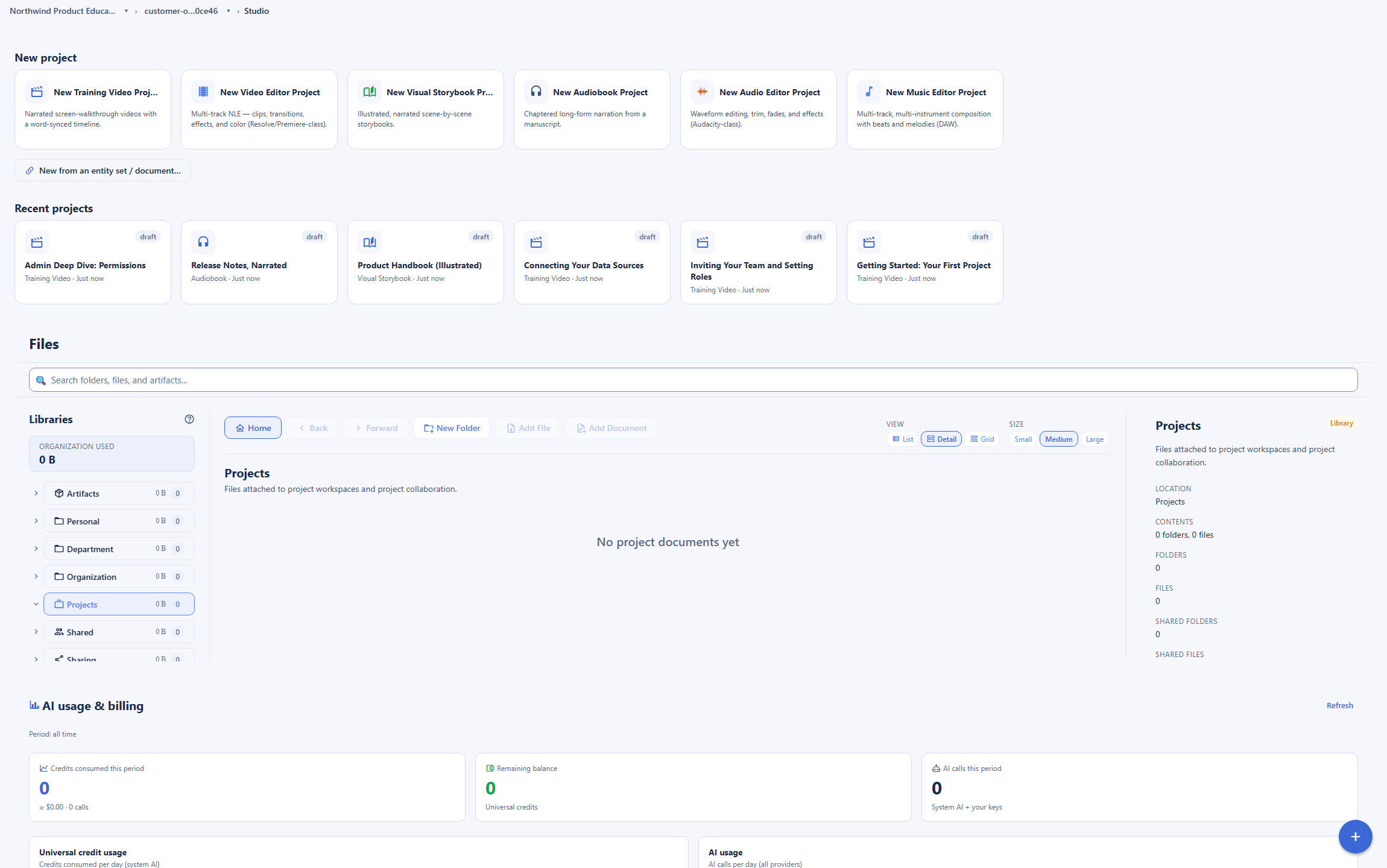
Loom is a dedicated async screen-recording and video-messaging app: one-click capture, a share link in seconds, and hosted video pages with viewer analytics. On the Backbuild side the same job is met by Backbuild Studio, which ships a manual screen recorder and scripted training videos that drive your real product interface step by step with word-synced highlights, plus narrated audio and audiobooks, together with the surrounding workspace: the training course system, the AI assistant and Model Context Protocol tools, a public REST API, and per-organization roles and audit on every plan. Loom still leads on instant one-click capture with an instant share link, hosted viewer analytics, auto-transcription and AI, native quick-capture apps, its large integration ecosystem, and its established base.
The short answer
Both record a screen, but they aim at different jobs. Choose Backbuild Studio if you want to make software training videos of your real product, driven step by step, or narrated audio like audiobooks and voiceover, delivered and tracked in your own training course system, with no per-creator seat and no monthly video cap, inside an all-in-one workspace. Choose Loom if you want instant one-click screen and webcam capture with a share link in seconds, hosted video pages with viewer engagement analytics and heatmaps, auto-transcription with AI titles, summaries, and chapters, native quick-capture desktop and mobile apps, or its large third-party integration ecosystem. Both ship a screen recorder; Backbuild does not match Loom quick capture-and-share or hosted viewer analytics, and Loom does not script and drive your product interface, carry its own course platform, or make narrated audio.
Backbuild Studio vs Loom: feature by feature
Loom is free with 25 videos per person and a 5-minute cap; paid plans start at $18 per user a month billed annually, and single sign-on is reserved for Enterprise. Prices below are from Loom's own pricing page, observed 2026-07-18. The highlighted column is Backbuild Studio.
| Backbuild Studio Real-product training videos, narrated audio, and a course system in the workspace In the workspace on every plan; each render uses usage credits for speech and compute, with no per-creator seat and no monthly video cap Get Started Free | Loom An async screen-recording and video-messaging app, billed per creator seat Free with 25 videos and a 5-minute cap per video; Business $18/user/mo billed annually; Business plus AI $24/user/mo; Enterprise custom, single sign-on via Atlassian Guard | |
|---|---|---|
| Price and cost model | ||
| Free tier | In the workspace, render on credits | 25 videos, 5-minute cap |
| Billing model | Usage credits, no per-creator seat | Per billable creator seat |
| Monthly video cap | No fixed cap | 25 videos, 5 min on Free |
| Starting paid price | Included, then usage credits | $18/user/mo annually |
| Re-rendering unchanged work is free | ||
| Instant capture and sharing | ||
| Manual screen recorder | ||
| One-click capture with an instant share link | Its core | |
| Webcam bubble over the recording | ||
| Native quick-capture desktop and mobile apps | Workspace clients, not quick-capture | Extension, desktop, mobile |
| Software training and product walkthroughs | ||
| Drives your real product interface step by step | ||
| Scripted cursor, clicks, typing, and drag | ||
| Word-synced highlights on the control in use | ||
| Re-render against an updated interface, no re-shoot | ||
| Record a screen behind a login, credential masked Soon | Designed, rolling out | |
| 4K output | Business plan | |
| Vertical 9:16 and 16:9 output | ||
| Narration and other media | ||
| Text-to-speech narration from a script | ||
| Narration word-aligned to on-screen action | ||
| Bring your own AI voice provider and key | ||
| Illustrated, narrated storybooks | ||
| Long-form audiobooks and voiceover | Chapters, M4B and MP3 | |
| Video, audio, and music editors Soon | Authoring preview | |
| Transcription and AI editing | ||
| Auto-transcription of a recording | 50+ languages | |
| Closed captions on a recording | ||
| AI auto titles, summaries, and chapters | Business plus AI | |
| Filler-word removal and edit-by-transcript | Business plus AI | |
| AI bug report into a Jira work item | ||
| AI agent authors and generates through MCP | ||
| Hosting, analytics, and viewer engagement | ||
| Hosted video pages with a share link | ||
| Viewer engagement analytics and heatmaps | ||
| Organization-wide admin insights | Business plus AI | |
| Comments, reactions, CTAs, and tasks on a video | ||
| Password-protected videos and custom player branding | Business plan | |
| Training courses and learning delivery | ||
| Build courses (chapters, lessons, steps) | ||
| Quizzes, timed exams, and grading | ||
| Enroll and assign learners, required training | ||
| Progress tracking and completion rollups | Video views only | |
| Certificates you issue, verify, and revoke | ||
| Publish and sell courses in a marketplace | Free, one time, or subscription | |
| Integrations, API, and automation | ||
| Large third-party integration ecosystem | First-party plus REST API and MCP | Slack, Notion, Jira, more |
| Public REST API across the surface | Enterprise | |
| Native Model Context Protocol tools | ||
| Platform, identity, and governance | ||
| Single sign-on | Every plan | Enterprise |
| SCIM user provisioning Soon | Enterprise, Atlassian Guard | |
| Per-organization roles and audit logging | Every plan | Enterprise |
| Secrets vault for narration and login credentials | ||
| Published certifications and long track record | Built to meet, not yet audited | |
| Workspace apps | ||
| Training video editor (Backbuild Studio) (Loom is a screen recorder) | Screen recorder | |
| Real-product-driven walkthrough vs manual recording | Drives your app | Manual capture |
| Audiobooks and narrated storybooks in the same editor | ||
| Instant share link with viewer engagement analytics | ||
| Auto-transcription and AI titles and summaries | ||
| Email at your own domain (Backbuild Mail) | ||
| Team chat (Backbuild Chat) Soon | ||
| Meetings (Backbuild Meetings) Soon | ||
| Calendar (Backbuild Calendar) | ||
| Contacts (Backbuild Contacts) | ||
| Documents (Backbuild Docs) | ||
| Spreadsheets (Backbuild Sheets) | ||
| Presentations (Backbuild Slides) | ||
| Diagrams (Backbuild Diagrams) Soon | ||
| Photos (Backbuild Photos) | ||
| Photo editor | ||
| Files | ||
| Accounting and invoicing (Backbuild Finances) | ||
| Password and secrets manager (Backbuild Secrets) | ||
| Help desk and support tickets | ||
A cross means the tool does not offer the feature today. "Soon" marks a capability on the Backbuild roadmap. Loom prices, plans, and features are quoted from Loom pricing, the Loom homepage, the Loom AI page, and the Atlassian billing documentation, observed 2026-07-18. Backbuild capabilities are cited to the Backbuild Studio documentation and the training course system documentation.
Two different jobs that both start at a screen recorder
Loom is an async screen-recording and video-messaging app. Its model is to record your screen and webcam in one click and hand you a share link in seconds, on a hosted page with viewer analytics, and it is very good at that grab-and-share loop. Backbuild Studio also ships a manual screen recorder, but it is built for a produced job: it teaches software by driving your real product on screen through a scripted sequence with a voiceover, and it narrates long-form audio like audiobooks. Around Studio, the workspace adds a training course system to deliver, track, and sell what you make. The two overlap on the words "screen recording," but the workflow and the surround are not the same. Where you want to capture something quickly and share a tracked link, Loom leads. Where you want a repeatable, scripted walkthrough of your real product, narrated audio, or a course platform of your own, Backbuild is the stronger and more flexible tool, and it renders without a per-creator seat.
Where Loom leads
Loom is the category leader in async screen recording, and several of its strengths are things Backbuild Studio does not do at all today.
Instant capture and share, plus native apps
Loom is built around one-click screen and webcam capture and a share link in seconds, from a browser extension, a desktop app, and a mobile app. Backbuild ships native desktop, mobile, and browser-extension clients for the workspace and a manual screen recorder, but not a Loom-style one-click quick-capture recorder. For grab-and-send recording, Loom leads.
Hosted pages and viewer analytics
Every Loom recording lives on a hosted page that reports who watched, how far, and where attention dropped, with engagement heatmaps and comments. Backbuild produces the media and delivers it in its own course system, but it does not host public video pages with per-viewer engagement analytics. For measuring how a shared video is watched, Loom leads.
Transcription and AI on a recording
Loom auto-transcribes in more than 50 languages and adds AI titles, summaries, chapters, filler-word removal, and edit-by-transcript. Backbuild starts from a written script and speaks it, so it does not transcribe an arbitrary recording. For record-first, then let AI clean it up, Loom is built for that.
Integration ecosystem and track record
Loom integrates with Slack, Notion, GitHub, Jira, and hundreds of tools, across an established base of 400,000 companies. Backbuild answers integration with a public REST API, native Model Context Protocol tools, and first-party integrations, but it is newer and its first-party catalog is smaller. For breadth of ready connectors and maturity today, Loom leads.
Common Loom frustrations and how Backbuild Studio addresses them
Per-seat billing under Atlassian pricing
The most common current Loom complaint is the per-billable-creator seat model, where a plan is billed at the ceiling of its user tier and dormant seats can become billable, with one analysis reporting a 10-creator, 90-viewer workspace moving from about 240 dollars a year to about 24,000 dollars a year. Backbuild Studio is part of the workspace on every plan with no per-creator seat: you pay usage credits for the compute a render uses, and unchanged re-renders cost nothing.
A recording cannot show a scripted, repeatable walkthrough
A manual recording captures whatever you did that time; when the product changes, you re-record by hand. Backbuild drives your real interface through a scripted sequence, so a training video re-renders against the updated product without re-shooting, and the narration stays word-synced to each step.
The free plan caps videos and length
Loom's free plan is limited to 25 videos per person and 5 minutes per video at up to 720p, where a single walkthrough can exceed the length cap. Backbuild sets no per-video length cap and no monthly video cap: a render draws usage credits for the speech and compute it uses.
Paying for a standalone video seat
Loom is a separate subscription billed per creator. Backbuild Studio is part of the workspace on every plan, alongside Mail, Chat, Meetings, Calendar, Contacts, Docs, Sheets, Slides, Diagrams, Photos with a dedicated photo editor, Files, Backbuild Finances, a built-in help desk, the training course system, and the secrets vault, so it is not another seat to buy on its own.
How a script becomes narrated media
Beyond recording a screen, Backbuild Studio turns a written script into more than one kind of narrated media. The narration is synthesized, aligned back to the words so each on-screen action lands on its spoken cue, and rendered as a training video that drives your real product, an illustrated storybook, or a long-form audiobook. Loom records live video; it does not synthesize narration or produce audiobooks.
Which tool wins, by use case
Async video messages for remote teams
This is the use case Loom was built for and where it leads. When the job is to explain something once, record a quick walkthrough, and drop a link in Slack so teammates watch on their own time, Loom's one-click capture, instant share link, and viewer analytics are the most direct path, and its native apps make it frictionless from any device. Backbuild ships a manual screen recorder, but it does not host a share page with per-viewer analytics or match the grab-and-share speed. For everyday async video messaging inside a team, Loom is the better fit.
Software training and product walkthroughs
This is where Backbuild Studio is strongest. To teach someone to use an application, the most useful video shows the application itself: the real screens, the real click path, the fields they will fill. Backbuild Studio drives your live product through a scripted sequence of clicks, typing, and drags, and highlights each control as the narration names it, so the walkthrough matches exactly what the user will do, screen for screen. Loom records a manual pass through the product with your voice over it, which shows the screen but does not script or drive the interface, and a product change means re-recording by hand. For product onboarding, help-center walkthroughs, and feature tours that must stay current, Backbuild fits the job better, and the same recording can be wrapped in a tracked course without leaving the workspace.
Building and selling courses, and required training
For a learning and development team or a subject-matter expert whose output is a course, Backbuild carries the whole path. You author a course from chapters, lessons, and steps, add quizzes and timed exams, enroll or assign learners, mark training required, track completions, issue verifiable certificates, and publish to the marketplace as free, one time, or a subscription, and you can illustrate it with real-product walkthroughs and narrated audio from Studio. Loom makes strong recordings and reports video views, but it is a video tool: it has no course structure, no enrollment or certificates, and no marketplace, so a seller would still need a separate course platform. For turning expertise into a tracked, certified, or sellable course, Backbuild covers the job end to end.
Customer support and personalized walkthrough videos
Support and success teams use short videos to resolve a ticket faster than a wall of text. Loom is strong here: record the fix, paste the link into the reply, and see whether the customer watched, all in seconds. Backbuild can record a walkthrough and, for repeatable how-to content, script and drive the product so the same answer stays current, and it can wrap recurring answers into a self-serve course or a help-center walkthrough. What it does not do is host the video with per-viewer analytics on a share link. So for a one-off personalized reply with view tracking, Loom leads; for a library of repeatable, always-current how-to content, Backbuild leads.
Audiobooks, voiceover, and narrated media
Loom is a video tool. If what you need is audio, a long-form audiobook from a manuscript, a voiceover track, or an illustrated narrated storybook, Backbuild Studio is built for it and Loom is not. Backbuild produces chaptered audiobooks with embedded metadata and cover art, voiceover, and storybooks that render to both a video and an audiobook in one run, all in the same studio. For narrated audio, this is a category Loom does not serve.
Teams who want media without another subscription
For a team already choosing an all-in-one workspace, the cost model matters. Backbuild Studio and the training course system are part of the workspace on every plan, so a document, a spreadsheet, a secrets vault, a media studio, and a course platform are one product, and a video render draws on usage credits rather than a separate per-creator video seat. Any AI agent can author and generate a production or a course through the Model Context Protocol. Loom is a strong standalone product, but it is a standalone product, priced per seat on its own.
From a recorded walkthrough to a certified course
Because Studio and the training course system live in the same workspace, a recorded walkthrough does not stop at a video file. The same real-product training video becomes a lesson inside a course with quizzes, a learner who completes it earns a certificate anyone can verify by serial, and the finished course can be published to the marketplace to sell. Loom produces and hosts the video; the course platform around it is a separate purchase.
How the two compare for each part of a buying decision
Recording and producing the content day to day
The daily evaluation turns on the specific video in front of the person making it. For a quick message, a bug repro, or a personal walkthrough shared as a link, Loom is the more direct tool: its one-click capture, hosted link, and native apps get from record to sent in seconds, and its AI titles, summaries, and edit-by-transcript tidy the result without manual editing. For a produced product walkthrough that must stay current, Backbuild is the more direct tool: you script the narration and the actions, and Studio drives your real app and syncs the voice to each click, so a change to the product is captured by re-rendering rather than re-recording by hand.
The offsetting consideration is scope of media. Backbuild makes more than video from the same studio, including storybooks and long-form audiobooks, and its narration voice can be one you bring from your own provider. The bottom line for this evaluation: for fast capture-and-share and AI cleanup of a recording, Loom is the stronger daily tool; for scripted real-product walkthroughs and narrated audio, Backbuild is stronger.
Running a learning and development program
A learning program is judged on the whole path from creation to delivery to proof of completion, not on the recording alone. Loom is strong on creation and distribution of quick video content, and its hosted pages report views and engagement, but it stops at video: there is no course structure, no enrollment or required-training assignment, and no certificate. Backbuild answers the delivery and proof side directly, because it ships the learning system itself: the training course system handles enrollment, required-training assignment, quizzes and exams, organization-wide completion rollups, transcripts, and certificates that are verifiable by serial and revocable, and it makes true real-product walkthroughs that a manual recording cannot keep current on its own.
The genuine gaps run both ways. Backbuild does not host public video pages with per-viewer engagement analytics, and it does not match Loom's quick-capture speed, so a team whose need is fast, measurable video messages is better served by Loom. Backbuild, in turn, provides the course platform and real-product training in the same workspace, so a program that wants to deliver, track, and certify training in one place does not need a second product. The bottom line: for fast video messaging with view analytics, Loom leads; for a self-contained course platform with real-product training, Backbuild leads.
Security and data-handling evaluation
A review of a recording tool looks at where the video and any credentials go, how access is scoped, and what governance is included. Both are cloud SaaS that store the media you create. Loom, now part of Atlassian, is the more mature and externally validated of the two: it inherits Atlassian's compliance program and single sign-on and SCIM through Atlassian Guard, and it carries a long operating history, which for many reviewers is the deciding evidence. Backbuild is newer and not yet independently audited, so it does not carry that track record.
On the controls Backbuild does include, it leads in two places a reviewer cares about. Production is scoped to a per-organization workspace with roles and a tamper-evident audit log on every plan, where Loom reserves single sign-on, SCIM, and enterprise controls for its Enterprise tier. And when a training video must record a screen behind a login, the login credential comes from the encrypted Secrets vault, where the real value is substituted only at the moment of use and kept out of anything the AI sees, a boundary that authenticated capture is being rolled out under. The bottom line: for external certifications and a proven track record, Loom leads on evidence; for included per-organization governance and credential handling, Backbuild leads on the model.
The economics for a finance buyer
The cost question is total spend, how the price scales, and how many separate tools a decision commits to. Loom is a standalone subscription billed per creator seat, from $18 per user a month billed annually, with a plan billed at the ceiling of its user tier, so the real cost depends on how many seats become billable, and the Atlassian pricing change has driven large increases for some accounts. Backbuild Studio is included in the workspace on every plan with no per-creator seat, and a render draws usage credits for the speech and compute it uses, with unchanged re-renders free.
The larger economic point is consolidation. Because Studio, the training course system, and the rest of the workspace are one product, adopting Backbuild can retire a separate video subscription and a separate course or LMS subscription at once, which turns the comparison from a video line item into a workspace decision. The offsetting consideration is fit: a team whose only need is fast video messaging with hosting and analytics may find Loom the more focused and lower-effort buy, and Loom carries the maturity some finance teams count as lower switching risk. The bottom line: on direct and consolidated cost, and on removing per-seat billing, Backbuild is materially cheaper; a buyer who wants the deepest capture-and-share and hosting product, and vendor maturity, may still prefer Loom.
Strategic fit and vendor risk
At the sponsor level the decision is about direction and durable risk rather than individual features. Loom offers a focused, proven product that leads its category, now backed by Atlassian's scale and compliance, a low-surprise choice for an organization that wants a best-in-class capture-and-share tool and nothing more. Its trade-offs are its narrow scope, its per-seat cost model, and the need for a separate course platform if training must be delivered and certified.
Backbuild consolidates media production, a course system, and the rest of an organization's core tools into one governed workspace, with real-product training that a manual recording cannot keep current, AI-driven and API-driven authoring, and governance included on every plan. The strategic upside is fewer vendors and a training capability tied directly to the real product; the strategic risk is that Backbuild is newer, not yet independently audited, and does not match Loom's quick-capture speed, hosted analytics, or integration breadth. The bottom line: an organization optimizing for the best dedicated capture-and-share tool leans Loom, while one consolidating vendors and prioritizing real-product training with its own course platform leans Backbuild.
Frequently asked questions
Is there a free alternative to Loom?
Yes, with one difference in the cost model. Backbuild Studio is part of the Backbuild workspace on every plan, including the Free plan, so there is no separate per-creator video seat to buy. It ships a manual screen recorder, and it also renders scripted training videos and narrated audio. Rendering a scripted production consumes usage credits for the text-to-speech and the compute a video render uses, so it is not unlimited free video, but there is no per-creator seat and no monthly video cap the way Loom sets one, and re-rendering a production you have not changed costs nothing because Studio caches the narration, the alignment, and the video. Loom has a free tier too, capped at 25 videos per person and 5 minutes per video at up to 720p. If your goal is software training videos of your real product, or a course library, without a per-seat charge, Backbuild is the better fit. If your goal is to grab a quick screen recording and paste a share link in seconds, Loom is built for exactly that and Backbuild does not match that quick-capture-and-share workflow today.
Why did Loom get more expensive, and is there a cheaper alternative?
Loom now bills per billable creator seat under Atlassian pricing, and a plan is billed at the ceiling of its user tier, so a team of 55 pays the 100-user tier. Dormant seats can be moved to billable Creator roles, and the free Creator Lite role was removed. One dated analysis reports a workspace of 10 creators and 90 passive viewers moving from about 240 dollars a year to about 24,000 dollars a year after the change. Reviewers name the per-seat billing as the most common current Loom frustration. Backbuild Studio is included in the workspace on every plan with no per-creator seat: a render draws usage credits for the speech and compute it uses rather than a monthly seat charge, and unchanged re-renders are free. Loom, for its part, remains stronger for instant capture-and-share and hosted viewer analytics, so the trade is a lower and more predictable cost against Loom quick-capture and hosting maturity.
Can Backbuild record my screen like Loom?
Yes. Backbuild Studio ships a manual screen recorder that captures your screen in the browser, the same core job as the Loom recorder. Where the two diverge is the workflow after you hit record. Loom is built for instant one-click capture followed by a hosted share link in seconds, with viewer analytics on the hosted page. Backbuild does not match that grab-and-share loop or the hosted viewer analytics today. What Backbuild adds instead is scripted, driven walkthroughs: rather than only recording whatever you do by hand, it can drive your real product through a scripted sequence of clicks, typing, and drags, with the narration word-synced to each step. So for a quick grab-and-share recording Loom leads, and for a produced, repeatable software walkthrough Backbuild leads.
Does Backbuild give me a share link with viewer analytics like Loom?
No, and this is a genuine Loom strength to concede. Loom hosts each recording on a branded page and reports who watched, how far they got, and where attention dropped, with engagement heatmaps and organization-wide admin insights. It also carries comments, emoji reactions, calls to action, and tasks on the shared video. Backbuild Studio produces the media and delivers it inside its own training course system, where it tracks course progress and completions, but it does not host public video pages with per-viewer engagement analytics or in-video comments and reactions. If viewer-level engagement analytics on a shared link are your first requirement, Loom is the stronger choice today.
Can Backbuild make a training video of my real software that Loom cannot?
Yes, and this is what it does best. You write a narration script, mark where each on-screen action should happen, and list the actions to perform against your product: navigate to a screen, click a control, type into a field, drag one element onto another, highlight an area. Backbuild Studio then drives a real browser through your product, records the screen with a synthetic cursor and a spotlight, and places each action at the exact moment its cue is spoken, so the narration and the on-screen action stay in sync. Because the render actually performs each step, the same video can be re-rendered against an updated interface without re-recording by hand. Loom records whatever you do live and pairs it with your webcam, but it does not script and drive your product interface for you.
Does Backbuild transcribe recordings and add AI titles and summaries like Loom?
Not in the same way, and this is another Loom strength to concede. Loom auto-transcribes a recording in more than 50 languages and, on its Business plus AI plan, adds automatic titles, summaries, chapters, filler-word removal, and edit-by-transcript. Backbuild works in the other direction: it starts from your written script and speaks it with text-to-speech, then aligns the audio back to the words, so it does not transcribe an arbitrary recording or generate a summary from one. If your workflow is record first, then let AI title, summarize, and trim the result, Loom is built for that and Backbuild is not.
Does Backbuild have a learning management system or course platform?
Yes. Backbuild ships a training course system in the workspace. You build a course from chapters, lessons, and steps, add quizzes and timed exams, enroll learners or assign them in bulk, mark training required, track progress and organization-wide completions, issue certificates that anyone can verify by serial and revoke when needed, and export transcripts. A course can also be published to the marketplace as free, one time, or a subscription, so you can sell it. Loom is a screen-recording and video-messaging tool: it has no course structure, no enrollment or certificates, and no marketplace, so a team that wants to deliver and certify training would still need a separate course platform. Backbuild has one built in.
What can Backbuild Studio do that Loom cannot?
Three things stand out. First, it drives your real product interface to make a genuine software walkthrough, the real screens and the real click path with word-synced highlights, rather than only recording whatever you do by hand. Second, it makes more than video: illustrated narrated storybooks, long-form audiobooks, and voiceover, all in one studio, where Loom is a video tool. Third, it lives inside an all-in-one workspace alongside Mail, Chat, Meetings, Calendar, Contacts, Docs, Sheets, Slides, Diagrams, Photos with a dedicated photo editor, Files, Backbuild Finances, a built-in help desk, and an encrypted secrets vault, with its own training course system for delivering and selling courses, and any AI agent can author and generate a production or a course through the Model Context Protocol. Loom is the more instant capture-and-share product with mature viewer analytics; Backbuild is the better fit for real-product training, narrated audio, and a course platform inside a wider workspace.
Try Backbuild Studio free
Record your screen, and make software training videos that drive your real product step by step, plus illustrated storybooks, long-form audiobooks, and voiceover, delivered and certified in your own training course system, inside an all-in-one workspace, with narration word-synced to the action and no per-creator seat or monthly video cap. If your first requirement is instant one-click capture with a hosted share link, viewer engagement analytics, auto-transcription with AI titles and summaries, or a large library of ready integrations, Loom is the stronger choice today.
Get started free