

1Password alternative: Backbuild Secrets vs 1Password
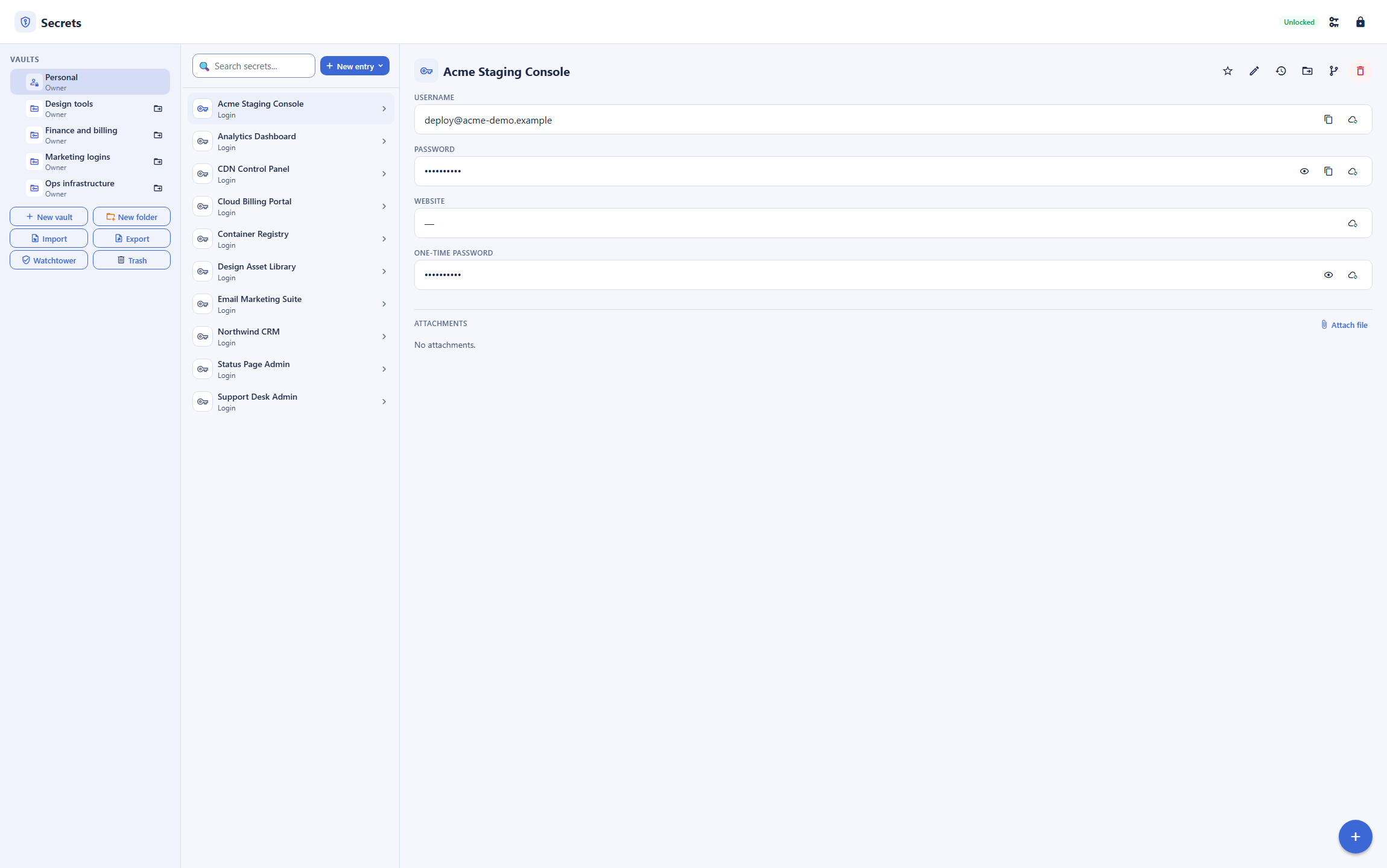
1Password is a dedicated password and secrets manager with native apps, a browser extension, and a developer secrets-automation toolkit. Backbuild Secrets is the zero-knowledge, post-quantum vault inside the Backbuild workspace, with free role-based access and audit on every plan, grant-based vault access for automations, an infrastructure-secrets command-line interface, a public REST API, and a native Model Context Protocol surface. 1Password still leads on native mobile apps and browser autofill you can install now, passkeys as a working authenticator, the breadth of Watchtower, and its long, independently audited track record.
The short answer
Both are zero-knowledge password managers; the split is price, post-quantum, automation, and maturity. Choose Backbuild Secrets if you want a manager that is free on every plan, encrypts your vault data with post-quantum cryptography at rest, gives you role-based sharing with an audit log at no extra cost, lets automations and AI agents use secrets they never see in plaintext, and lives inside a workspace spanning Mail, Chat, Meetings, Calendar, Contacts, Docs, Sheets, Slides, Diagrams, and Photos, with dedicated photo, video, training video, audio, and music editors, Files, Backbuild Finances, and a built-in help desk. Choose 1Password if you need polished native mobile apps and browser autofill today, passkeys you can save and sign in with, the full breadth of Watchtower, Travel Mode, an SSH agent, official language SDKs, and a long, externally audited track record.
Backbuild Secrets vs 1Password: feature by feature
1Password is subscription only, with no permanent free tier and a 14-day trial. Prices below are quoted from 1Password's own pricing page and its March 2026 increase, observed 2026-07-17. The highlighted column is Backbuild Secrets.
| Backbuild Secrets A zero-knowledge, post-quantum manager in the free workspace Free on every plan, including sharing, roles, and audit logging; part of the wider workspace Get Started Free | 1Password A mature, cross-platform password manager, subscription only Individual $3.99/mo billed annually ($47.88/yr); Families $5.99/mo; Business $7.99/user/mo; no free tier, 14-day trial | |
|---|---|---|
| Price and access | ||
| Permanent free tier | No, 14-day trial only | |
| Starting price for one person | Free | $3.99/mo, billed annually |
| Team price with roles and audit | Included free | $7.99/user/mo (Business) |
| Encryption and privacy | ||
| Zero-knowledge (the provider cannot read your vault) | ||
| Post-quantum encryption of vault data at rest | Connections only so far | |
| Memory-hard master-password hardening (Argon2id) | PBKDF2 | |
| Account Secret Key adding key entropy beyond the password | ||
| No server-side master-password reset | ||
| Items and fields | ||
| Logins, passwords, and secure notes | ||
| Full item set (cards, identities, SSH keys, and more) | 23 categories plus custom | |
| Custom sections and typed custom fields | ||
| Built-in TOTP for two-factor codes | ||
| Passkeys as a working authenticator (save and sign in) | Reference record only | |
| File attachments, tags, favorites, and archive | ||
| Version history you can restore | Last 50 versions | |
| Generator and hygiene | ||
| Password, passphrase, and PIN generator | ||
| Compromised-password (breach) check | Watchtower | |
| Weak and reused password flags | ||
| Wider monitoring (unsecured sites, inactive 2FA, breach alerts) | Compromised, weak, reused | |
| Sharing and governance | ||
| Share a vault with your team | ||
| Role-based access control | Every plan | Business tier |
| Tamper-evident audit log | Every plan | Business tier |
| Single sign-on to unlock | Every plan | Business tier |
| SCIM user provisioning Soon | Self-hosted SCIM Bridge | |
| Per-organization data isolation | ||
| Automation, API, and AI agents | ||
| Public REST API for the whole vault (hosted, not self-hosted) | Connect, self-hosted | |
| Official language SDKs | Via REST API and CLI | JS, Python, Go |
| Native Model Context Protocol tools for AI agents | ||
| AI agent uses secrets without ever seeing plaintext | ||
| Grant-based access for automations and containers (owner consent, step-up, single-use references) | Service account tokens | |
| Developers and infrastructure | ||
| Command-line interface | ||
| Inject secrets into a process or CI at launch | Secrets Automation, Connect | |
| SSH agent and Git commit signing | Stores SSH keys, no agent | |
| Import from other managers | 1Password, LastPass, Bitwarden, Dashlane, KeePass | |
| Autofill, apps, and platforms | ||
| Browser extension autofill you can install now Soon | ||
| Native mobile apps (iOS, Android) Soon | ||
| System autofill and biometric unlock on mobile | ||
| Desktop apps | Windows, macOS | Windows, macOS, Linux |
| Web app | ||
| Travel Mode (hide vaults when crossing a border) | ||
| Workspace apps | ||
| Email at your own domain (Backbuild Mail) | ||
| Team chat (Backbuild Chat) Soon | ||
| Meetings (Backbuild Meet) Soon | ||
| Calendar (Backbuild Calendar) | ||
| Contacts (Backbuild Contacts) | ||
| Documents (Backbuild Docs) | ||
| Spreadsheets (Backbuild Sheets) | ||
| Presentations (Backbuild Slides) | ||
| Diagrams (Backbuild Diagrams) Soon | ||
| Photos (Backbuild Photos) | ||
| Photo editor | ||
| Video editor Soon | ||
| Training video editor (Backbuild Studio) | ||
| Audio editor Soon | ||
| Music editor Soon | ||
| Files | ||
| Accounting and invoicing (Backbuild Finances) | ||
| Help desk and support tickets | ||
| Trust and maturity | ||
| Published third-party security audits | Built to meet, not yet audited | |
| Long track record in market | ||
A cross means the tool does not offer the feature today. "Soon" marks a capability on the Backbuild roadmap. 1Password prices, plans, and feature availability are quoted from 1Password pricing and its security documentation, observed 2026-07-17.
Same guarantee, different bets
1Password and Backbuild Secrets agree on the most important thing: both are zero-knowledge, so the provider stores only ciphertext and cannot read a vault. From there they make different bets. 1Password has built the most polished cross-platform experience in the category: native mobile apps with system autofill, browser extensions on every browser, passkeys, a developer toolkit of SDKs and an SSH agent, and a published audit history. Backbuild Secrets bets on being free for everyone, post-quantum at rest, governed with roles and audit at no extra cost, drivable by automations and AI agents that never touch a plaintext secret, and part of a whole workspace. The two suit different people.
Where 1Password leads
1Password is a category leader, and several of its strengths are things Backbuild Secrets does not match today.
Mobile apps and autofill you can use now
1Password has mature iOS and Android apps with system autofill and biometric unlock, and browser extensions you install in one click. Backbuild Secrets runs on the web and a Windows and macOS desktop app; its browser extension and native mobile app are in development with store distribution rolling out, and mobile system autofill is not available yet. For daily use on a phone, 1Password leads.
Passkeys as a real authenticator
1Password can save passkeys and sign you in with them across your devices. Backbuild Secrets stores a passkey as a reference record, not a working authenticator, so it cannot create or use one for you today. For a passwordless future, 1Password is ahead.
The breadth of Watchtower and an SSH agent
Backbuild Secrets flags compromised, weak, and reused passwords. 1Password's Watchtower goes further, adding unsecured websites, inactive two-factor, and data-breach alerts, and its SSH agent signs Git commits and authenticates sessions. For the widest security dashboard and native SSH, 1Password leads.
A long, audited track record and SDKs
1Password has been trusted for years, publishes regular third-party assessments, ships official JavaScript, Python, and Go SDKs, and adds extras like Travel Mode. Backbuild Secrets is newer and not yet independently audited. If external audit history is a hard requirement, 1Password leads.
Common 1Password frustrations and how Backbuild Secrets addresses them
No free tier, and a rising price
1Password is subscription only with no permanent free tier, and it raised its Individual price to $47.88 a year in March 2026, a 33 percent increase that drew criticism for a product with no free option. Backbuild Secrets is free on every plan.
Post-quantum protection of stored vault data
1Password's post-quantum step protects its network connections, not the vault data at rest, which it calls the first phase of a longer plan. Backbuild Secrets wraps your vault key with hybrid post-quantum cryptography (X25519 with ML-KEM-768) today, so harvested ciphertext stays closed to a quantum adversary.
Governance locked behind a business tier
With 1Password, role-based access control, single sign-on, and an admin audit log come with the paid Business plan. Backbuild gives you owner, manager, and member roles, single sign-on, and a tamper-evident audit log on every plan, including Free, so a small team gets governance without a per-seat bill.
Secrets sitting apart from everything else
A password manager is usually a separate app. Backbuild Secrets is part of an all-in-one workspace, and it holds infrastructure secrets you inject into apps from the CLI too, so human passwords and service secrets live in one governed place.
Secrets for automations, containers, and AI agents
Both products want the same outcome for machines: stop embedding long-lived credentials in code and configuration, and hand a short-lived, scoped secret to exactly the thing that needs it. 1Password does this with Service Accounts and its Connect server, which issue a token an integration then holds and presents. Backbuild Secrets uses a grant ceremony instead of a bare token: a machine or on-demand container presents a code, the owner confirms it in an unlocked, step-up-verified session, and the grant is bound to that machine's key, the specific vault, the vault's current key generation, and an expiry. When a secret is actually needed, its value is substituted only in trusted code at the execution boundary and scrubbed from anything returned to the model, its results, and the logs, so the AI and the automation script never receive a plaintext value.
The programmable surface is broad on both sides. The whole Backbuild vault is drivable over a public REST API, hosted rather than self-hosted like 1Password's Connect, and a native Model Context Protocol server exposes a safe subset to AI agents. 1Password answers with official JavaScript, Python, and Go SDKs; Backbuild exposes the same operations over its REST API and CLI, which any language can call. The material difference is the plaintext boundary: on the Backbuild side, no tool exists that returns a secret value, so an agent can create, organize, and use credentials and still never be a place a secret can leak from.
Which tool wins, by use case
An individual or family wanting a free password manager
Most people searching for a 1Password alternative want to stop paying, or never start. Backbuild Secrets is free on every plan, zero-knowledge, and post-quantum at rest, with a full item set, TOTP, a generator, and import from 1Password and other managers. The counterweight is where you use it: 1Password has mature mobile apps and autofill you can install today, and Backbuild's extension and mobile app are still rolling out to the stores. If you live in a browser on a computer, Backbuild is the better free choice; if your passwords live on your phone, 1Password is stronger right now.
A small business team that needs governed sharing on a budget
A team sharing logins needs roles, an audit trail, and per-tenant isolation, not just a shared note. With 1Password those controls live on the Business plan at $7.99 per user a month. Backbuild gives a team owner, manager, and member roles, single sign-on, a tamper-evident audit log, and per-organization isolation on every plan, free, and it sits in the same all-in-one workspace as the rest of the team's tools. For a small team watching cost, the difference is material.
Security-conscious users who want post-quantum and zero-knowledge
For someone whose threat model includes harvest-now, decrypt-later, the question is what is post-quantum today. 1Password has taken a real first step, but it applies to network connections, not the stored vault. Backbuild Secrets wraps the vault key that protects your items with hybrid post-quantum cryptography (X25519 with ML-KEM-768) at rest, derives your keys with Argon2id on your device, and keeps private keys inside a sealed module. The counterweight is maturity: 1Password's model adds an account Secret Key and carries years of published audits that Backbuild does not yet have.
Developers managing infrastructure and service secrets
Developers want to stop scattering secrets across .env files, and both tools do this well. 1Password has a mature CLI, an SSH agent, official SDKs, and Secrets Automation and Connect for CI and servers. Backbuild's secrets CLI authorizes a specific machine with a fingerprint ceremony and injects secrets into a process at launch, its REST API and Model Context Protocol tools drive the whole vault, and its grant model gives an automation an owner-consented, step-up-verified, expiring credential rather than a static token, with the plaintext substituted only at the execution boundary. 1Password is more mature on SDKs and the SSH agent; Backbuild is free, post-quantum, and built so the AI never sees a value.
All-in-one workspace seekers
For someone who would rather not run a separate app for passwords, Backbuild Secrets is part of one free workspace spanning Mail at your own domain, Chat, Meetings, Calendar, Contacts, real-time Docs, Sheets, Slides, Diagrams, and Photos, with dedicated photo, video, training video, audio, and music editors, Files, Backbuild Finances, and a built-in help desk, and it holds infrastructure secrets alongside human passwords. 1Password is a focused, best-in-class password manager, but it is a standalone product you add on top of your other tools.
How the two compare for each part of a buying decision
Everyday use on your phone and browser
The day-to-day experience turns on two things: whether the manager fills passwords where you actually work, and what it costs. 1Password is the stronger daily driver on mobile today, with native iOS and Android apps, system autofill, and biometric unlock, plus one-click browser extensions on every major browser. That reach is the single most common reason a person stays with 1Password, and it is a genuine advantage.
Backbuild Secrets runs in the web app and a Windows and macOS desktop app, with a browser extension and native mobile app rolling out to the stores. On a computer, the vault is fully usable today; on a phone, autofill is not there yet. The offsetting draw is cost and privacy: the vault is free on every plan, zero-knowledge, and post-quantum at rest, with the same item types, TOTP, generator, and import a daily user expects. The bottom line for this evaluation is a split by device: a browser-and-desktop user gets a complete, free manager from Backbuild, while a phone-first user is better served by 1Password until Backbuild's mobile client ships.
Rolling secrets out across a team
A team rollout is decided by shared access with control, the migration path, and the per-seat bill. On controls, Backbuild includes what 1Password reserves for its paid tier: owner, manager, and member roles, single sign-on to unlock, a tamper-evident audit log, and per-organization isolation on every plan, so a small team gets governance without upgrading. With 1Password, role-based access, single sign-on, and admin reporting sit on the Business plan at $7.99 per user a month.
The counterweight is operational maturity across a large workforce. 1Password has mature clients on every device, established admin tooling, and a long support history, and its import path is well trodden. Backbuild imports from 1Password, LastPass, Bitwarden, Dashlane, and KeePass, but it is newer, and mobile clients are not yet in the stores. The bottom line: for a cost-conscious team that lives on computers and wants governance included, Backbuild is the stronger fit; for a large, mobile-heavy workforce that needs proven clients on every device now, 1Password is the safer rollout today.
Security and compliance evaluation
A security review looks at the encryption model, key handling, tenant isolation, the audit trail, and how non-human identities get credentials. Both managers are zero-knowledge, so neither provider can read a vault. They diverge on two axes that dominate a security review. First, cryptography at rest: Backbuild derives keys with Argon2id on the device and wraps the vault key with hybrid X25519 and ML-KEM-768, a post-quantum mechanism applied to stored data, while 1Password adds a 128-bit Secret Key for extra entropy and has so far applied post-quantum only to its network connections.
Second, machine and agent access, which is where a modern review increasingly focuses. Backbuild gives automations an owner-consented, step-up-verified, expiring grant, injects the value only at the execution boundary, and scrubs it from logs and model context, and exposes no tool that returns a plaintext value. 1Password meets the same need with Service Accounts that issue a token the integration holds. The genuine gap on the Backbuild side is external validation: 1Password publishes regular third-party assessments and carries years of track record, while Backbuild is built to meet SOC 2, ISO 27001, and PCI DSS but does not yet carry published independent audits, and it does not offer SCIM provisioning today. The bottom line: for the strongest cryptography at rest and the tightest agent-secret boundary, Backbuild leads on the model; for an externally audited track record and mature provisioning, 1Password leads on evidence.
The economics for a finance buyer
The cost question is total spend across seats and time, and the risk of forced upgrades. 1Password is a recurring per-seat subscription with no free tier, and it raised its Individual plan to $47.88 a year in March 2026, a 33 percent increase; team governance requires the Business plan at $7.99 per user a month. Backbuild Secrets is free on every plan, including roles and audit, so the direct line-item cost of the vault is zero.
The larger economic point for a buyer is consolidation. Because Backbuild Secrets lives inside the same all-in-one workspace as the rest of a company's day-to-day tools, adopting it can retire several separate subscriptions rather than adding one, which changes the comparison from a password-manager line item to a workspace decision. The offsetting consideration is vendor track record: 1Password is an established, single-purpose vendor with a long billing and support history, which some finance teams count as lower switching risk. The bottom line: on direct and consolidated cost, Backbuild is materially cheaper; a buyer paying for vendor maturity and a proven single-purpose tool may still prefer 1Password.
Strategic fit and vendor risk
At the sponsor level the decision is about direction and durable risk, not individual features. 1Password offers a focused, proven vendor with a long record, wide platform coverage, and published external audits, which is a low-surprise choice for an organization that wants a best-in-class dedicated manager and nothing more. Its trade-offs are its narrow scope and its subscription-only, recently increased pricing.
Backbuild consolidates the password vault and the rest of an organization's core tools into one governed, post-quantum workspace, with automation and AI-agent access built into the vault. The strategic upside is fewer vendors, forward-looking cryptography, and an AI-native posture; the strategic risk is that Backbuild is newer, not yet independently audited, and still shipping its mobile clients. The bottom line: an organization optimizing for a single proven point tool leans 1Password, while one consolidating vendors and prioritizing post-quantum and agent-safe secrets leans Backbuild.
Frequently asked questions
Is there a free alternative to 1Password?
Yes. Backbuild Secrets is a full password and secrets manager that is free on every Backbuild plan, including the Free plan, with no card required. 1Password has no permanent free tier: it is subscription only, with a 14-day trial, and after its March 2026 price increase an Individual plan starts at 3.99 US dollars a month billed annually (47.88 US dollars a year). Backbuild Secrets is the better fit when you want a genuinely free, private manager and the workspace it lives in. 1Password is the better fit when you need its mature native mobile apps and browser autofill today.
Is Backbuild Secrets really post-quantum, and is 1Password?
Backbuild Secrets encrypts your vault data with hybrid post-quantum cryptography: the vault key that protects your items is wrapped with X25519 combined with ML-KEM-768, the mechanism standardized by NIST as FIPS 203, so ciphertext harvested today cannot be opened by a future quantum computer. 1Password has taken its first post-quantum step, but it applies to the network connections to its service (a hybrid post-quantum TLS key exchange), not to the vault data at rest, which 1Password itself describes as the first phase of a longer roadmap. Both are moving toward post-quantum, and Backbuild protects the stored data with it today.
Can an AI agent or automation use Backbuild Secrets without seeing my passwords?
Yes, and this is a categorical difference from storing an API key in a configuration file. The whole vault is drivable over a public REST API and native Model Context Protocol tools, but no tool ever returns a plaintext value, because none exists. An automation or on-demand container gets access through a machine grant: the machine presents a code, the owner confirms it in an unlocked, step-up-verified session, and the grant is bound to that machine, that vault, and an expiry. When a secret is actually needed, its real value is substituted only in trusted code at the execution boundary and scrubbed from anything returned to the model, its results, and the logs. 1Password addresses the same job with Service Accounts and its Connect server, which issue tokens an integration then holds.
Can I import my 1Password data into Backbuild Secrets?
Yes. Backbuild Secrets imports exports from 1Password, LastPass, Bitwarden, Dashlane, and KeePass, along with the CSV that browsers produce. It detects the format and maps fields into the matching item categories, and because the vault is zero-knowledge, the import and the encryption that follows happen on your device.
Does Backbuild Secrets have mobile apps and browser autofill like 1Password?
Not yet in the app stores, and this is where 1Password leads. 1Password has mature iOS and Android apps with system autofill and biometric unlock, and browser extensions you can install now on every major browser. Backbuild Secrets runs in the web app and the Windows and macOS desktop app; the Backbuild browser extension that adds autofill is on its way to the Chrome Web Store, Firefox Add-ons, and the App Store, and the native mobile app is in development with store distribution rolling out. Backbuild does not offer mobile system autofill or biometric unlock today. If autofill on your phone is your first requirement, 1Password is the stronger choice right now.
Can Backbuild read my secrets?
No. Your vault is encrypted on your device with a key derived from your vault master password using Argon2id, and Backbuild stores only ciphertext, wrapped keys, and public keys. The master password never leaves your device, and there is no server-side reset, which is why initialization prints a one-time Emergency Kit you keep offline. This is the same zero-knowledge guarantee 1Password provides. One difference in the model: 1Password also mixes in a 128-bit Secret Key stored on your devices, which adds key entropy beyond the password, while Backbuild relies on a strong master password hardened with Argon2id.
Is Backbuild Secrets independently audited like 1Password?
Not yet. 1Password has a long track record and publishes regular third-party security assessments. Backbuild Secrets is newer and built to meet frameworks like SOC 2, ISO 27001, and PCI DSS, but it does not yet carry the years of published independent audits that 1Password does. If an established, externally audited track record is a hard requirement, 1Password has the stronger story today.
Try Backbuild Secrets free
A zero-knowledge, post-quantum password and secrets manager with vaults, role-based sharing, an audit log, a full item set, TOTP, a generator, breach checks, import from 1Password, a public REST API, and grant-based access for automations, free on every plan inside an all-in-one workspace. If your first requirement is polished native mobile apps, browser autofill you can install today, passkeys as a working authenticator, official SDKs, or a long audited track record, 1Password is the stronger choice right now.
Get started with Backbuild Secrets