

Lindy alternative: Backbuild Virtual Workers vs Lindy
Backbuild Virtual Workers are autonomous AI workers that operate a real computer inside your organization: a full Linux desktop, a browser, and a terminal a worker drives to do work, using credentials from an encrypted vault the model never sees in plaintext, on isolated containers metered by usage credits. Lindy still leads today on its large prebuilt integration library, its polished no-code builder and template gallery, its turnkey phone, meeting-notetaker, and inbox agents, and its longer, more established track record.
The short answer
Lindy is a no-code AI-agent builder driven by a large prebuilt-integration library, with turnkey phone, meeting-notetaker, and inbox agents; on the Backbuild side that job is done by Backbuild Virtual Workers, an autonomous AI worker that operates a real Linux desktop, browser, and terminal on an isolated container, using grant-based credentials from an encrypted vault the model never reads in plaintext, running its work as governed finite-state-machine skills and scheduled or event-triggered automations, on usage credits inside the all-in-one Backbuild workspace with the public REST API and a standard agent protocol.
Choose Lindy if your work lives in mainstream apps with ready connectors and you want to assemble agents fast from templates, or you want a turnkey phone, notetaker, or inbox agent. Choose Backbuild Virtual Workers if you want an AI worker that operates real systems on a full desktop and terminal, under credentials your organization governs, free to start. Lindy also drives a browser, so browsing itself does not separate the two; the difference is real desktop scope, governed credentials, and control versus a faster, more mature connector-and-builder product.
Backbuild Virtual Workers vs Lindy: feature by feature
Lindy has no permanent free plan, only a seven-day trial; its paid tiers start at $49.99 a month, and its browser Computer Use begins on the Pro tier. Prices below are from Lindy’s own pricing and docs and dated third-party coverage, observed 2026-07-17. The highlighted column is Backbuild Virtual Workers.
| Backbuild Virtual Workers Autonomous AI workers that operate a real desktop and browser On every plan, including Free. No separate per-worker subscription: worker work draws on universal usage credits as it runs, larger containers draw more, and idle time is not metered. Get Started Free | Lindy A no-code AI-agent builder driven by a large connector library No permanent free plan, seven-day trial only. Plus $49.99/mo; Pro $99.99/mo (adds browser Computer Use); Max $199.99/mo; Enterprise custom. Credit-metered, with phone calls from $0.19/min and each phone number $10/mo billed separately. | |
|---|---|---|
| Price and cost model | ||
| Free plan | Trial only, no free tier | |
| Starting paid price | Included, workers on credits | $49.99/mo |
| Metering model | One usage-credit pool, idle free | Per-run credits, now unpublished |
| Separate per-task or per-number surcharges | No add-on fees | Phone $0.19/min, number $10/mo |
| What the worker can operate | ||
| Drives a real browser (logs in, fills forms, no-API sites) | Computer Use, Pro and up | |
| Full Linux desktop with native applications, not only a browser | Cloud browser only | |
| A terminal, a shell, and the full Linux tool suite | Not a full computer | |
| Isolated, disposable per-session computer | Disposable container | Shared cloud browser, 30-day sessions |
| Building and directing agents | ||
| No-code drag-and-drop agent builder | Prompts, skills, and MCP | |
| Large prebuilt one-click integration library | API, MCP, and connectors | Hundreds of integrations |
| Prebuilt agent template gallery | Skills and prompts | |
| Turnkey phone and voice agent | Not packaged | |
| Turnkey meeting notetaker and inbox agent | Not packaged | |
| Governed finite-state-machine skills (deterministic, auditable execution) | Free-form agent flows | |
| Driven by any standard MCP client, agent-native | Built inside Lindy | |
| Triggers and automation | ||
| On-demand and manual worker runs | ||
| Multi-step conditional workflows | Via skills and prompts | |
| Scheduled and event-triggered runs (dispatch a worker, skill, or script) | ||
| Fully container-backed unattended background runtime Soon | Rolling out per organization | Cloud agent runs |
| Security and governance | ||
| Credentials in an encrypted, zero-knowledge vault the model cannot read | Connections held by the platform | |
| Grant-based secret injection, single-use references, never plaintext to the model | Stored connections | |
| Session acts under a scoped, revocable delegated token | Persistent cloud sessions | |
| Default-deny capability gate on worker code | Not documented | |
| Per-organization roles and tamper-evident audit on every plan | Every plan | Audit logs on Enterprise |
| SSO and SCIM provisioning SCIM soon | SSO now, SCIM soon | SSO and SCIM on Enterprise |
| Post-quantum encrypted operation stream | Not offered | |
| Platform, API, and trust | ||
| Public REST API over the whole platform and the worker surface | Webhook and trigger API | |
| Bring your own AI provider and model, or run on credits | Metered credits | |
| Long, established track record and large review base | Newer, not yet audited | |
| Workspace apps the worker operates within | ||
| Inbox agent, no mail app | ||
| Chat Soon | Backbuild Chat rolling out | Standalone product |
| Meetings Soon | Backbuild Meetings rolling out | Notetaker agent, no meetings app |
| Calendar | Standalone product | |
| Contacts | Standalone product | |
| Docs | Standalone product | |
| Sheets | Standalone product | |
| Slides | Standalone product | |
| Diagrams Soon | Backbuild Diagrams rolling out | Standalone product |
| Photos and the photo editor | Standalone product | |
| Training video editor | Standalone product | |
| Video, audio, and music editors Soon | Authoring preview | Standalone product |
| Files | Standalone product | |
| Finances | Standalone product | |
| Help desk | Support agent, no help desk | |
| Secrets vault | Standalone product | |
A cross means the tool does not offer the feature today. Lindy prices, plans, and capabilities are quoted from Lindy pricing, the Lindy Computer Use docs, and dated coverage at Ringg and usecarly, observed 2026-07-17. Backbuild capabilities are cited to the Virtual Workers documentation, the Secrets vault, Security, and API reference pages, and the pricing page. The Chat, Meetings, Diagrams, video, audio, and music editor rows and the container-backed unattended runtime are marked at the status Backbuild ships them at today, not asserted as complete.
A connector-and-builder tool, or a worker that runs your systems
Lindy is a mature, well-liked AI-agent builder. Its strength is breadth and speed of assembly: a large library of connectors and a no-code builder reviewers consistently call easy, plus turnkey phone, notetaker, and inbox agents. It also drives a browser through Computer Use, so browsing alone does not separate the two products. The difference is scope and posture. A Backbuild Virtual Worker is given a real, isolated computer with a full desktop, a browser, and a terminal, so it is not limited to systems that expose an API, and it acts under credentials your organization governs in an encrypted vault the model never reads in plaintext. Where a task fits Lindy connectors and templates, Lindy is quicker to stand up. Where a task means operating real tools and holding real logins safely, Backbuild is built for it.
What a Virtual Worker operates, and how it stays governed
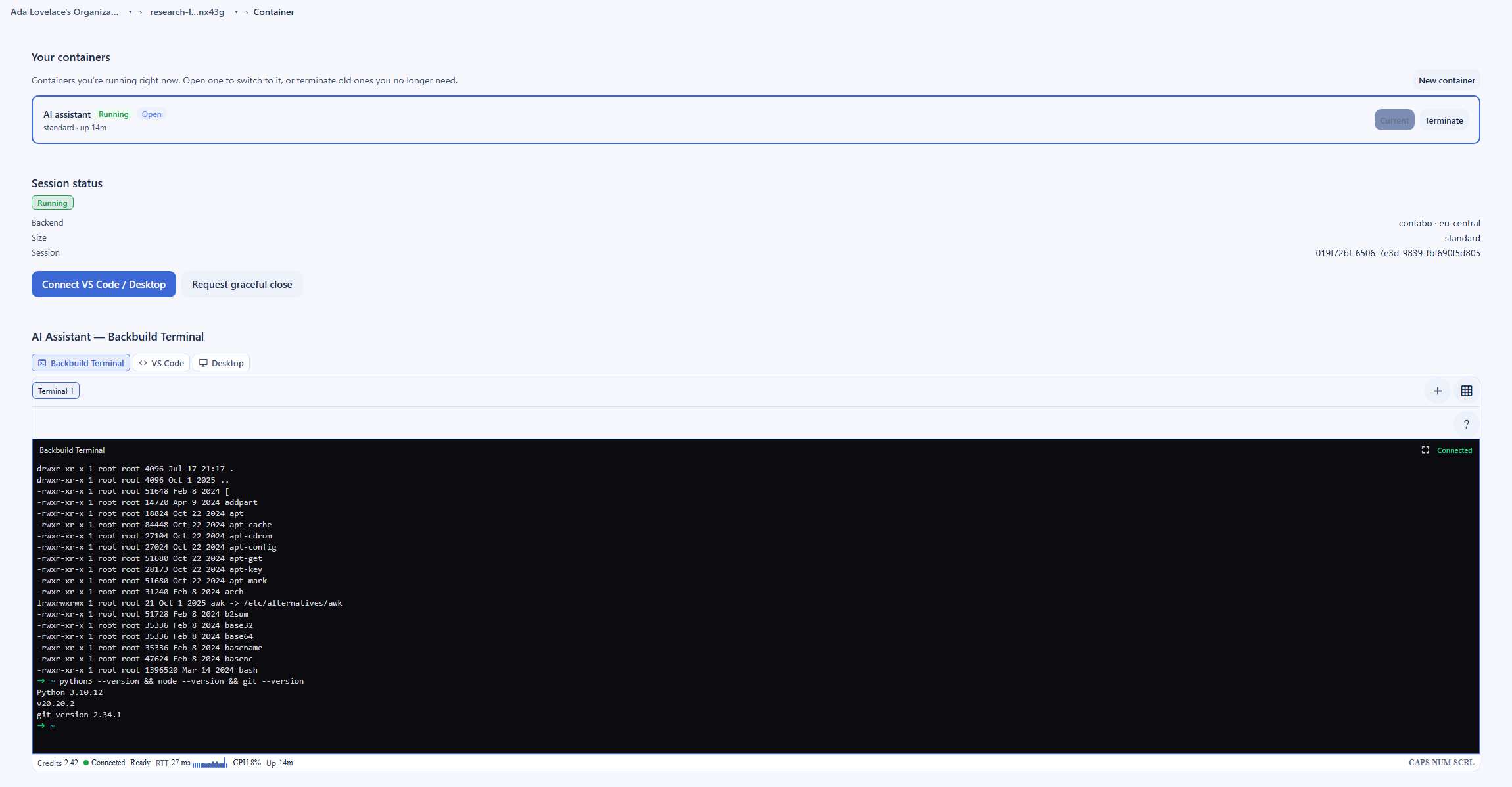
A connector-first agent reaches a system two ways: through an integration that the system publishes, or, in Lindy’s case, through a cloud browser tab. A Backbuild Virtual Worker is given a whole computer. Inside an isolated, disposable container it drives a full Linux desktop with native applications, a browser, and a terminal with the standard Linux tool suite, so it can operate the vendor portal with no API, the legacy desktop app, and the command line in one session. That reach is governed rather than open: the worker holds no plaintext credential, each session runs under a scoped, revocable token with a default-deny capability gate, and every action is attributed and audited.
How a worker signs in without the model seeing the password
Connecting an app in a connector-first builder means the platform stores and holds the connection it acts through. Backbuild handles credentials the opposite way. Secrets live in your organization vault, an encrypted, zero-knowledge vault, and the model that drives a worker never receives a plaintext value, because no tool returns one. When a worker needs to sign in, the vault hands back an opaque, single-use reference, not the secret. A trusted path substitutes the real value at the moment of use, on a loopback the model cannot read, so the credential reaches the target app while staying out of the model context, its results, and the logs. That is the categorical difference a security reviewer cares about: the worker acts with the login without ever handling it.
Where Lindy wins today
Lindy is the more established product in this category, and several of its strengths are things Backbuild Virtual Workers do not match today.
A large integration library and a fast builder
Lindy connects hundreds of apps and lets you assemble an agent in a no-code builder that reviewers rate highly for ease of use. For a workflow whose tools are all in that library, Lindy is quicker to stand up than directing a worker with prompts and skills. Backbuild answers programmatic reach with the public REST API, the MCP surface, and custom tools rather than a comparable one-click connector catalog.
Turnkey phone, notetaker, and inbox agents
Lindy packages agent types Backbuild does not: an AI phone and voice agent and a meeting notetaker and inbox assistant you can turn on from a template. If you want an agent to answer calls or join meetings out of the box, Lindy does that today and Backbuild does not.
Prebuilt templates and time-to-value for simple agents
For straightforward jobs, Lindy’s templates get you to a working agent quickly. A Backbuild Virtual Worker is more of a general operator you direct, which is more capable on messy, real-system work but less instant for a simple, well-connected task.
A longer, more established track record
Lindy is an established product with a large base of reviews and enterprise controls on its top tier. Backbuild is newer, and while its security posture is built to meet the standards auditors check, it does not yet carry that long, independently audited history.
Common Lindy frustrations and how Backbuild Virtual Workers address them
Credit cost that is hard to predict
Lindy’s most-cited complaint is cost: credits are consumed per run and rated expensive, and a 2026 repricing removed the published credit numbers, so a step’s cost is often only clear after it runs. Backbuild meters worker work in one usage-credit pool with idle time free and no per-task or per-number surcharge, and you can start on the free plan.
Trouble on complex, multi-step flows
Reviewers report Lindy can struggle to rebuild sophisticated multi-step automations reliably, with difficulty rising sharply on conditional and looping logic. A Virtual Worker approaches a long task the way a person does, on a real desktop it drives step by step, and its finite-state-machine skills give a multi-step job deterministic, reviewable states rather than a free-form flow.
Silent failures you only notice later
A documented Lindy weakness is that it can fail silently rather than alerting you, so you might not learn an email never sent. Backbuild attributes and audits a worker’s actions, and a session runs under a token you can revoke, so what a worker did, and did not do, is visible and reviewable.
Handing logins to a builder
Connecting apps in Lindy means the platform holds the connections it acts through. Backbuild keeps a worker’s credentials in an encrypted, zero-knowledge vault the model never reads in plaintext, with a trusted path substituting the real value at the point of use, so the worker can sign in and act without ever handling the credential itself.
Which tool wins, by use case
Operations and RevOps teams automating multi-tool work
This is the largest audience, and the answer splits cleanly. If your process runs across mainstream apps that Lindy connects, its connector library and builder get you moving fast. If your process touches a vendor portal, a legacy desktop app, or an internal tool with no API, where work means logging in and clicking through a real screen, a Backbuild Virtual Worker operates it directly on a full desktop, under governed credentials; on Lindy that class of work runs through the higher-tier, browser-only Computer Use.
Founders and small businesses wanting an AI worker
For a founder who wants a cheap AI worker for repetitive tasks, cost and starting friction matter. Lindy has no permanent free plan, only a seven-day trial, and its turnkey inbox and notetaker agents are a fast start for assistant work. Backbuild is free to start, with workers on usage credits, and fits when the worker needs to actually operate your tools and hold logins safely rather than orchestrate connectors.
Sales and marketing teams
For lead qualification, CRM hygiene, outreach, and meeting notes, Lindy is strong: it connects the CRMs and calendars this work lives in and ships a phone agent and meeting notetaker. Backbuild competes here only where the workflow needs to operate a tool that has no integration, or to keep credentials in a governed vault. For most connected sales and marketing automation, Lindy is the faster fit.
Customer-support teams
For ticket triage, drafting, and deflection in a connected help desk, Lindy’s integrations do the job. Backbuild answers this from the other direction: it ships a built-in help desk where a worker binds to a ticket stage, reads the real conversation, and drafts a reply as an internal note for review. A Virtual Worker earns its place further when support means driving an internal admin console or a supplier portal that has no API, on a real desktop, with every action attributed and audited.
Developers and technical teams
This use case exposes the design difference most clearly. A Virtual Worker is driven through a standard Model Context Protocol interface and the public REST API, bounded by exactly the caller’s access, and it runs on a real computer with a terminal, a browser, and a desktop. You get programmatic, auditable autonomy under governed secrets, with governed skills for deterministic execution, rather than a no-code canvas. Lindy’s builder is no-code-first and its computer use is a constrained cloud browser.
Security and compliance evaluation
Because an AI worker logs in and acts on real systems, the sharpest evaluation of this category is a security one, and it turns on a short list of criteria: where credentials live and who can read them, how tightly a session is scoped and how fast it can be stopped, whether the agent can cross tenant boundaries, and whether every action is attributable after the fact. Both products should be measured against those, not against a feature count.
On credentials, the two take opposite designs. Lindy is integration-driven, so connecting an app means the platform holds the connection the agent acts through, and reviewers have flagged the broad permissions that authorizing email, calendar, and storage requires as a data-security concern. Backbuild keeps credentials in an encrypted, zero-knowledge vault the model never reads in plaintext: no tool returns a plaintext value, and a trusted path substitutes the real credential at the point of use, so a worker signs in without ever handling the secret. For a reviewer who treats every agent as a privileged non-human identity, that difference is the center of the evaluation.
On blast radius and control, Backbuild runs each session in an isolated, disposable container under a scoped, signed delegated token that is least-privilege, time-limited, and checked against a server-side revocation list on every use, so tearing down a session is a real kill switch that fails closed on error, and the code a worker runs is held to a default-deny allowlist that excludes secrets, roles, billing, and administration. A non-overridable approval floor keeps two actions, sending external email and pushing code, always requiring a person. The operation stream itself is post-quantum encrypted. Lindy’s Computer Use, by contrast, runs in cloud browser sessions that persist for thirty days, and its SSO, SCIM, and audit logging sit on the Enterprise tier, where Backbuild provides per-organization roles and tamper-evident audit on every plan.
The honest tradeoff runs the other way on maturity. Lindy is an established product with a long operating history and an enterprise tier that names its controls; Backbuild is newer, and while it is built to the standards auditors check, it does not yet carry a long, independently audited record, and its SCIM provisioning is still on the roadmap. The bottom line for a security evaluation is that Backbuild offers a stronger structural posture for credentialed autonomy, a governed vault, per-session isolation, a revocable token, a default-deny gate, and audit on every plan, while Lindy offers the reassurance of a longer track record and a named enterprise control set.
The economics for a finance buyer
A finance evaluation of an AI worker is about total, predictable cost rather than a sticker price, because both products meter usage and the meter, not the plan name, decides the bill. The criteria are the entry cost, how the meter behaves, and whether there are surcharges that make a month hard to forecast.
On entry cost, Backbuild has a free plan and includes Virtual Workers on it, with no separate per-worker subscription, so a team can prove value before it spends. Lindy has no permanent free plan, only a seven-day trial, and its paid tiers begin at $49.99 a month and rise to $99.99 for the Pro tier that unlocks browser Computer Use and $199.99 for Max. On predictability, Lindy’s single most-cited complaint is cost: credits are consumed per run and rated expensive, a 2026 repricing removed the published credit numbers so a step’s cost is often clear only after it runs, and phone calls at $0.19 a minute plus $10 a month per number are billed as separate add-ons. Backbuild folds worker work into one universal usage-credit pool with idle time free and no per-task or per-number surcharge.
The tradeoff a finance buyer should weigh honestly is that Backbuild’s model is usage-metered too: heavy worker work and larger container sizes draw more credits, so a demanding, always-busy workload is not free, and a team should size its credit budget against real usage rather than the free entry point. The difference is transparency and shape, one pool with idle time excluded and no surcharges, versus a credit meter whose per-action cost is unpublished plus separate voice and number fees. The bottom line: Backbuild is the lower-risk starting cost and the more forecastable meter, while Lindy’s spend is the harder one to predict in advance.
Rolling it out across an operations team
For the person who has to put an AI worker into a real team’s daily process, the evaluation is about time-to-first-result, how the tool behaves when a run goes wrong, and whether it scales past one clever agent without turning into a maintenance burden. These are operational criteria, and the two products lead on different ones.
On time-to-first-result, Lindy is usually ahead when the tools are all connected: its no-code builder and templates stand up a simple agent fast, and that speed is real and worth crediting. Backbuild trades some of that immediacy for reach, because you direct a worker with prompts and skills rather than dragging boxes, but it wins the moment the process reaches a system with no connector, which it operates directly on a real desktop.
On behavior under failure, the difference matters more at scale. Lindy has a documented tendency to fail silently and, per a paying subscriber’s detailed account, to struggle to rebuild sophisticated multi-step automations, with no easy way to debug branching logic. Backbuild makes a worker’s runs attributed and audited, gives a multi-step job the deterministic states of a finite-state-machine skill rather than a free-form flow, and keeps every session revocable, so a run that goes wrong is visible and stoppable rather than quietly incomplete. The honest counterpoint is that a governed-skill approach asks more of the person setting it up than a template does. The bottom line for a rollout: Lindy is the faster first win on connected work, and Backbuild is the more auditable and controllable foundation as the number of automated processes grows.
Strategic fit and vendor risk
An executive sponsor is evaluating fit and risk more than features: what the tool consolidates or fragments, how much it locks the organization in, and whether the vendor is a safe multi-year bet. Each product presents a different strategic shape.
Lindy’s strategic case is maturity and focus. It is a proven, easy-to-adopt connector-and-builder product with a large review base and turnkey phone and meeting agents, so it is a low-friction addition for a team that wants agents over the apps it already runs. The risk an executive should weigh is that it is one more subscription alongside the mail, calendar, docs, and support tools it automates, and that its cost is hard to forecast.
Backbuild’s strategic case is consolidation and reach. The worker lives inside an all-in-one workspace spanning Mail, Chat, Meetings, Calendar, Contacts, Docs, Sheets, Slides, Diagrams, and Photos, with dedicated photo, video, training video, audio, and music editors, Files, Backbuild Finances, a built-in help desk, and the Secrets vault, and it operates real systems under governed credentials with full audit. That reduces the number of vendors and puts the automation next to the data it acts on. The risk an executive should weigh in the other direction is that Backbuild is newer and pre-launch in parts, trading Lindy’s maturity, integration breadth, and turnkey agents for real-system reach, security posture, and workspace consolidation. The bottom line: choose Lindy for a proven, focused agent layer over existing apps, and Backbuild for a consolidated workspace whose AI worker operates real systems like an employee.
Frequently asked questions
What is the best Lindy alternative?
It depends on what you want the AI worker to do. If your work lives in mainstream apps that have ready connectors, and you want to assemble agents quickly in a no-code builder from templates, Lindy is a strong, mature choice. If your work means operating real systems, including apps, vendor portals, and legacy tools that have no API, under credentials your organization governs, Backbuild Virtual Workers are the closer fit: a worker drives a full Linux desktop, a browser, and a terminal on an isolated computer, uses secrets from an encrypted vault the model never reads in plaintext, and is controlled through a standard agent protocol and the public REST API. Backbuild is also available on a free plan, where Lindy has no permanent free tier, only a seven-day trial.
Is Backbuild Virtual Workers cheaper than Lindy?
For getting started, yes. Backbuild has a free plan, and Virtual Workers are available on it; there is no separate per-worker subscription, and worker work draws on universal usage credits as it runs, with idle time not metered. Lindy has no permanent free plan, only a seven-day trial, and its paid tiers start at $49.99 a month for Plus, $99.99 for Pro, which is the first tier that includes its browser Computer Use, and $199.99 for Max, with usage metered in credits and phone calls and phone numbers billed as separate add-ons. Both products meter usage, so the real difference is not free versus paid forever; it is that Backbuild starts free, keeps worker cost in one transparent credit pool with no per-task or per-number surcharge, and only meters active work.
Does Lindy operate a real browser, or only call APIs?
Both. Lindy is primarily an integration-driven agent builder: most of its power comes from connecting the apps in its library and orchestrating them with a language model. It also ships Computer Use, sometimes called Autopilot, which is a cloud browser an agent can drive to log in, navigate, and fill forms on sites that have no API. That browser capability is a higher-tier feature, available from the Pro plan up, and it is a browser environment rather than a full computer. Backbuild Virtual Workers differ in scope: a worker drives a full Linux desktop with native applications and a terminal, not only a browser tab, and it does so by default rather than as an add-on.
Can a Backbuild Virtual Worker run on a schedule or a trigger?
Yes. An automation rule can start a run on a schedule, on a fixed date and time, or on an event in your organization, and it can dispatch that run to a worker, to one of your skills, or to a script. A support worker bound to a help desk stage is the event-triggered case in everyday use: a ticket that reaches the stage is picked up automatically. The fully container-backed unattended runtime, where a background run drives a complete desktop, browser, and terminal on its own container for the length of a task, is rolling out and enables per organization, so the richest unattended container runs are arriving rather than uniformly on for every tenant today. The autonomy dial and the approval floor still apply to every automatic run, so an automatic start never means an automatic irreversible action.
How does a Virtual Worker use my passwords without exposing them?
Credentials live in your organization vault, an encrypted, zero-knowledge vault, not in the worker prompt. The model that drives a worker never receives a plaintext secret, because there is no tool that returns one: an assistant can check that a vault is set up, list the names and target sites of items, and generate a new password into a named slot, but it cannot read a value back. When a secret is actually needed to act, a trusted path outside the model substitutes the real value at the moment of use and keeps it out of the model context, its results, and the logs. Virtual Workers get their own escrowed vaults so they can use secrets on their own, and those vaults are shared with organization administrators so a human can always audit and manage what a worker can use.
Is it safe to let an autonomous agent log into my systems?
That is exactly the question a security reviewer should ask, and Backbuild answers it with explicit controls. A worker runs inside your organization boundary with per-organization access control, so it cannot cross into another tenant. Each session acts under a scoped, signed delegated token that names the identity it acts for, is least-privilege and time-limited, and is checked against a server-side revocation list on every use, so tearing down a session is a real kill switch and the check fails closed on any error. The code a worker runs is a delegated actor held to a default-deny allowlist, with secrets, roles, billing, and organization administration excluded outright. And every action is attributed to the worker and audited. No autonomous agent is risk-free, but a governed vault, an isolated per-session container, a revocable token, and a default-deny capability gate are a stronger posture than platform-held connections.
What does Lindy do better than Backbuild Virtual Workers?
Several things. Lindy has a large library of prebuilt one-click integrations and a polished no-code builder with a template gallery, so a simple agent is genuinely fast to stand up. It ships turnkey agent types Backbuild does not package: an AI phone and voice agent, a meeting notetaker that joins calls and summarizes them, and an inbox assistant that drafts replies in your voice. And it is a more established product with a larger review base. Backbuild directs a worker through prompts, governed skills, and a standard agent protocol rather than a drag-and-drop canvas, does not ship those turnkey agent products, and is newer. Where a task fits Lindy connectors and templates, Lindy is quicker; where it needs to operate real systems under governed credentials, Backbuild fits better.
Try Backbuild Virtual Workers free
Put an autonomous AI worker on a real computer: a full Linux desktop, a browser, and a terminal it drives to do work, using credentials from an encrypted vault the model never sees in plaintext, on an isolated container inside an all-in-one workspace, free to start with worker work on usage credits. If your first requirement is a large one-click integration library, a no-code builder with templates, or a turnkey phone or meeting agent, Lindy is the stronger choice today.
Get started free