

AnyDesk alternative: Backbuild Remote Desktop vs AnyDesk
AnyDesk is a dedicated remote-access product for reaching, controlling, and supporting devices. Backbuild Remote Desktop is the browser-native access surface for your own Windows, macOS, and Linux machines and for on-demand cloud desktops inside the Backbuild workspace, over a WebRTC connection with a hybrid post-quantum encryption overlay, carrying single sign-on, SCIM, an in-browser terminal, AI-driven control, a public REST API, and the full workspace on every plan. AnyDesk still leads on native mobile apps and its low-latency DeskRT codec, unattended access and an address book at fleet scale, a self-hosted on-premises appliance, session recording, and its established base.
The short answer
Both let you see and control a remote machine; the split is price, reach, hosting, and maturity. Choose Backbuild Remote Desktop if you want remote access to your own machines that is free on every plan, with post-quantum encryption on the stream, no commercial-use detection, and no annual lock-in, plus on-demand cloud Linux desktops with an in-browser terminal that an AI agent can drive directly, a public REST API, single sign-on, SCIM, roles, and audit at no extra cost, and an all-in-one workspace. Choose AnyDesk if you need its native mobile apps and low-latency DeskRT codec, unattended access and a device address book at scale, a self-hosted on-premises server, session recording, and an established base.
Backbuild Remote Desktop vs AnyDesk: feature by feature
AnyDesk is free only for personal, non-commercial use; commercial use requires a paid license. Prices below are from the AnyDesk pricing page, billed annually, observed 2026-07-18. The highlighted column is Backbuild Remote Desktop.
| Backbuild Remote Desktop Browser-based, post-quantum remote access in the free workspace Remote access to your own machines free on every plan; cloud desktops run on usage credits Get Started Free | AnyDesk A mature, cross-platform remote-access product, subscription only for business Solo from ~$22.90/mo, Standard from ~$35.90/mo, billed annually; free for personal use only; no free commercial tier | |
|---|---|---|
| Price and access | ||
| Free for commercial use | Personal use only | |
| Starting price for business use | Free | $22.90/mo, billed annually |
| Monthly billing, no annual contract | Annual billing | |
| No commercial-use detection or session cut-offs | Detects commercial use | |
| Self-hosted, on-premises server | Ultimate, On-Premises | |
| Encryption and privacy | ||
| Encrypted session (transport) | WebRTC DTLS and SRTP | TLS 1.2, AES-256, RSA 2048 |
| Post-quantum encryption of the stream | Not claimed | |
| Trust-on-first-use device pinning | Allowlists, 2FA | |
| Per-organization data isolation | Every plan | On-premises or Enterprise |
| In-session capabilities | ||
| View and control (mouse, keyboard) | ||
| Clipboard sync | ||
| File transfer | Drag files in and out | |
| Audio streaming from host | ||
| Purpose-built low-latency video codec | WebRTC H.264 | DeskRT |
| Pop a remote window out as a native local window | ||
| In-browser terminal to a cloud desktop | ||
| Session recording | Every tier | |
| Multi-monitor, remote print, VPN, Wake-on-LAN | ||
| Platform and device reach | ||
| Remote into your own Windows, macOS, Linux machines | Via the desktop app | |
| Browser viewer, nothing to install to connect | ||
| Remote into mobile devices (Android, iOS view) | ||
| Raspberry Pi and other embedded targets | ||
| Native mobile viewer apps Soon | ||
| Access models | ||
| Unattended access to your enrolled machines | ||
| Address book and device directory at fleet scale | Up to 100 to 10,000 devices | |
| Spontaneous attended support (one-time approval) | ||
| Cloud desktops, automation, and API | ||
| On-demand cloud Linux desktops you provision | ||
| A desktop an AI agent can drive directly | ||
| Native Model Context Protocol tools for the desktop | ||
| Scheduled and event-triggered container automations Soon | ||
| Grant-based vault secret injection for automated sign-in (AI never sees plaintext) | ||
| Public REST API | Full platform | Management API |
| Identity and governance | ||
| Single sign-on | Every plan | Enterprise, Ultimate |
| SCIM user provisioning (Users, not Groups) | Every plan | IDP user sync (Enterprise) |
| Granular per-connection permissions | Per-device permissions | Permission profiles |
| Role-based access and tamper-evident audit log | Every plan | Enterprise |
| Workspace apps | ||
| Email at your own domain (Backbuild Mail) | ||
| Team chat (Backbuild Chat) Soon | ||
| Meetings (Backbuild Meetings) Soon | ||
| Calendar (Backbuild Calendar) | ||
| Contacts (Backbuild Contacts) | ||
| Documents (Backbuild Docs) | ||
| Spreadsheets (Backbuild Sheets) | ||
| Presentations (Backbuild Slides) | ||
| Diagrams (Backbuild Diagrams) Soon | ||
| Photos (Backbuild Photos) | ||
| Photo editor | ||
| Video editor Soon | ||
| Training video editor (Backbuild Studio) | ||
| Audio editor Soon | ||
| Music editor Soon | ||
| Files | ||
| Accounting and invoicing (Backbuild Finances) | ||
| Password and secrets manager (Backbuild Secrets) | ||
| Help desk and support tickets | ||
| Trust and maturity | ||
| Published third-party certifications | Built to meet, not yet audited | |
| Long track record and large install base | Since 2014 | |
A cross means the tool does not offer the feature today. "Soon" marks a capability on the Backbuild roadmap. AnyDesk prices, plans, and feature availability are quoted from AnyDesk pricing, its security page, features documentation, and the on-premises solution page, observed 2026-07-18.
Two products with an overlap
AnyDesk is a mature, purpose-built remote-access product. It reaches almost any device, from a server to a phone to a Raspberry Pi, streams with its low-latency DeskRT codec, supports unattended access and an address book at fleet scale, and can run entirely on a self-hosted on-premises server. Backbuild Remote Desktop is one surface inside a wider workspace: it gives you browser-based, post-quantum remote access to your own machines and to on-demand cloud desktops, free, with an in-browser terminal, AI-driven control, and a public REST API riding along. Where they overlap, remote access to a computer you own, Backbuild is a genuinely strong, free, forward-looking option, and it extends into provisioned and automated desktops that AnyDesk does not serve. Where AnyDesk reaches into mobile, embedded devices, on-premises hosting, and ad-hoc support, Backbuild does not follow.
Where AnyDesk leads
AnyDesk is a category leader, and several of its strengths are things Backbuild Remote Desktop does not match today.
Native mobile apps and device reach
AnyDesk ships native Android and iOS apps, full control of a PC from an Android phone, and remote access to Android devices and Raspberry Pi hardware. Backbuild remotes into Windows, macOS, and Linux computers that run its desktop app, its cloud desktops are Linux, and its own mobile viewer apps are still rolling out. For mobile and embedded reach, AnyDesk leads outright.
A self-hosted on-premises server
AnyDesk offers an on-premises appliance that keeps all session data inside your own network, works offline, and is managed by your own team. Backbuild runs in the cloud with per-organization isolation and enrollment of your own machines, and it has no self-hosted server today. For an organization that requires remote access to stay entirely on its own infrastructure, AnyDesk leads.
Session recording and fleet features
AnyDesk supports session recording on every tier, plus multi-monitor, remote print, Wake-on-LAN, VPN, and an address book that manages devices at fleet scale. Backbuild does not record sessions or offer those fleet features today. For a regulated support operation or a large managed fleet, AnyDesk is more complete.
A low-latency codec and an established base
AnyDesk streams with its purpose-built DeskRT codec, tuned for low latency on constrained links, and has run since 2014 with a large install base. Backbuild Remote Desktop is newer and streams over WebRTC. If a long track record and a codec tuned over years are hard requirements, AnyDesk leads.
Common AnyDesk frustrations and how Backbuild Remote Desktop addresses them
No free commercial tier, and a rising price
AnyDesk is free only for personal, non-commercial use, and business use starts around $22.90 a month billed annually, on prices that reviewers report have risen across recent renewals. Backbuild gives you remote access to your own machines free on every plan, including for commercial use.
Commercial-use detection interrupting sessions
The AnyDesk free client detects suspected commercial use and can interrupt the connection, even for people connecting to their own devices, forcing a paid upgrade. Backbuild does not detect or restrict commercial use, so your connection is not interrupted by a licensing guess.
A limited free tier with a small device cap
The AnyDesk free tier limits you to a small number of registered devices with session and time limits, so even light personal use runs into caps. Backbuild lets you enroll and reach your own machines free with no per-device charge, and provisions additional cloud desktops on demand when you need one.
Post-quantum protection of the stream
AnyDesk secures sessions with TLS 1.2, AES-256, and RSA 2048 and does not claim post-quantum protection. Backbuild layers a hybrid post-quantum overlay (X25519 with ML-KEM-768) on the WebRTC stream, so traffic captured today stays closed to a quantum adversary tomorrow.
How the stream is protected
AnyDesk and Backbuild both encrypt the session strongly today. The difference is what happens if an adversary records the traffic now and waits for a quantum computer. Backbuild's transport is the classical WebRTC combination of DTLS and SRTP, and on top of it the two ends run a Noise-XX handshake that combines a classical key exchange with a post-quantum one, then encrypt every channel of the stream with its own key. The classical layer alone is never the ceiling.
Which tool wins, by use case
Reaching your own office or home computer
Most people searching for an AnyDesk alternative want to reach one or a few of their own machines without paying, or without being flagged. Backbuild gives you free, unattended access to a Windows, macOS, or Linux computer you own, from any browser with nothing to install on the viewing side, with clipboard sync, file drag, and a post-quantum-protected stream. AnyDesk does the same but charges for commercial use, caps the free tier at a few devices, and may interrupt a session when it detects commercial use. The counterweight is maturity and mobile: if you also need to reach a phone or want a client with years of tuning behind it, AnyDesk is stronger.
IT support teams and managed service providers
This is where AnyDesk is strongest. A support desk needs to reach a customer machine it may never have set up, often on any operating system or a phone, record the session, and manage many devices from an address book at fleet scale, sometimes on a self-hosted server. AnyDesk does all of this, and its device reach and attended support are exactly what this audience buys. Backbuild has no attended one-time support flow, no device address book at scale, and no mobile target, so it does not fit ad-hoc external support today. Where Backbuild helps a small IT team is internal access to a set of machines they own, free, with per-device permissions, single sign-on, SCIM, and an audit log included.
Developers who need a cloud desktop on demand
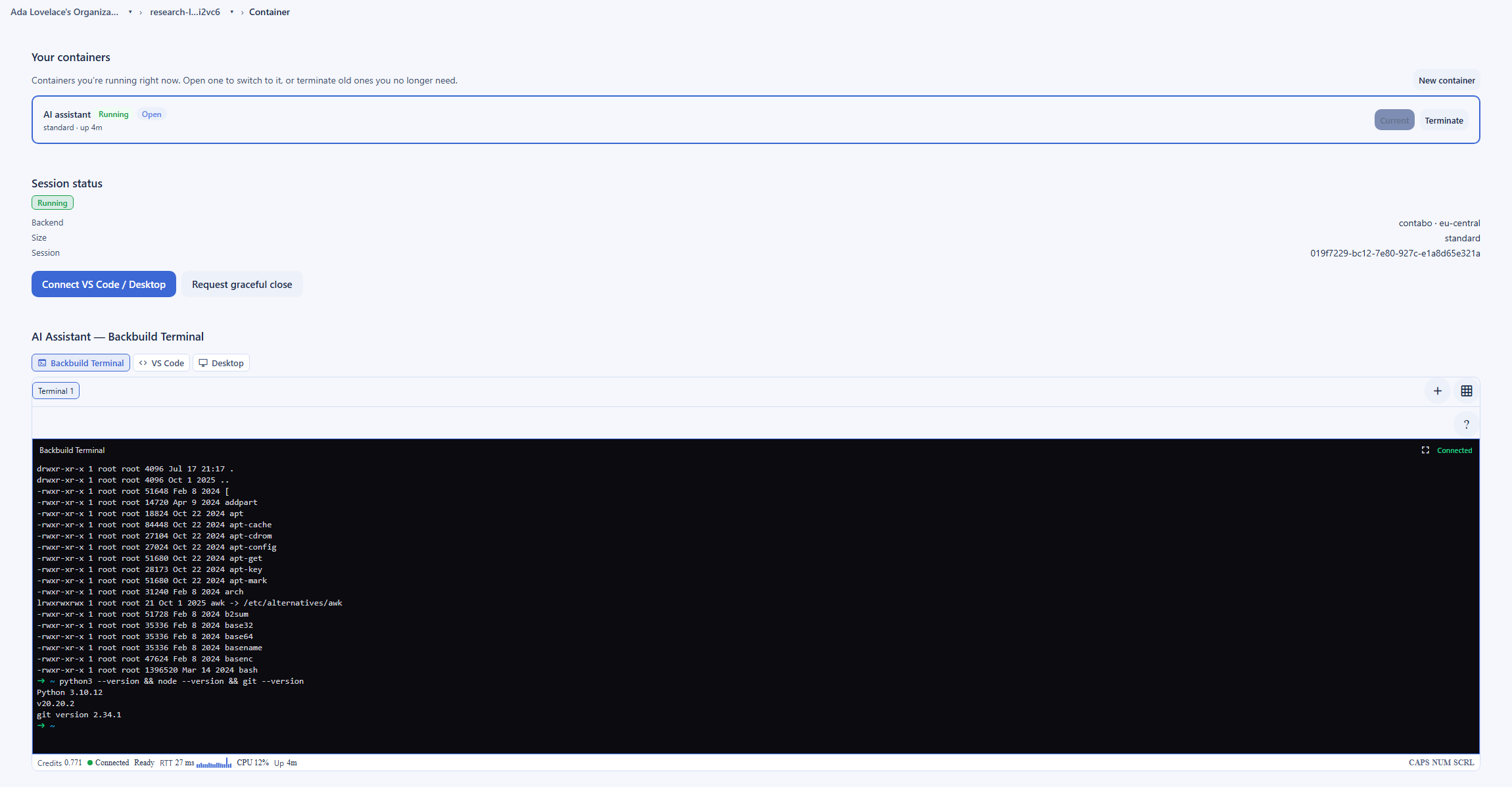
AnyDesk is a remote-control product: it connects you to a machine that already exists, and it does not provision one. Developers who want a clean, disposable Linux desktop, with a browser, an editor, an in-browser terminal, and the full Linux tool suite, are served by Backbuild's on-demand cloud desktops, which you spin up, use, and tear down, paying only for the compute while it runs. AnyDesk has no equivalent, so for this job it is not really a competitor. The trade-off is that cloud desktops run on usage credits rather than being free like access to your own machines.
Teams automating a real desktop with AI
When a real desktop needs to be driven without a person at the keyboard, for automated browsing, rendering, data entry, or end-to-end tests, Backbuild's cloud desktops are drivable directly by an AI agent over native Model Context Protocol tools that move the mouse and keyboard, read the screen, and run terminal commands. When the automation needs to sign in somewhere, it authenticates through grant-based access to the secrets vault, and the real value is substituted only in trusted code at the execution boundary, so neither the AI nor the automation script ever sees a plaintext secret. AnyDesk is built for a human at both ends, and its per-user, per-connection licensing is not designed for programmatic sessions. Wiring container-backed desktops into scheduled and event-triggered automations is on the Backbuild roadmap; driving one interactively is available today.
Security-conscious and compliance-driven organizations
For a team whose threat model includes harvest-now, decrypt-later, the encryption of the stream matters. Backbuild adds a hybrid post-quantum overlay on the WebRTC media that AnyDesk does not claim, isolates every device and session per organization, and includes single sign-on, SCIM, role-based access, and an audit log free on every plan. The counterweight is hosting and history: AnyDesk offers a self-hosted on-premises server for organizations that require data to stay on their own network, and it has run since 2014. Its security record includes the February 2024 breach of its production systems, after which, per its disclosure and independent reporting, it rotated certificates, replaced systems, and forced a password reset. Backbuild is newer and not yet independently audited, so it does not carry the same track record.
How the two compare for each part of a buying decision
Everyday remote access to your own computers
The day-to-day experience turns on two things: how easily the tool reaches a machine, and what it costs. Both connect through firewalls and routers without manual port configuration, and both give an unattended session to a computer that is set up in advance. On cost, the two diverge sharply. Backbuild's access to your own machines is free on every plan, including for commercial use, with no annual contract and nothing to cancel. AnyDesk is free only for personal, non-commercial use, on a tier limited to a few devices, and it can interrupt a session when it suspects commercial use, which is the most cited frustration for this group.
The offsetting draw for AnyDesk is reach and maturity. If a person also needs to reach a phone or control a PC from a mobile device, AnyDesk covers more ground, and its native mobile apps exist today while Backbuild's are still rolling out to the stores. The bottom line for this evaluation: for reaching your own desktops and laptops for free without licensing friction, Backbuild is the stronger daily driver; for reaching mobile targets or leaning on a codec tuned over years, AnyDesk is stronger right now.
Running a support desk or managed service
A support operation is decided by how quickly a technician can reach a machine, across whatever operating systems customers run, and by the fleet controls and compliance features around it. This is the work AnyDesk is built for. Its unattended access and address book manage devices at fleet scale, its reach spans desktops, phones, and embedded hardware, its session recording satisfies audit and training requirements, and the on-premises server keeps everything on your own network for a large service desk.
Backbuild does not serve ad-hoc external support: it connects to machines you have enrolled, not to a customer machine through a one-time approval, and it has no mobile or embedded target, no fleet address book, and no session recording. Where it fits a support team is internal: free, governed access to the team's own machines, with per-device permissions, single sign-on, SCIM, and a tamper-evident audit log included rather than reserved for a paid tier. The bottom line: for a support desk or managed service provider helping external customers and managing a fleet, AnyDesk is the stronger and often the only fit; for an internal IT team governing its own machines on a budget, Backbuild covers the job with governance included.
Security and compliance evaluation
A security review of a remote-access tool looks at the encryption of the session, how devices are trusted, how access is scoped, tenant isolation, the audit trail, identity integration, and where the data lives. On encryption, both are strong today: AnyDesk uses TLS 1.2, AES-256, and RSA 2048, while Backbuild runs WebRTC DTLS and SRTP and adds a hybrid post-quantum overlay (X25519 with ML-KEM-768, signed with Ed25519 and ML-DSA-65) that AnyDesk does not claim, which matters to a reviewer whose threat model includes harvested traffic. On trust and scoping, Backbuild pins each device on first use and grants fine-grained per-device permissions for view, control, clipboard, file drag, window hoisting, and audio, while AnyDesk offers allowlists, two-factor, and permission profiles.
On identity and governance, Backbuild includes single sign-on, SCIM user provisioning, role-based access, per-organization isolation, and an audit log on every plan, where AnyDesk reserves single sign-on and identity-provider user sync for its Enterprise and Ultimate tiers. For agent-driven and automated sessions, Backbuild's grant-based vault access keeps plaintext credentials away from the model and the automation script entirely, a boundary a modern review increasingly asks about. Two genuine points favor AnyDesk here: it offers a self-hosted server for teams that require data to stay on their own network, and it carries years of operating history, including the February 2024 breach of its production systems and the certificate and password rotation that followed. Backbuild is built to meet the same frameworks but is not yet independently audited. The bottom line: for cryptography and the agent-secret boundary, Backbuild leads on the model and includes governance for free; for on-premises hosting and an externally audited history, AnyDesk leads on those axes.
The economics for a finance buyer
The cost question is total spend across seats and connections, the risk of forced upgrades, and the contract terms. AnyDesk is an annual subscription priced per user and per concurrent connection, starting around $22.90 a month for Solo and $35.90 a month for Standard, on prices that reviewers report have risen across renewals, with additional concurrent sessions and managed-device counts gated by tier. Backbuild's remote access to your own machines is free on every plan, so the direct line-item cost of basic remote access is zero, and the only metered cost is the compute for on-demand cloud desktops.
The larger economic point is consolidation. Because Backbuild Remote Desktop sits inside the same all-in-one workspace as mail, calendar, documents, the secrets vault, and accounting, adopting it can retire several separate subscriptions rather than adding one, which changes the comparison from a remote-access line item to a workspace decision. The offsetting consideration is fit: an organization that specifically needs on-premises hosting, a device fleet directory, or native mobile support is buying capabilities Backbuild does not price at any tier. The bottom line: on direct and consolidated cost, Backbuild is materially cheaper; a buyer paying for those specific AnyDesk capabilities is buying something different, not just a cheaper seat.
Strategic fit and vendor risk
At the sponsor level the decision is about direction and durable risk, not individual features. AnyDesk offers a focused, established vendor with broad device reach, a self-hosted option, mature unattended and attended support, and a low-latency codec, a low-surprise choice for an organization that wants a best-in-class dedicated remote-access product and nothing more. Its trade-offs are its narrow scope, its subscription-only pricing with reported increases, its commercial-use enforcement, and the 2024 production-systems breach in its history.
Backbuild consolidates remote access, on-demand cloud desktops, and the rest of an organization's core tools into one governed, post-quantum workspace, with AI-driven desktop control and a public REST API built in. The strategic upside is fewer vendors, forward-looking cryptography, and an AI-native posture; the strategic risk is that Backbuild is newer, not yet independently audited, offers no self-hosted server, and does not reach mobile or embedded devices or ad-hoc support cases. The bottom line: an organization optimizing for the broadest proven remote-access tool or on-premises control leans AnyDesk, while one consolidating vendors and prioritizing post-quantum, governed, AI-driven access to its own machines and cloud desktops leans Backbuild.
Frequently asked questions
Is there a free AnyDesk alternative for commercial use?
Yes. Backbuild Remote Desktop gives you remote access to your own machines free on every Backbuild plan, including the Free plan, and it does not restrict commercial use or monitor for it. The AnyDesk free tier is for personal, non-commercial use only, with a small device limit, and it can suspend a connection when it detects business use, so a company needs a paid license that starts around 22.90 US dollars a month for Solo, billed annually. If the goal is to stop paying for basic remote access to your own computers, Backbuild is the better fit. AnyDesk remains stronger when you need native mobile apps, a self-hosted server, or unattended access to a large fleet.
Is Backbuild Remote Desktop encrypted, and is it post-quantum?
Yes on both. The connection runs over WebRTC, which encrypts media with DTLS and SRTP, and Backbuild layers a hybrid post-quantum overlay on top: the session key is established with X25519 combined with ML-KEM-768 (NIST FIPS 203), identities are signed with Ed25519 and ML-DSA-65 (FIPS 204), and every channel carries its own ChaCha20-Poly1305 encryption. AnyDesk secures its traffic with TLS 1.2, AES-256, and RSA 2048 key exchange, but it does not claim post-quantum cryptography. Both are strongly encrypted today, and Backbuild adds protection against a future quantum computer that could decrypt harvested traffic.
Can Backbuild remote into a Windows or Mac machine, or only Linux?
Both. The Backbuild desktop app runs on Windows, macOS, and Linux, and the capture engine has a native backend for each, so you can remote into a Windows, macOS, or Linux computer of your own that runs the app and that you have enrolled as a trusted device. Separately, the on-demand cloud desktops are Linux, with an in-browser terminal and the full Linux tool suite. What Backbuild does not do today, and AnyDesk does, is remote into mobile devices, and AnyDesk also ships native mobile apps that control a PC from a phone.
Does Backbuild support unattended access like AnyDesk?
For your own machines, yes. Once you install the Backbuild desktop app on a machine and confirm its fingerprint on the first connection, that device is trusted and you can reconnect without someone sitting at the host to approve you, subject to the permissions you granted. What Backbuild does not offer is an address book that manages hundreds or thousands of remote devices, or spontaneous attended support to a machine you have never set up. AnyDesk supports unattended access and a device directory at fleet scale across its paid tiers, and it also offers a self-hosted on-premises server that Backbuild does not.
Can an AI agent or an automation drive a Backbuild desktop?
Yes, and this is a category AnyDesk does not serve. An on-demand cloud desktop is drivable directly by an AI agent over native Model Context Protocol tools, which move the mouse and keyboard, read the screen, and run commands in the in-browser terminal. When the automation needs to sign in somewhere, it authenticates through grant-based access to the secrets vault, where the real value is substituted only in trusted code at the execution boundary and scrubbed from anything the model sees, so neither the AI nor the automation script ever handles a plaintext secret. Wiring a container-backed desktop into scheduled and event-triggered automations is on the roadmap; driving one interactively over Model Context Protocol is available today.
Why do people look for an AnyDesk alternative?
The most common reasons are cost and licensing friction. AnyDesk is subscription only for commercial use, billed annually, and reviewers note that its prices have risen across recent renewals. Free and personal users are also flagged when the client suspects commercial use, and the free tier is limited to a small number of devices with session limits. Backbuild answers the cost and commercial-use complaints directly by making remote access to your own machines free on every plan with no such detection, though it does not match the mobile reach, the self-hosted option, or the maturity of AnyDesk.
Is AnyDesk safe, and what happened in the 2024 breach?
AnyDesk uses strong transport encryption and states that it meets recognized security standards. In its own disclosure on February 2, 2024, AnyDesk reported that attackers had breached its production systems, and independent reporting described stolen source code and code-signing certificates, after which AnyDesk rotated certificates, replaced systems, and forced a portal password reset. AnyDesk stated that no compromised software was distributed. Backbuild is newer and not yet independently audited, so it does not carry the long track record AnyDesk has; its answer is a post-quantum, per-organization-isolated, audit-logged design built to meet the same frameworks.
Try Backbuild Remote Desktop free
Browser-based remote access to your own Windows, macOS, and Linux machines, plus on-demand cloud desktops with an in-browser terminal and AI-driven control, over a WebRTC connection with a hybrid post-quantum encryption overlay, free on every plan inside an all-in-one workspace, with single sign-on, SCIM, roles, and audit included and no commercial-use detection or annual lock-in. If your first requirement is native mobile apps, a self-hosted on-premises server, unattended access to a large device fleet, session recording, or a long operating history, AnyDesk is the stronger choice today.
Get started free